56
③ C White Clip Level
Setting range 50 - 111% (Default: 111%)
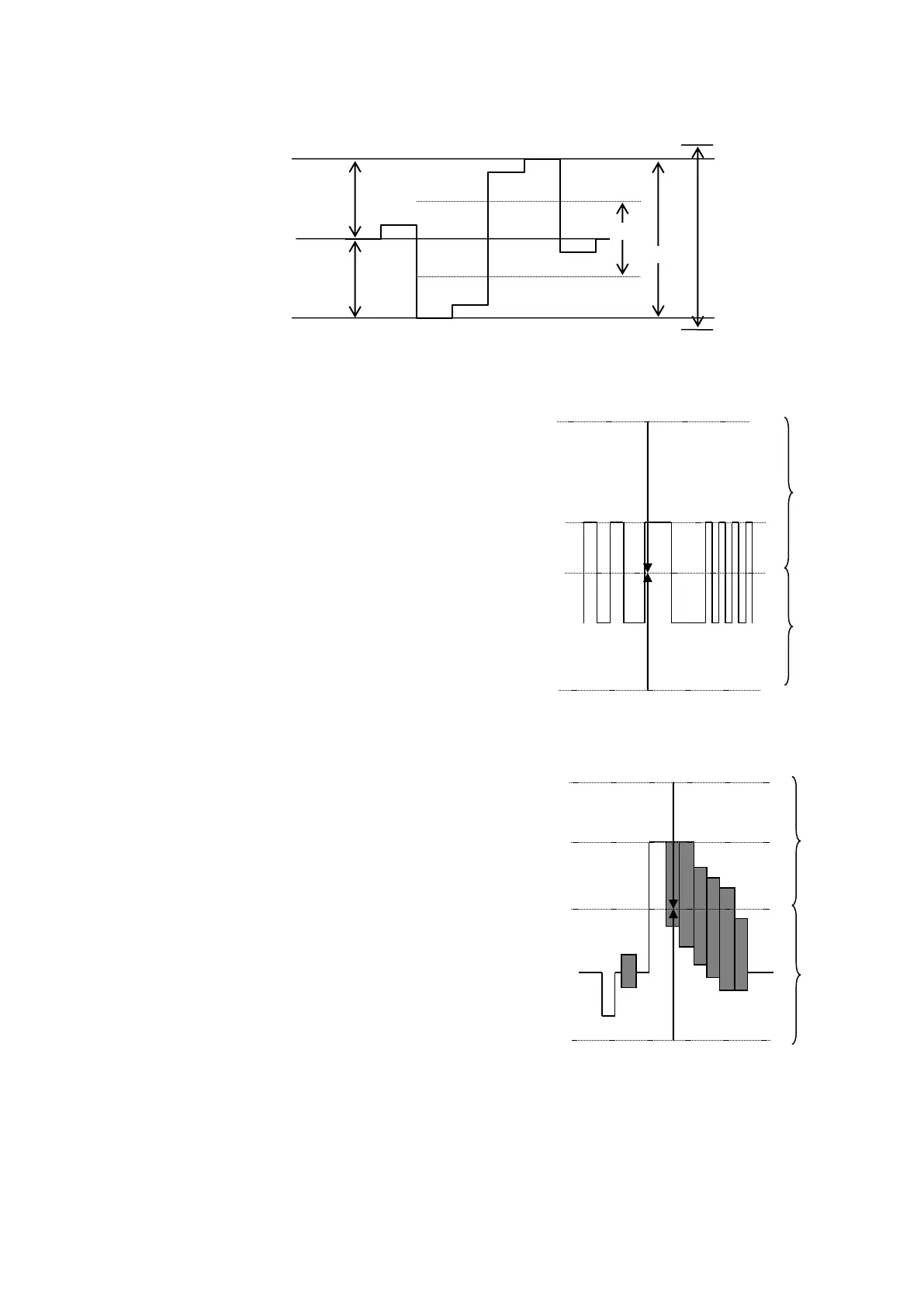
RGB CLIP
To adjust the RGB clipping, select the RGB
CLIP under CLIP MODE, and then set RGB
White Clip and RGB Black Clip.
Once the “RGB CLIP” is selected, the YPbPr
input video signal is converted into an RGB
signal in the unit. The converted RGB signal
is processed so as not to exceed the RGB
gamut range set under the RGB White Clip
and RGB Black Clip parameters in the
menu.
Then the processed RGB signal is
converted again to YPbPr format. This
correction is used to eliminate out-of RGB
gamut problems.
COMPOSITE CLIP
To adjust the COMPOSITE clip, set WHITE
and BLACK.
Once the COMPOSITE CLIP mode is
turned ON, YPbPr input video signal is
converted to composite signal in the unit.
The converted composite signal is
processed so as not to exceed the
composite gamut range set at WHITE and
BLACK in the menu.
The processed composite signal is then
reconverted to YPbPr format. This
correction is used to eliminate out-of
composite gamut problems.
This correction is applied to composite
output signals.
SMPTE 100% color bar when color 700mVp-p.
Composite Clip processing



 To Next Page