194
Dolby Polarity
Sets polarity for the Dolby decoder
output.
Dolby Decoder Gain
-20.0 - +20.0 dB
(0.1 dB)
Sets offset for all Dolby-decoded
signals.
Ch 1-8
Down Mix L Ch
Down Mix R Ch
-20.0 - +20.0 dB*1
(0.1 dB)
Sets gain for each Dolby decoder
channel.
*1 Audio signals will be clipped if the sum of Master and Ch gain settings exceed the upper or
lower threshold of the setting range.
9-3-14. Dolby AUX Output Select
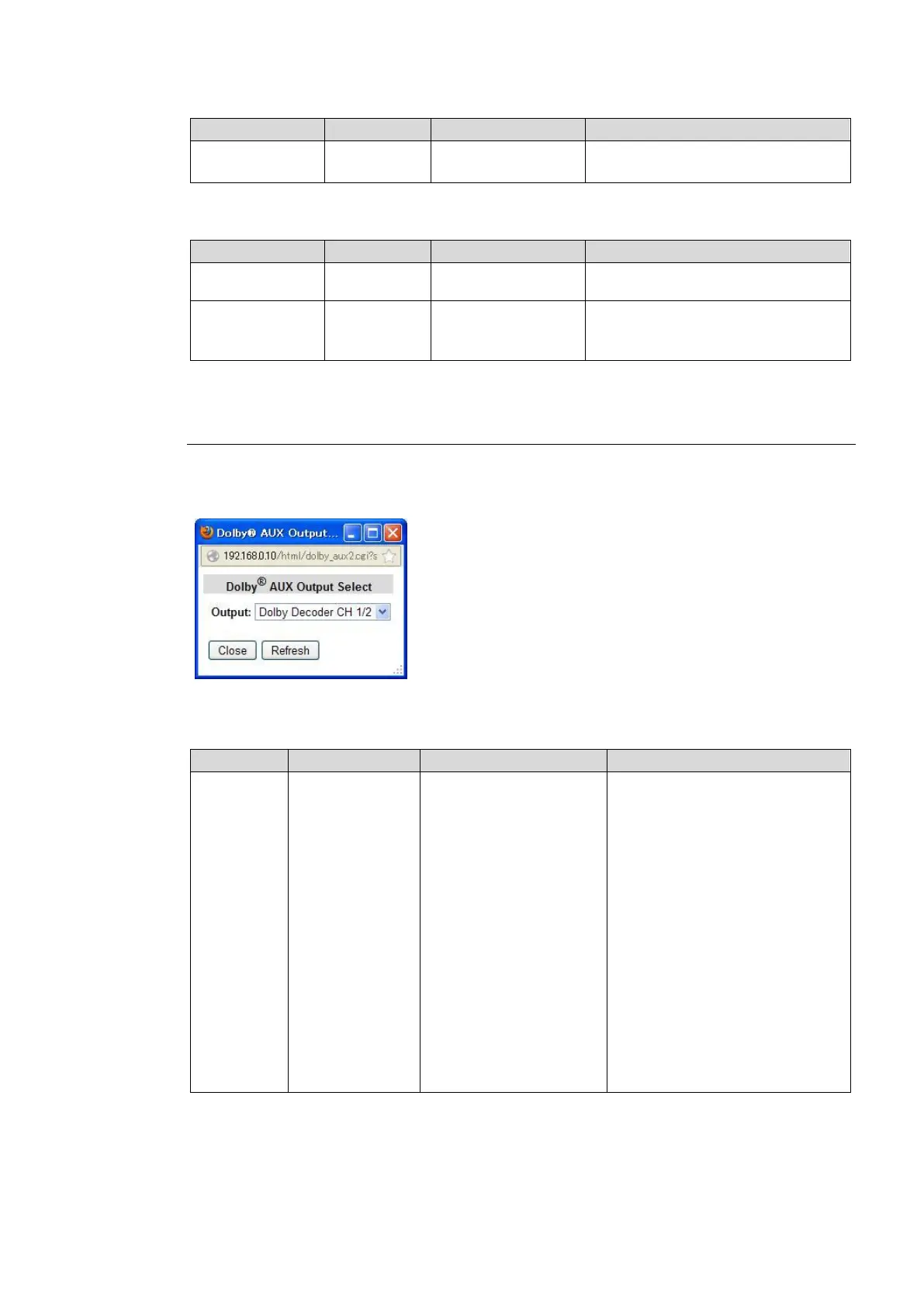
Clicking block (17) on the audio block diagram when the FA-95D-D or FA-95DE-E option is
installed in option slot A/B opens the Dolby AUX Output dialog box.
(The options in slots A and B can be set separately.)
After completing the settings, click Close to close the dialog box.
Click Refresh to update the settings.
Dolby Decoder CH 1/2
Dolby Decoder CH 3/4
Dolby Decoder CH 5/6
Dolby Decoder CH 7/8
Dolby Down Mix L/R
Dolby Encoder CH 1/2 *1
500Hz Tone
1kHz Tone
Silence
None
Selects a signal to be output from
the optional Dolby output
connector (Dolby OUT).
Decoder Output CH 1/2 – CH
7/8:
Dolby-decoded PCM signals
Dolby Down Mix L/R:
Downmixed signal generated
from Dolby-decoded PCM
signals.
Dolby Encoder CH 1/2:
Encoded Dolby E signal of
selected signals of SOURCE
channels.
500Hz Tone: 500Hz Test signal
(TONE)
1kHz Tone: 1KHz Test signal
(TONE)
Silence: Mute signal
None: No signal output
*1 Shown only if the FA-95DE-E option is installed.



 To Next Page