187
9-3-8. Audio Master Gain Settings
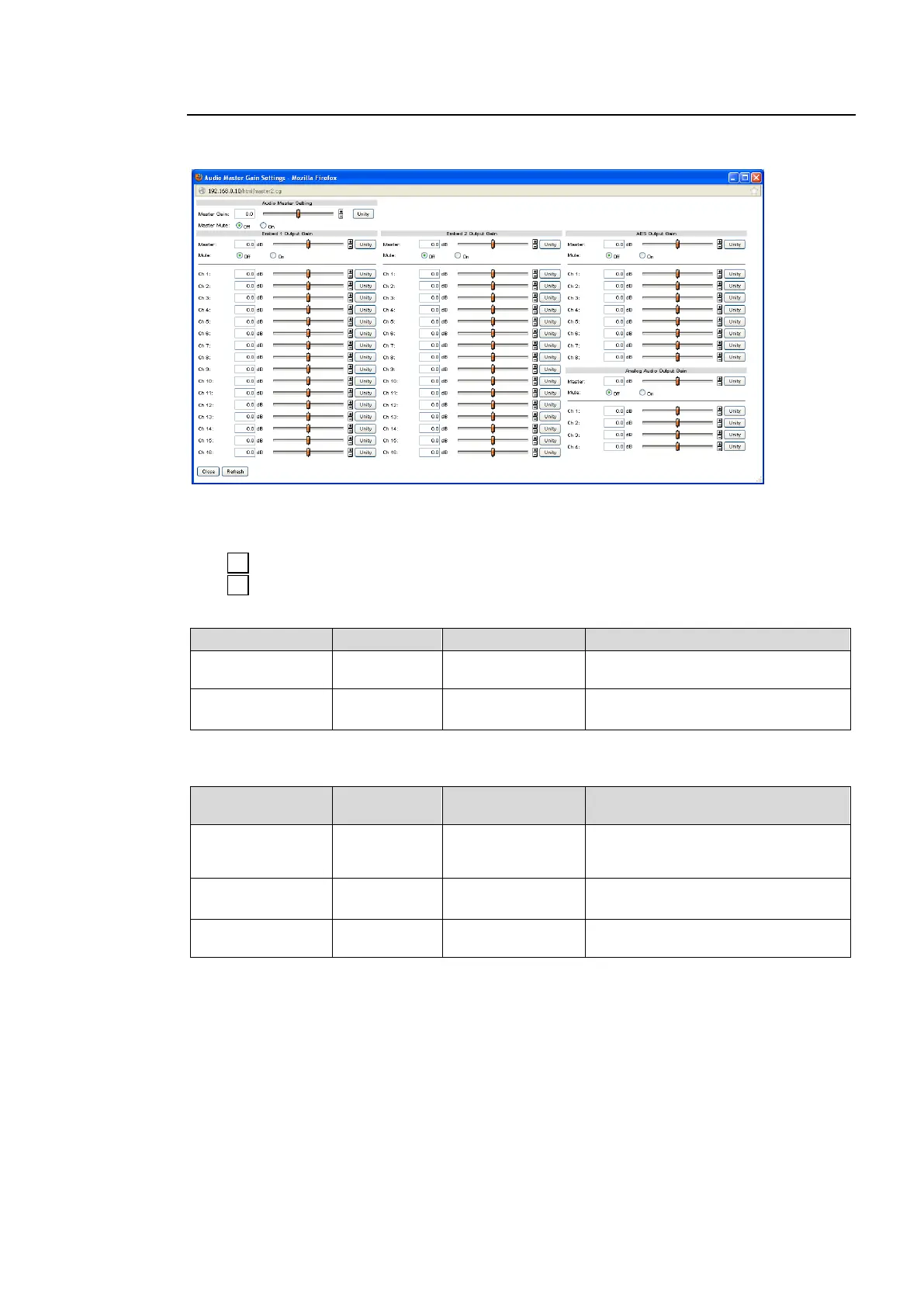
Clicking block (9) on the audio block diagram opens the Audio Master Gain Setting dialog
box.
After completing the settings, click Close to close the dialog box.
Click Refresh to update the settings.
Click Unity to reset to the default settings.
Click to increase the value by the smallest steps.
Click to decrease the value by the smallest steps.
Audio Master Settings
-20.0 - +20.0 dB
(0.1 dB)
Sets the offset to the audio gain for
all audio channels CH1 through 16.
On: Mutes all audio channels that
will be internally processed.
* Master Mute is not effective on NON-PCM outputs. NON-PCM output signals pass through.
Embed 1, 2 Output Gain (See sec. 6-4-2 and 6-4-3)
-20.0 - +20.0 dB
(0.1 dB)
Sets the offset to audio output gain
for all audio channels CH1 through
16 in respective FS.
On: Mutes all embedded audio
channels in respective FS.
-20.0 - +20.0 dB
*1
(0.1 dB)
Sets audio gain for all audio channels
CH1 through 16 in respective FS.
*1 The total value of Master and individual channel cannot exceed the setting range. The
setting value will stop at the end of the range.
AES Output Gain
The setting menus are the same as those of Embed 1, 2 Output Gain. See section 6-4-4 “AES
OUT GAIN“ for details.
Analog Audio Output Gain
The setting menus are the same as those of Embed 1, 2 Output Gain. See section 6-4-5
“ANALOG OUT GAIN“ for details.



 To Next Page