34
4-2-6. Changing Setting Values
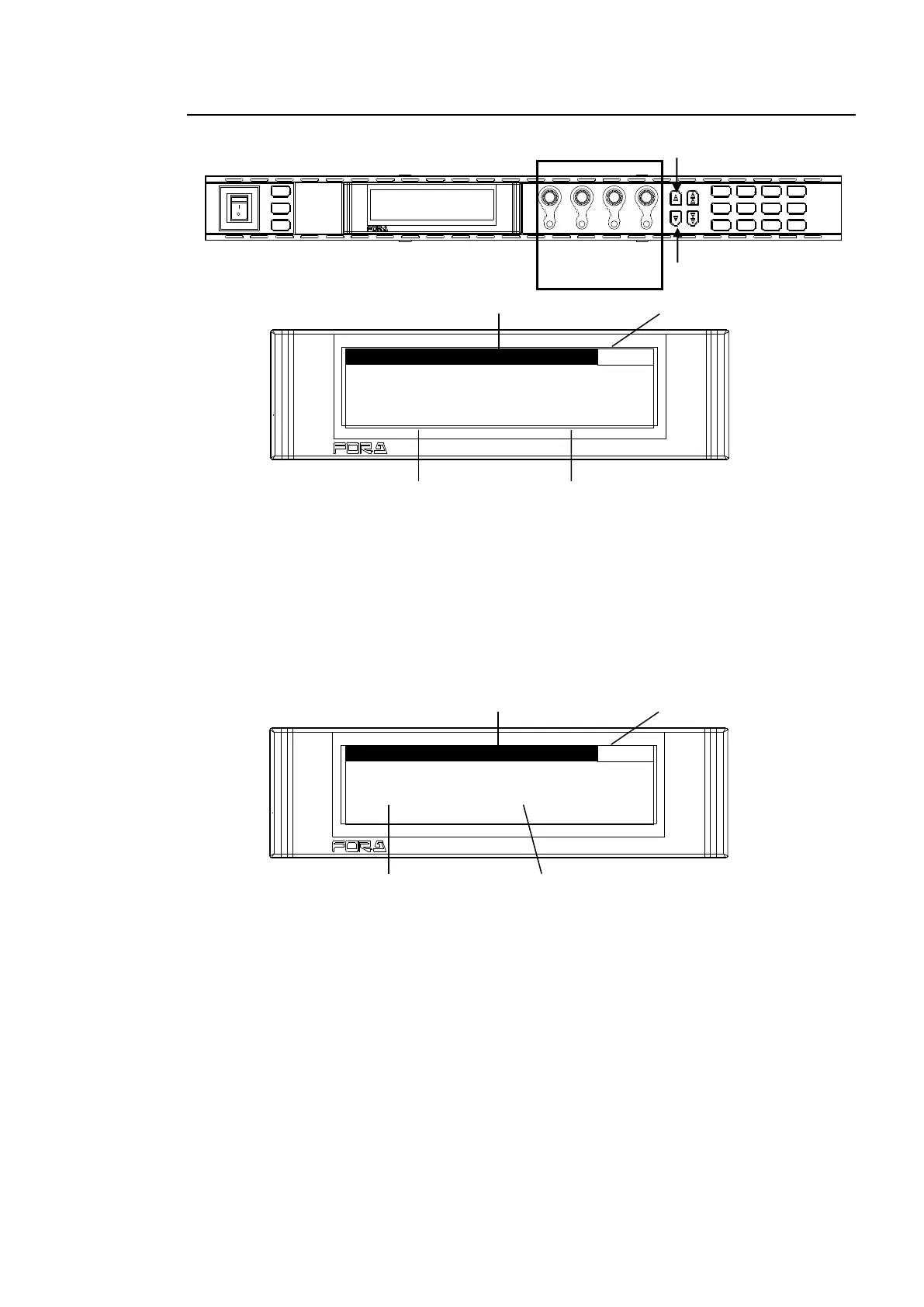
Once the desired menu is displayed, use the control knobs (F1-F4) to change the setting
values.
VIDEO LE V E L : 1 0 0 . 0 %
C H R O M A L E V E L : 1 0 0 . 0 %
S E T U P / B L A C K : 0 . 0 %
<NORMAL mode>
In the above example, the PROCESS/SDI AUDIO button has been pressed while the menu
buttons are turned to video menus (lit green) by pressing the VIDEO/AUDIO, so that the
VIDEO PROC AMP menu is displayed.
(If the LEDs around control F1 through 4 knobs are lit, the setting value corresponding to the
lit control knob can be changed.)
If you want to change the VIDEO LEVEL setting value, turn F1. To change the CHROMA
LEVEL setting value, turn F2. For SETUP/BLACK, turn F3, and for HUE turn F4. To go to
other menus assigned to the menu button, press the single-arrow down button. To return to
the previous menu, press the single-arrow up button.
F S 2 I N S E L : S D I 1
<LIVE SAFE mode>
Menus that do not request a setting change confirmation (such as VIDEO PROC AMP) are
used the same as in NORMAL mode.
Menus that request a setting change confirmation (such as VIDEO INPUT SET) will be in the
setting change confirming state when the parameter is changed.
Example:
Pressing the IN SEL/DOWNMIX button while the button is in VIDEO menu selection mode (lit
green) will display the VIDEO INPUT SET menu (above figure).
To change the FS1 input video signal, turn F1. Turn F2 to change the FS2 input video signal.
If any setting is changed, single-arrow buttons and the control knob for the setting that has
changed will blink in the setting change confirming state. Pressing the single down arrow
button confirms the change and LEDs stop blinking, then light. Pressing the single up arrow
button cancels the change, the setting returns to before the change, and LEDs stop blinking,
then light.
While the FA-9520 is in a setting change confirming state, all buttons except single-arrow
buttons, control knobs F1 to F4 and their Unity buttons are disabled. To go to other menus,
press either single-arrow button to complete the confirmation.
POWER
ON
OFF
PS1/LOCK
PS2/LOCK
EVENT
VIDEO IN
GENLOCL
REMOTE
AUDIO IN
FAN ALARM
DC POWER
F 1
F 2
F 3
F 4
F A - 9 5 2 0H D / S D F R A M E S Y N C HR ON I Z E R
DISPLAY
F 1
UN ITY
F 2
UN ITY UN ITY
F 3
F 4
UN ITY
PROCESS
SDI AUDIO
MAPPING
VIDEO OP
AUDIO OP
C C
A V O CLIP
DELAY
VIDEO SYS
AUDIO SYS
AES AUDIO
CONV 1
ANALOG
IN SEL
DOW NMIX
ST AT US
OTHER
CONV 2
MASTER
OUT SEL
M OD E
VIDEO
AUDIO
F 1
F 2
F 3
F 4
F A - 9 5 2 0HD / SD F RA M E SY NCHRONI ZE R
F 1
F 2
F 3
F 4
F A - 9 5 2 0HD / SD F RA M E SY NCHRONI ZE R



 To Next Page