197
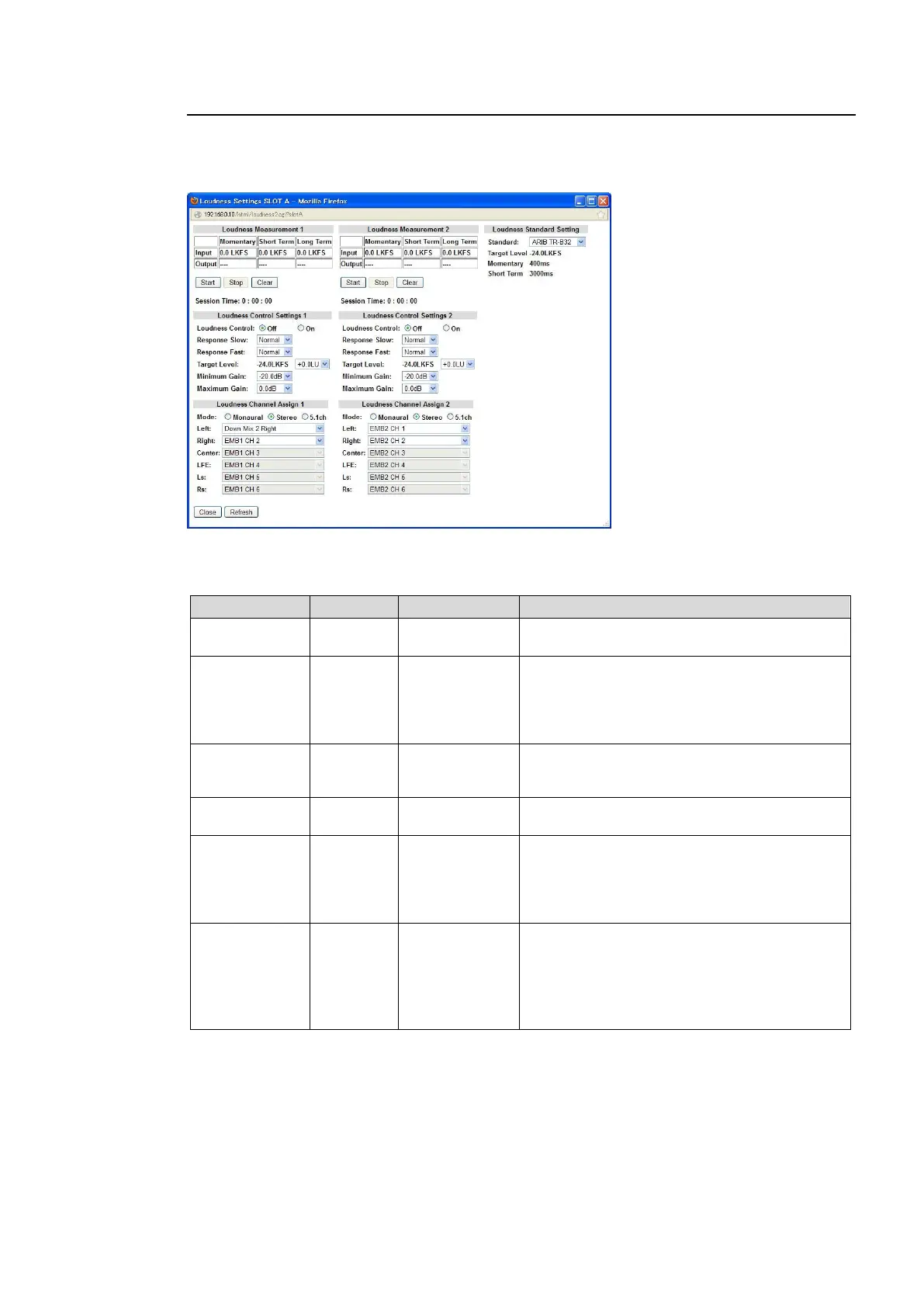
9-3-16. Automatic Loudness Adjustment (FA-95ALA)
Clicking block (13) on the audio block diagram when the FA-95ALA option is installed in option
slot A/B opens the Automatic Loudness Adjustment dialog box.
(Settings for the FA-95ALA in both option slots are the same, but can be set separately.)
Loudness Measurement1/2
Input indicates the measured loudness level of the FA-95ALA input audio signal in LKFS.
Output indicates the loudness level of the loudness processed signal in LKFS.
Displays the measured loudness level of the
FA-95ALA input audio signal in LKFS.
Displays the measured loudness level of the
FA-95ALA output audio signal in LKFS.
Set Loudness Control to On, then click Start to
start loudness adjustment and display the
measured loudness level.
Allows you to start to adjust the audio signal
loudness according to the Loudness standard
selected under Standard.
Allows you to stop loudness measurement and
adjustment.
Allows you to clear loudness measurement. If
clicked while Start is enabled, loudness
measurement and adjustment restart after being
cleared.
Session Time display also resets to 0:00:00.
Displays the elapsed time of loudness
measurement and adjustment.
After counting up to 6:59:59, the display resets
to 0:00:00.
Loudness measurement and adjustment will
also be cleared and restart.



 To Next Page