50
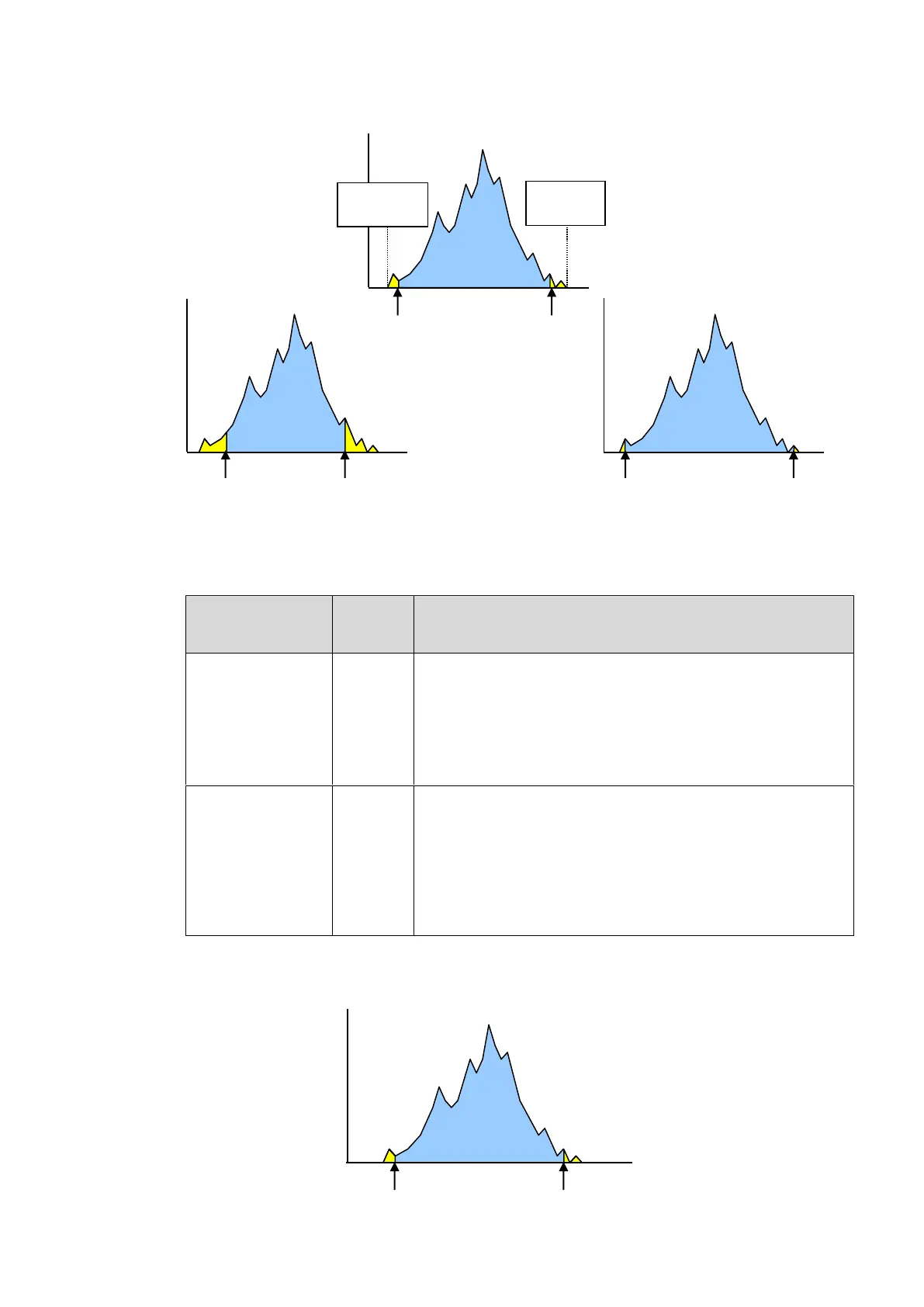
The figures below are luminance histograms of input.
(X-axis: Luminance level, Y-axis: Number of pixels)
TARGET WHITE and TARGET BLACK
These two parameters determine the highest and lowest levels of luminance for target images
(outputs). (See figures below and in the next page.)
Determines the maximum value of luminance for outputs.
The maximum luminance value of the image after
correction should approximate this value.
The larger the value, the brighter the image, which may
however cause the image to be overexposed. The smaller
the value, tones of the bright part are kept. However, the
overall obtained image may be dark.
Determines the minimum value of luminance for outputs.
The minimum luminance value of the image after correction
should approximate this value.
The larger the value, the dark area in pictures will appear
brighter, which may however lower the contrast and the
noise will become apparent. The smaller the value, the
higher the contrast, which may however cause the image to
be underexposed.
The figure below is a luminance histogram of output.
(X-axis: Luminance level, Y-axis: Number of pixels)
Minimum
value of inputs
0%
Maximum
value of
inputs 100%
Wide correction range setting
Narrow correction range setting



 To Next Page