Chapter 5 Parameters Definition
188
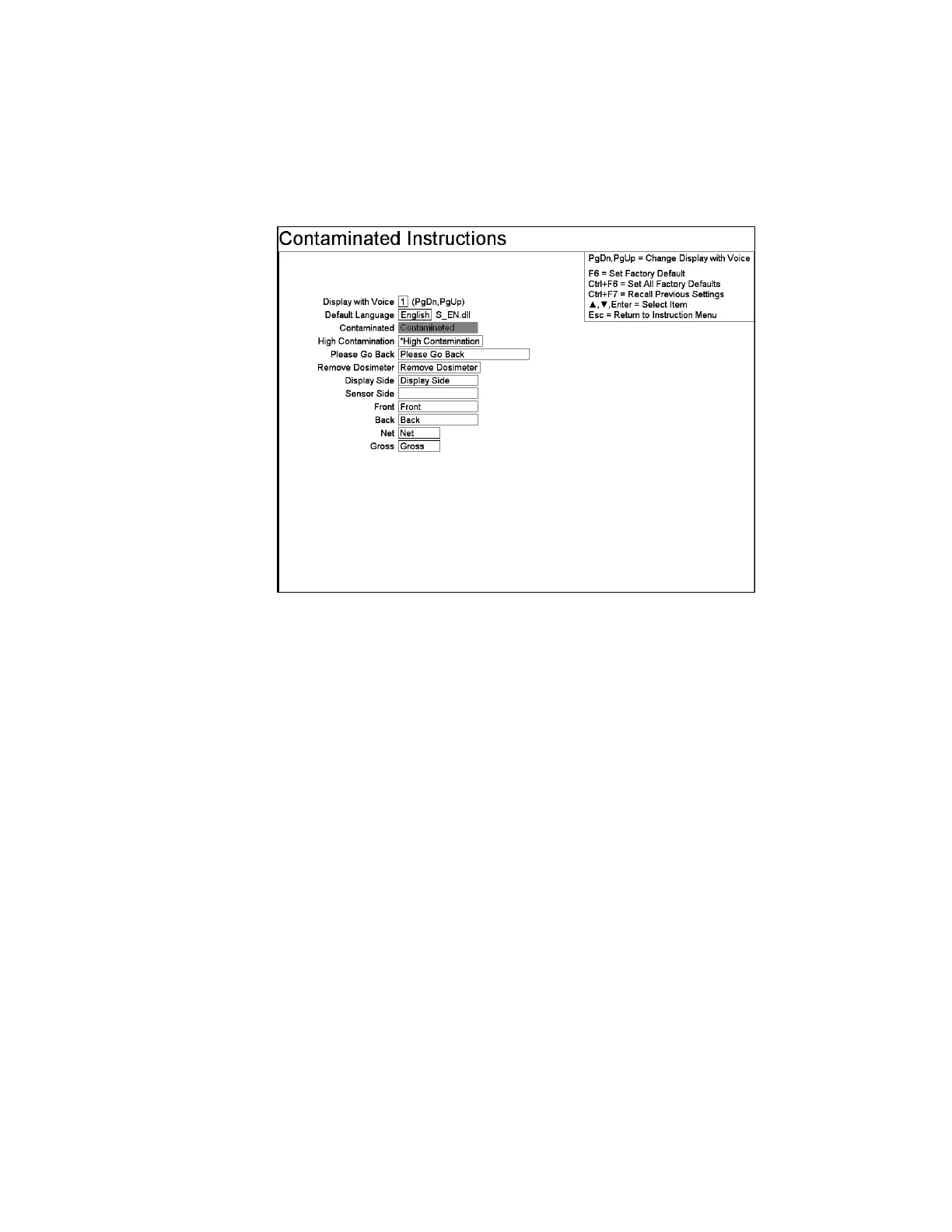
F5 – Contaminated Instructions
The fields on this screen are used to inform the occupant being monitored how to
proceed if they are considered “Contaminated”.
Figure 84 The Contaminated Instructions setup screen.
Line Items
High Contamination: The default text is “* High Contamination”. See High
Contamination Alarm setting in the F1 – Common Values screen on page 103 for an
explanation of why the default contains the asterisk (“*”).
Display Side and Sensor Side help identify the side relative to the LCD Display (and
the Body-In Sensor side if filled in).
Wait for Read Dosimeter (this is also enabled for Dosimeter Reader Type LDM61)
and Remove Dosimeter settings appear if Dosimeter Reader Enabled is set to “Yes”
on the Ctrl+F10 Factory Setup, F7 – Dosimeter Reader Configuration screen (on
page 40).



 To Next Page