Operating the transceiver
Manpack Transceiver 2110 series Reference Manual 93
1 Scroll to Add item, then press .
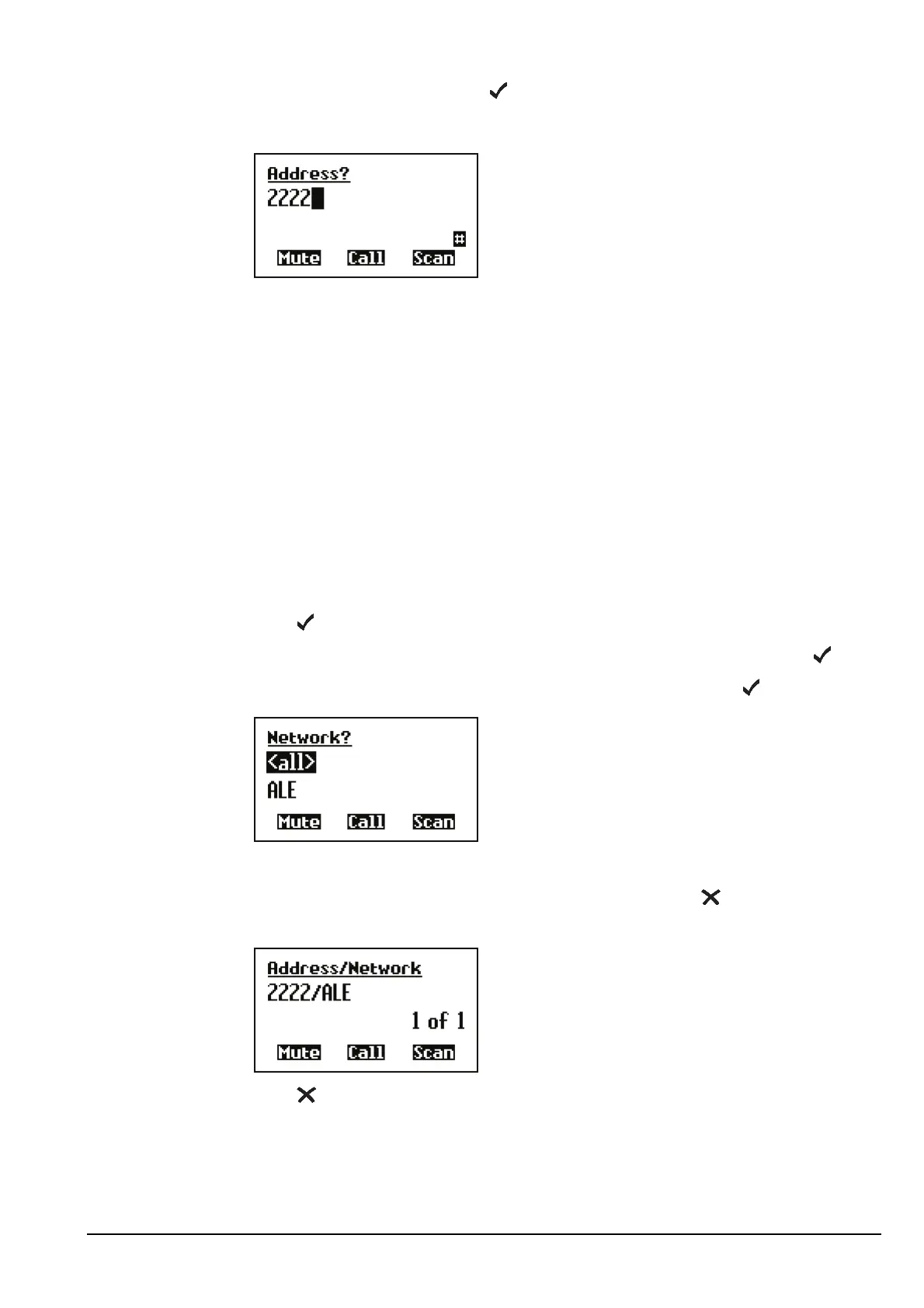
1 Enter the self address of your station. For example:
If you are entering a self address to be used in:
• a Codan Selcall network, enter up to 10 digits
• an ALE/CALM network, enter up to 15 upper-case/numeric characters, or a
combination of both
1 Press .
1 Scroll to the network in which you want to use this self address, then press .
To use the self address in all networks, scroll to <all>, then press .
The self address is created and the List Manager remains open.
1 If you want to view the self address you have created, press to close the List
Manager.
1 Press until Main Menu is displayed.
CAUTION
If you intend to send calls to a station that is compatible with 4-digit
self addresses only, you must set up a 4-digit self address.
NOTE For help with entering text see page 72, Entering and editing text.
NOTE
Do not enter a self address that ends with one or more zeros. Zeros
are used to indicate that calls are to be made to groups of stations in a
Codan Selcall network (see page 198, Group calls in a Codan Selcall
network).



 To Next Page