Accessing the Inside of the Warming Unit
9-6 Service Manual
Note: If the power cord is attached to the rear enclosure, check its alignment with
the socket while positioning the front enclosure. Make sure that the power cord
is fully seated in the socket when the enclosures are together.
2. Align all edges of the enclosures, making sure they are fully seated and that no
cables are caught between them.
3. Supporting both enclosures, reposition the unit on its front.
4.
Reinstall the seven screws securing the rear enclosure to the front enclosure
(
Figure 9-3
on page 9-4). Tighten the screws to 1.1 to 1.5 N-m (9.7 to 13.3 lb-in).
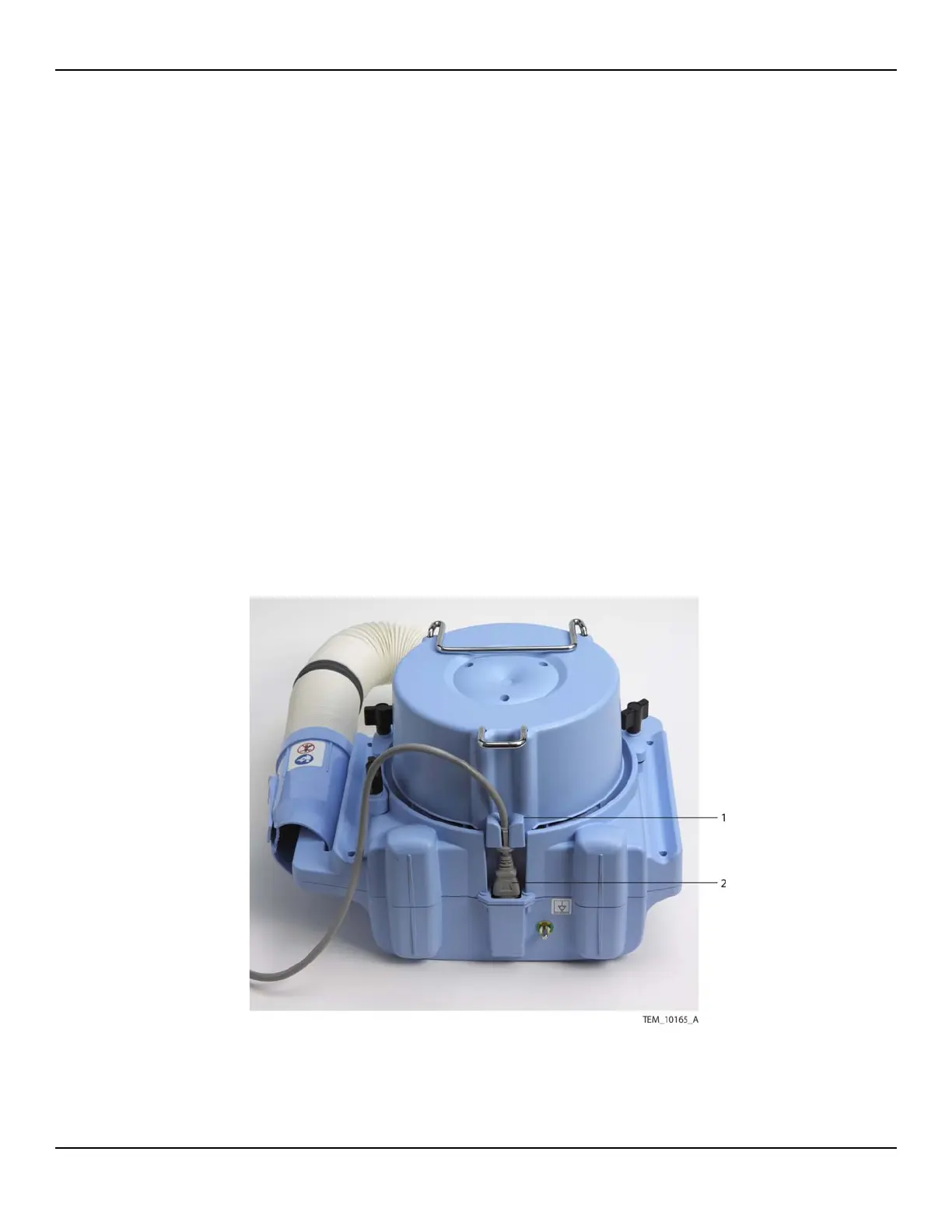
5. If the power cord is not yet attached, attach it as follows (Figure 9-5):
a. Insert the power cord into its socket, making sure that it is fully seated.
Note: Do not route the power cord through the metal hook on the enclosure.
b. Press the power cord into the routing bracket until it is completely seated. If
necessary, use a screwdriver to carefully spread the sides of the bracket while
inserting the cord.
Figure9-5.Power Cord Connection
1 Power Cord Routing Bracket 2 Power Cord Connector















 To Next Page