Enclosure Replacement
12-4 Service Manual
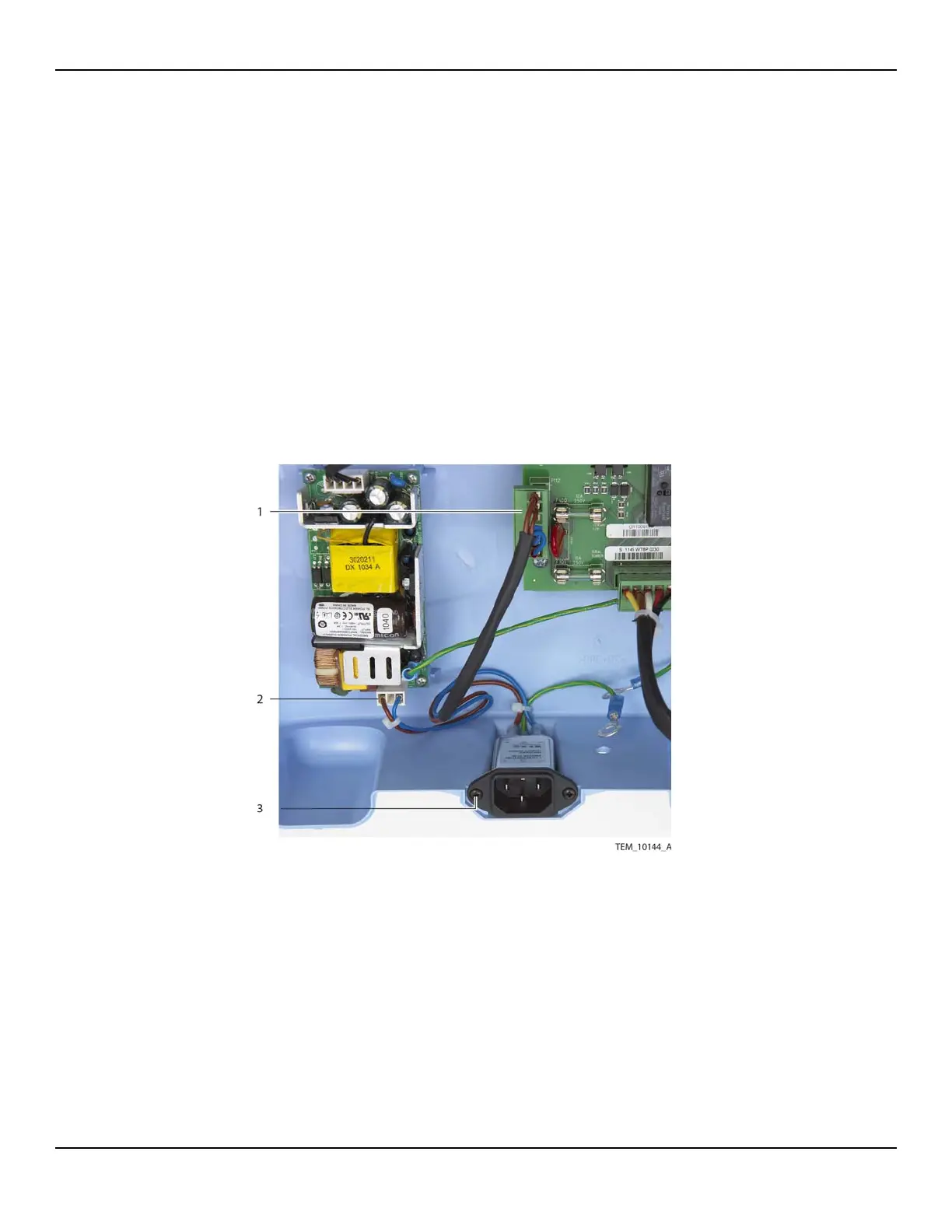
3. Remove the AC power inlet from the enclosure as follows (Figure 12-3):
a. Disconnect the cable from the 6-pin P112 connector on the Power PCBA.
b. Disconnect the cable from the 3-pin CON1 connector on the power supply.
Note: A cable tie may secure the AC power inlet wire assembly to the power
supply mounting boss next to the CON1 connector. If so, cut and remove this
cable tie.
c. Remove the two screws securing the AC power inlet assembly to the enclo-
sure.
d. Remove the assembly and save all components for installation in the new
enclosure.
Figure12-3.AC Power Inlet Connections
1 AC Power Inlet Wire Assembly
(P112 Connection on Power PCBA)
3 AC Power Inlet Screw (x2)
2 AC Power Inlet Wire Assembly
(CON1 Connection on Power Supply)















 To Next Page