Power Supply Output Cable Replacement
Service Manual 10-47
To replace the power supply output cable:
1. Follow the procedure Separating the Front and Rear Enclosures on page 9-2.
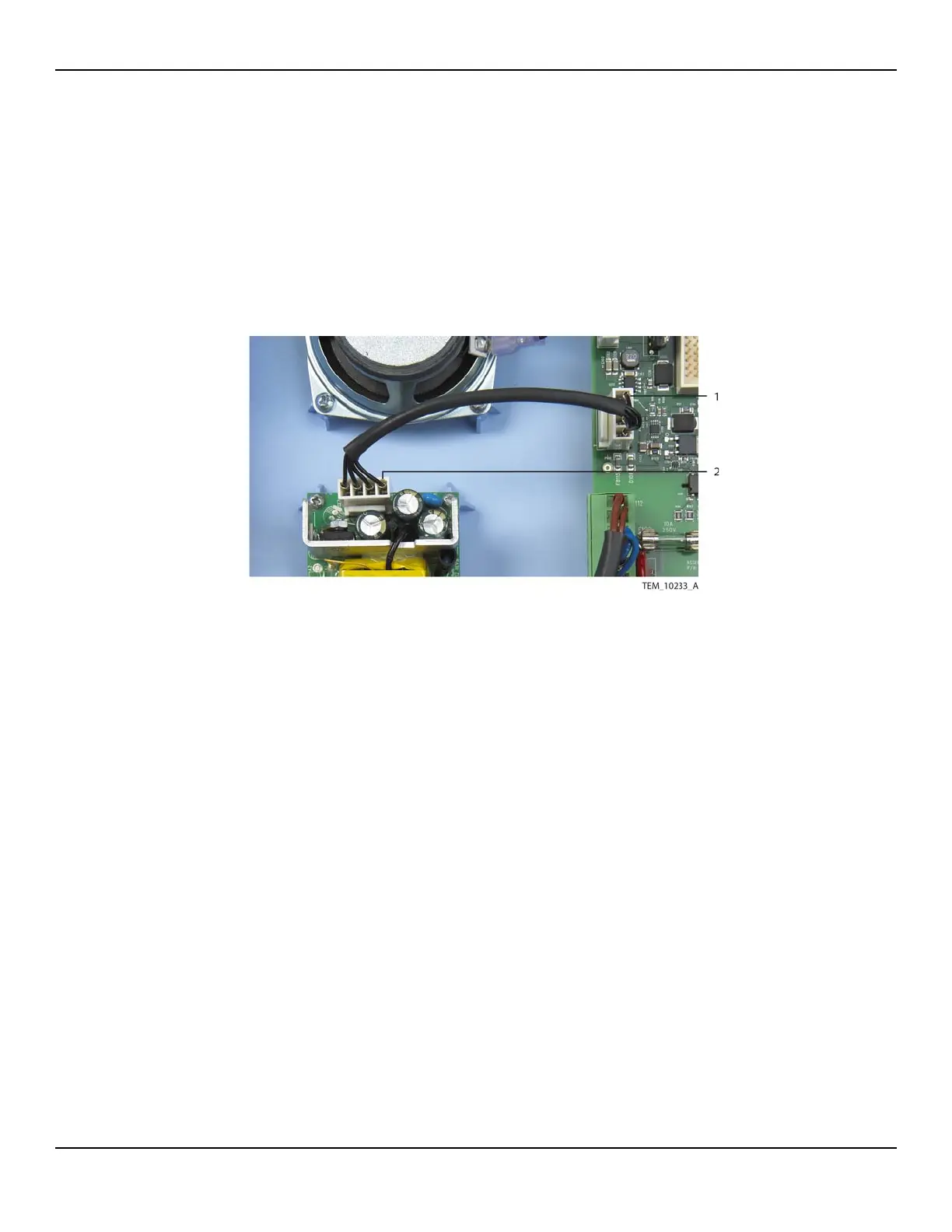
2. Disconnect the power supply output cable from the 4-pin P109 connector on the
Power PCBA and from the 4-pin CON2 connector on the power supply (Figure 10-
34).
Figure10-34.Power Supply Output Cable Connections
3. Connect the new power supply output cable to the 4-pin P109 connector on the
Power PCBA. Make sure the connector latch engages.
4. Connect the power supply output cable to the 4-pin CON2 connector on the
power supply. Make sure the connector latch engages.
5. Follow the procedure Rejoining the Front and Rear Enclosures on page 9-5.
6. Perform the following tests:
a. Power-On Test on page 7-3.
b. Electrical Safety Tests on page 7-14.
1 P109 Connection
(Power PCBA)
2 CON2 Connection
(Power Supply)















 To Next Page