Internal Component Replacement (Inside Front Enclosure)
10-52 Service Manual
To replace the AC power inlet assembly:
1. Follow the procedure Separating the Front and Rear Enclosures on page 9-2.
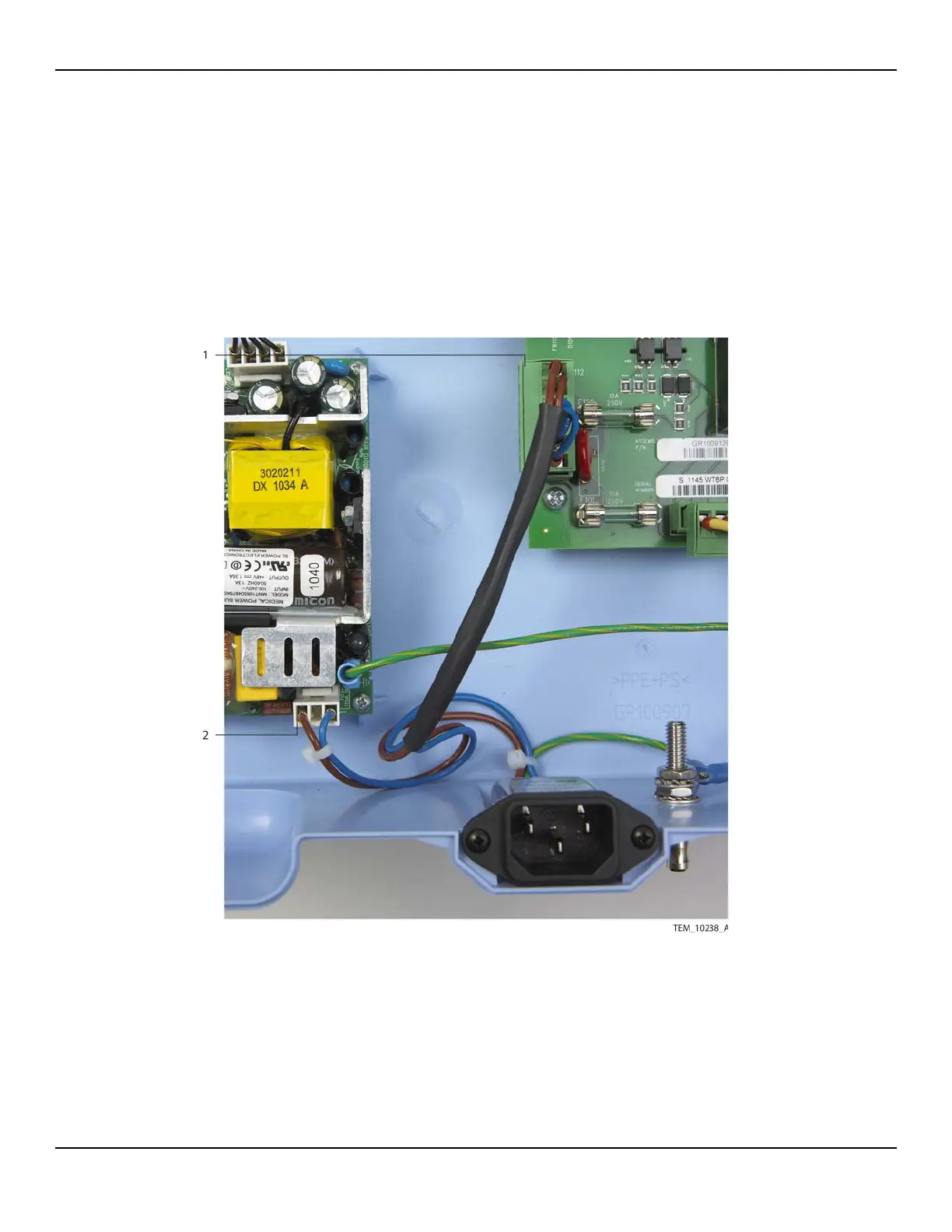
2. Disconnect the AC power inlet wire assembly from the 6-pin P112 connector on
the Power PCBA and from the 3-pin CON1 connector on the power supply
(Figure 10-38).
Figure10-38.AC Power Inlet Connections
Note: A cable tie may secure the wire assembly to the power supply mounting
boss next to the CON1 connector. If so, cut and remove this cable tie.
1 P112 Connection (Power PCBA) 2 CON1 Connection (Power Supply)















 To Next Page