Heater Assembly Replacement
Service Manual 11-53
20. Secure the fan assembly to the rear enclosure as follows:
a. Supporting the fan assembly with your hand, turn the rear enclosure over.
b. Align the fan screw holes in the enclosure with the fan assembly (Figure 11-
44 on page 11-47).
c. Install the four screws and tighten them to 1.1 to 1.5 N-m (9.7 to 13.3 lb-in).
21. Reinstall the filter and filter enclosure as follows:
a. Place the filter back onto the unit.
b. Place the filter enclosure on the unit, aligning the power cord with the socket
opening and making sure that the enclosure is fully seated on the unit.
c. Reinstall the three screws in the filter enclosure (Figure 11-42 on page 11-45).
Tighten the screws to 1.2 to 1.6 N-m (10.6 to 14.2 lb-in).
22. Turn the enclosure over.
23. Reattach the USB cable to the enclosure as follows:
a. Set the front enclosure next to the rear enclosure for reconnection.
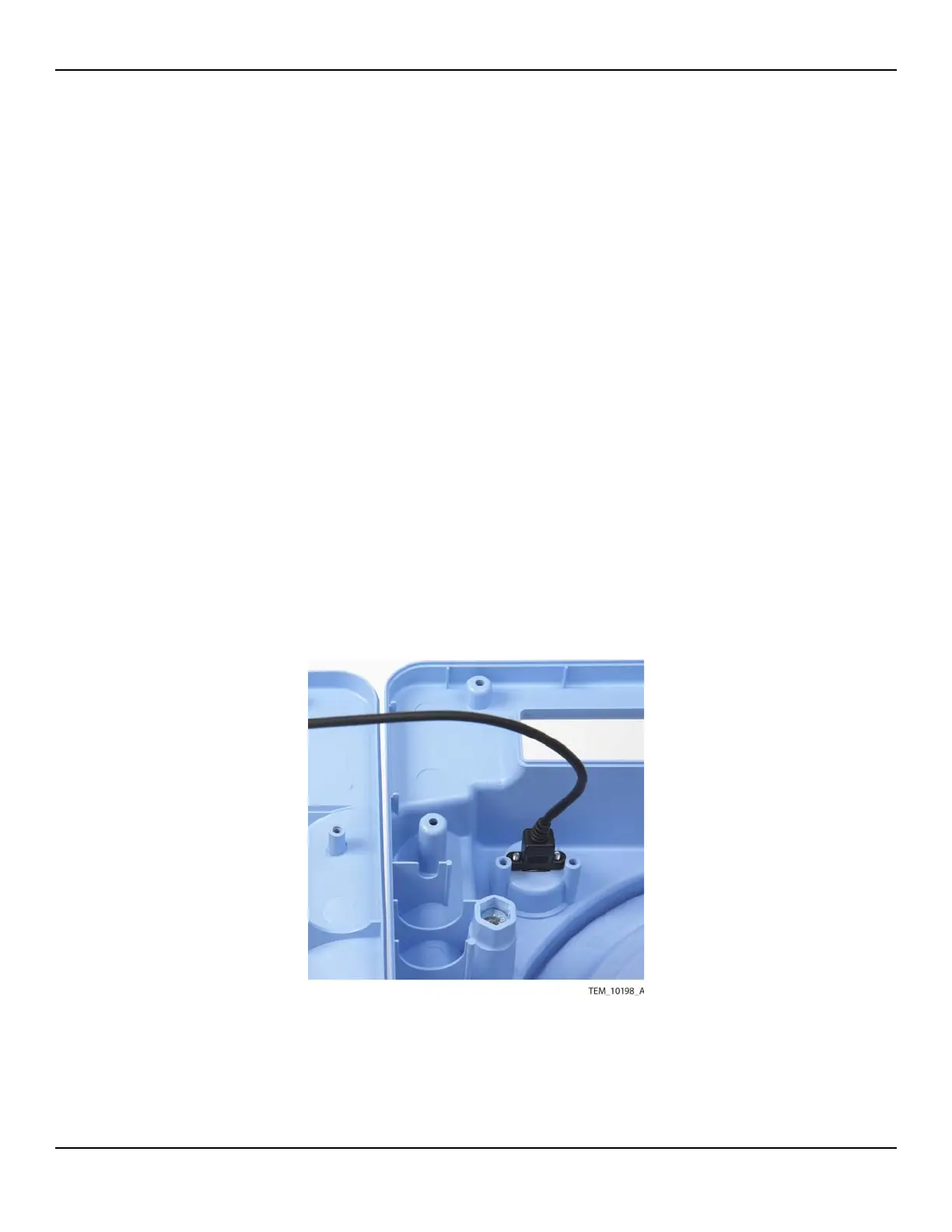
b. Position the USB cable connector in the port inside the rear enclosure, with
the connector paddle toward the bottom of the enclosure (Figure 11-51).
Figure11-51.USB Connector in Rear Enclosure
c. Supporting the USB connector, rotate the rear enclosure so that you can
access the outside. Secure the connector by installing the two screws from the















 To Next Page