Internal Component Replacement (Inside Front Enclosure)
10-4 Service Manual
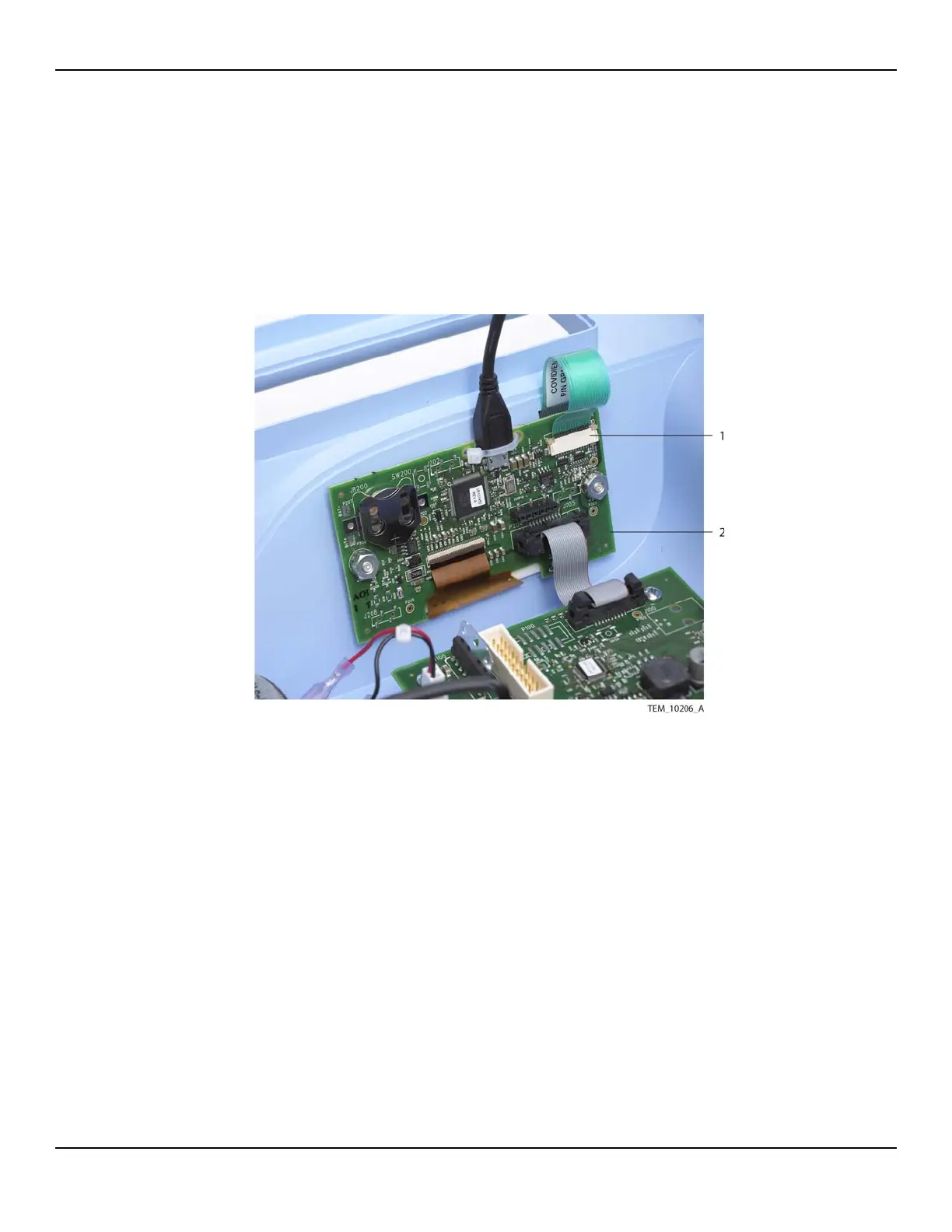
To replace the keypad:
1. Follow the procedure Separating the Front and Rear Enclosures on page 9-2.
2. On the UI PCBA, slide the locking bar up from the J204 connector, and disconnect
the keypad cable (Figure 10-2).
Figure10-2.Keypad Cable Connection on UI PCBA
3. Carefully rotate the front enclosure onto the rear enclosure, ensuring that no
cables are caught between the enclosures. Make sure all edges are fully seated.
4. Place a strap or cable tie around the handle to hold the enclosures together, then
set the unit upright.
5. Using a knife, box cutter, or similar tool, pry up a corner of the old keypad
(Figure 10-3). Peel the keypad completely off, pulling the keypad cable with it.
1 Keypad Cable
(J204 Connection)
2UI PCBA















 To Next Page