Internal Component Replacement (Inside Front Enclosure)
10-20 Service Manual
To replace the ribbon cable:
1. Follow the procedure Separating the Front and Rear Enclosures on page 9-2.
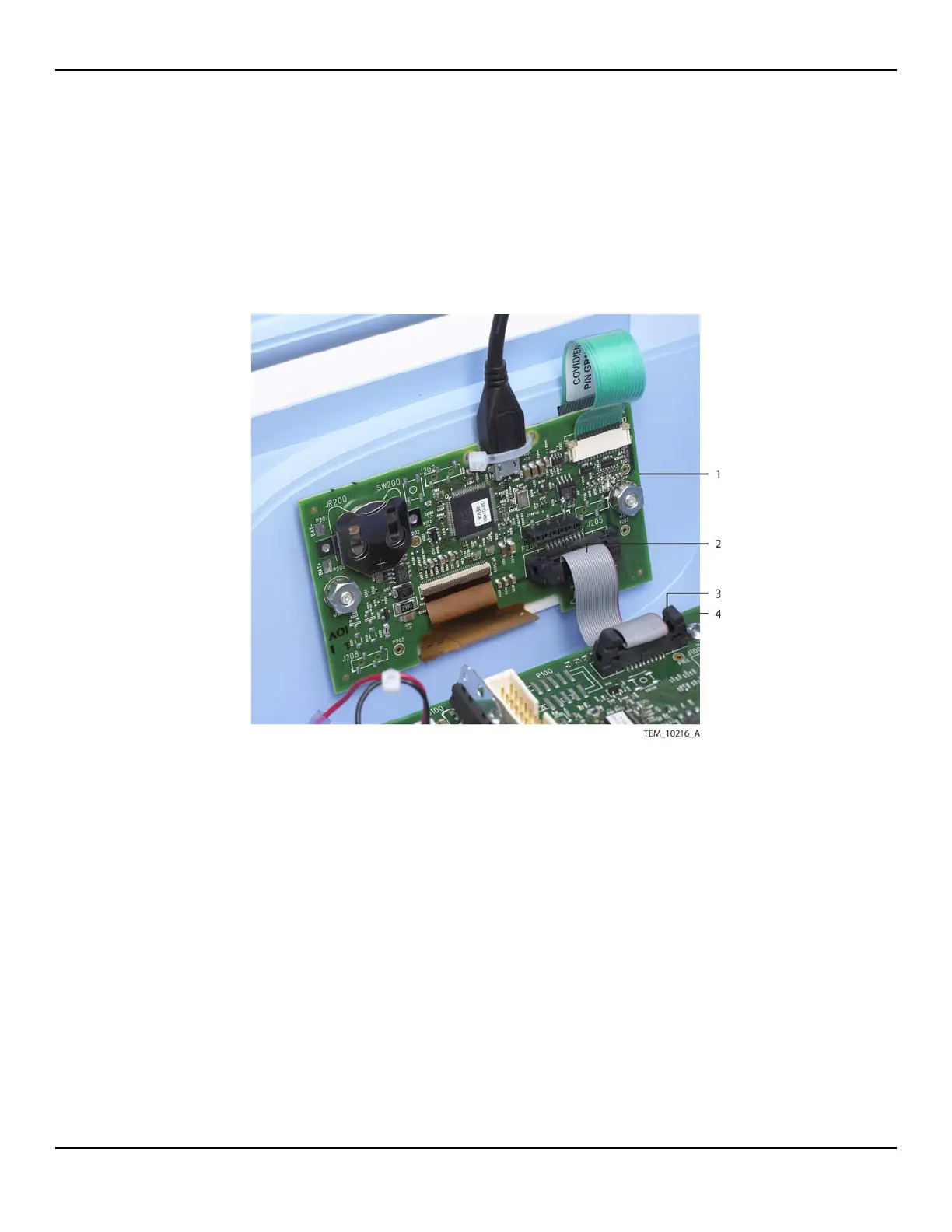
2. On the UI PCBA, open the locking ears at the P204 connector, and disconnect the
ribbon cable (Figure 10-16).
Figure10-16.Ribbon Cable Connections
3. On the Power PCBA, open the locking ears at the P101 connector, and disconnect
the ribbon cable.
4. Connect the new ribbon cable to the P101 connector on the Power PCBA. Make
sure the locking ears close completely on the connector.
5. Connect the ribbon cable to the P204 connector on the UI PCBA. Make sure the
locking ears close completely on the connector.
1 UI PCBA 3 Ribbon Cable
(P101 Connection)
2 Ribbon Cable
(P204 Connection)
4 Power PCBA















 To Next Page