DMTA-10040-01EN, Rev. E, February 2018
Chapter 6320
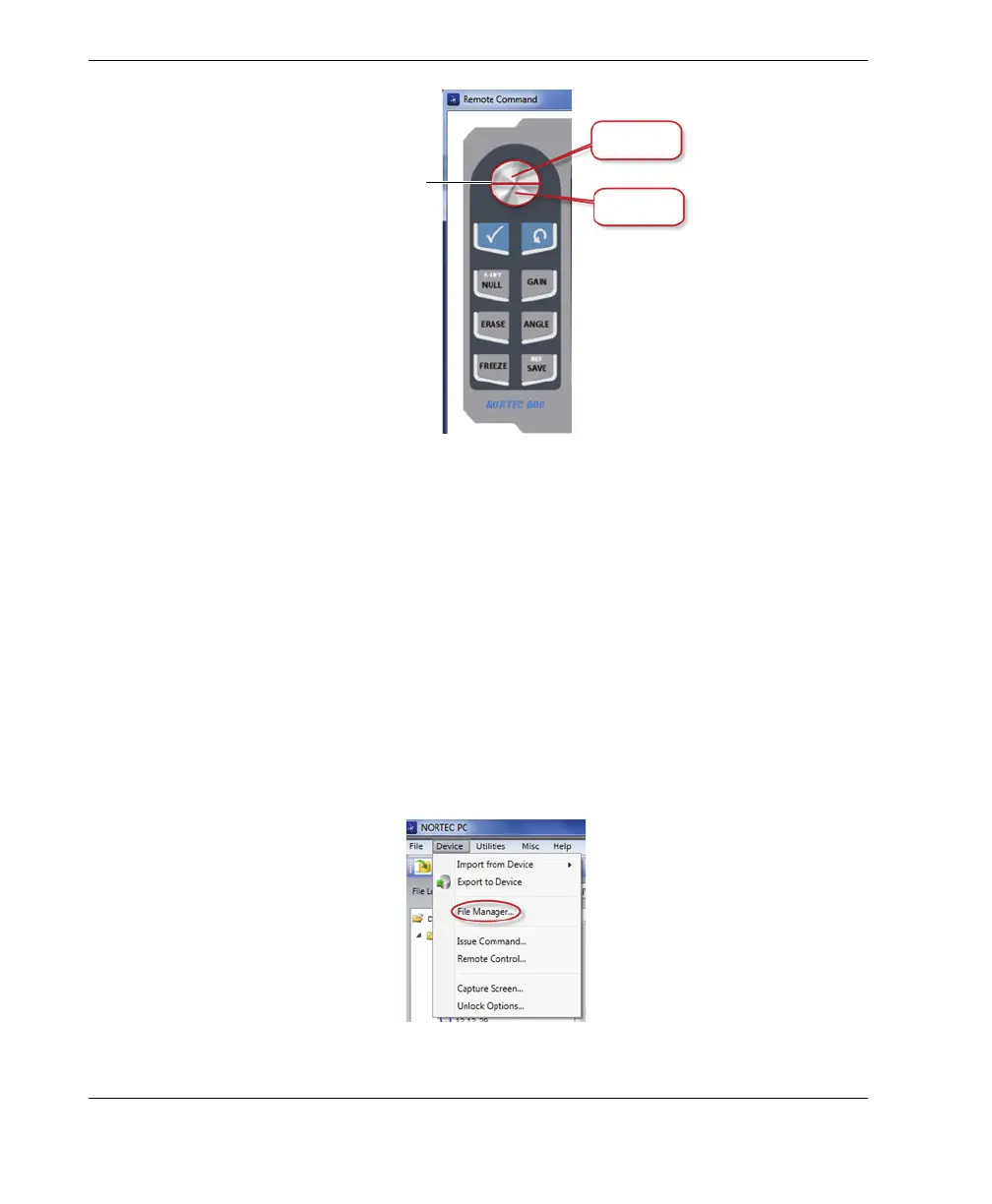
Figure 6‑20 The knob functions in remote control operation
6.8 Managing Files on the NORTEC 600 from your PC
You can use the NORTEC PC software’s File Manager to rename, delete, and recall
files that are stored on the NORTEC 600.
To access the File Manager
On the NORTEC PC software Device menu, select File Manager (see Figure 6-21
on page 320).
The Manage File dialog box appears (see Figure 6-22 on page 321).
Figure 6‑21 The File Manager command
Increase
Decrease
The knob is separated
into two regions.


 To Next Page