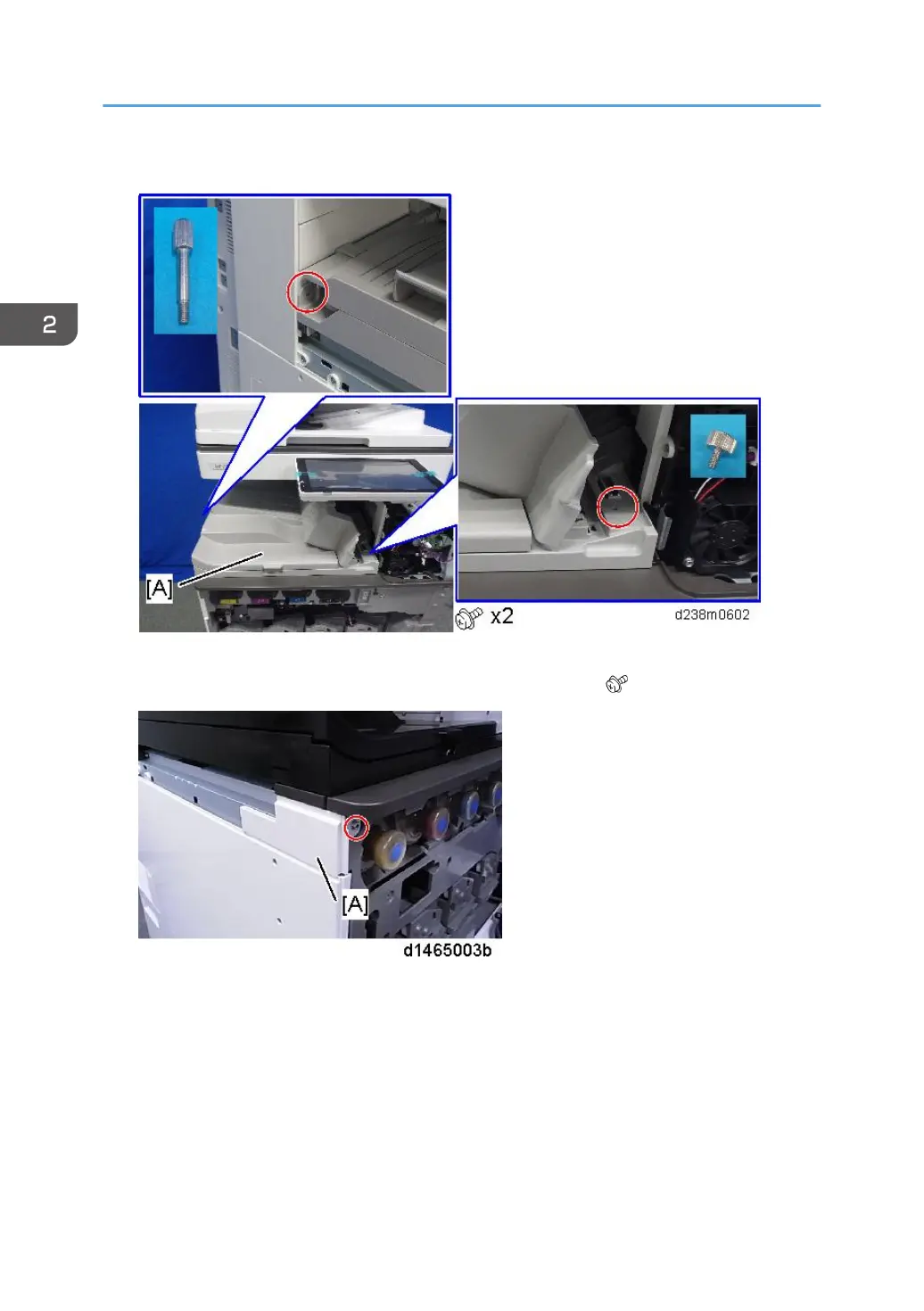
13. Attach the bridge unit [A] to the machine.
14. Attach the proximity sensor cover, and close the right door.
15. Attach the upper left cover [A] provided with the accessories ( ×1).
16. Attach the L type connecting bracket [A].
To fix the bridge unit securely on the machine, tighten the finisher's joint bracket [A] and L type
connecting bracket [B] together when installing the finisher.
2. Installation
232












 To Next Page