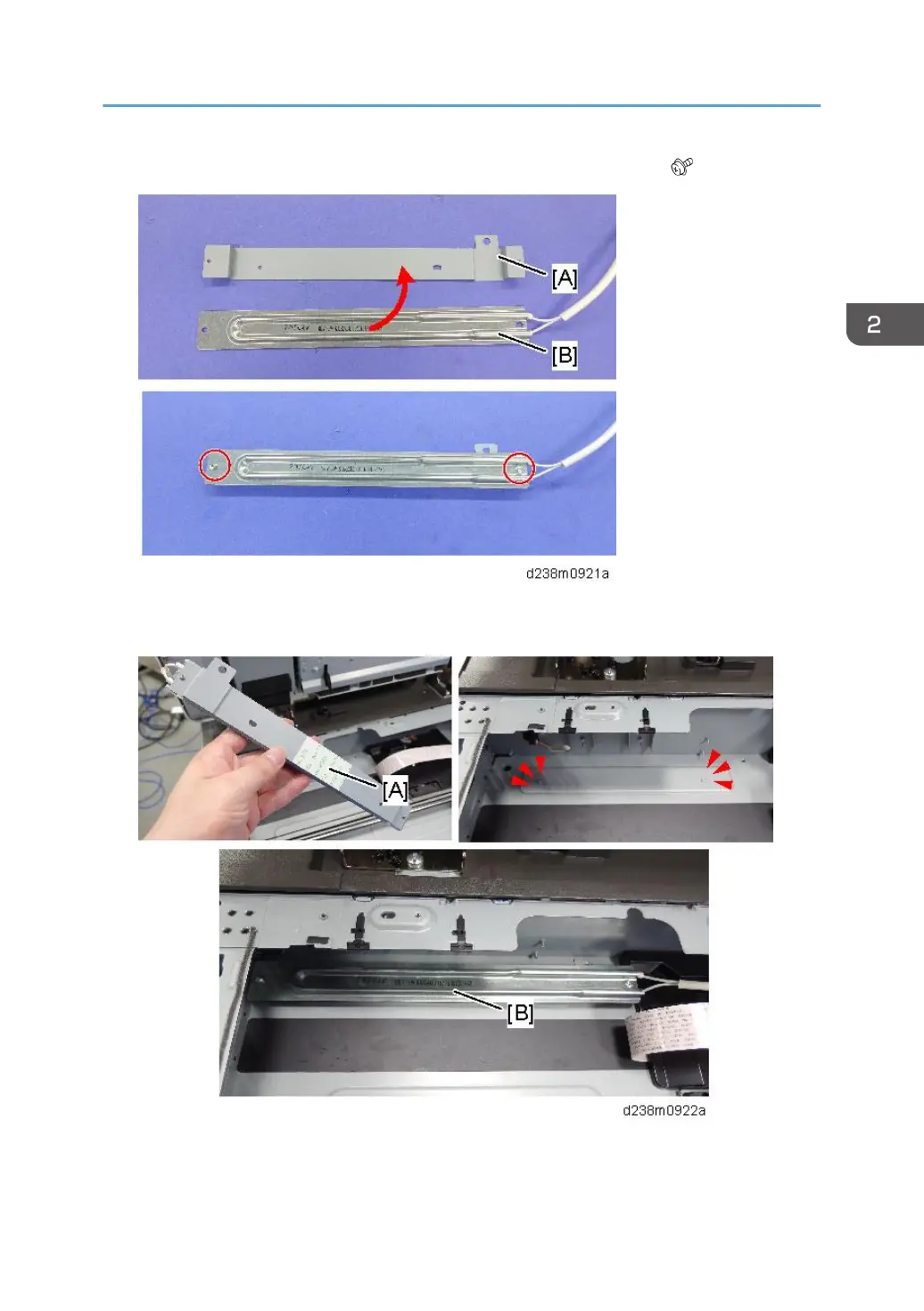
21. Attach the heater [B] to the bracket [A] provided with the accessories ( × 2).
22. Remove the release paper [A] on the back side of the bracket, and secure the heater [B]
with the seal, aligning it with the boss on the frame.
23. Pull the harness [A] out of the frame hole.
Route the harness into the harness guide.
Anti-Condensation Heater (Scanner, PCDU)
115



 To Next Page