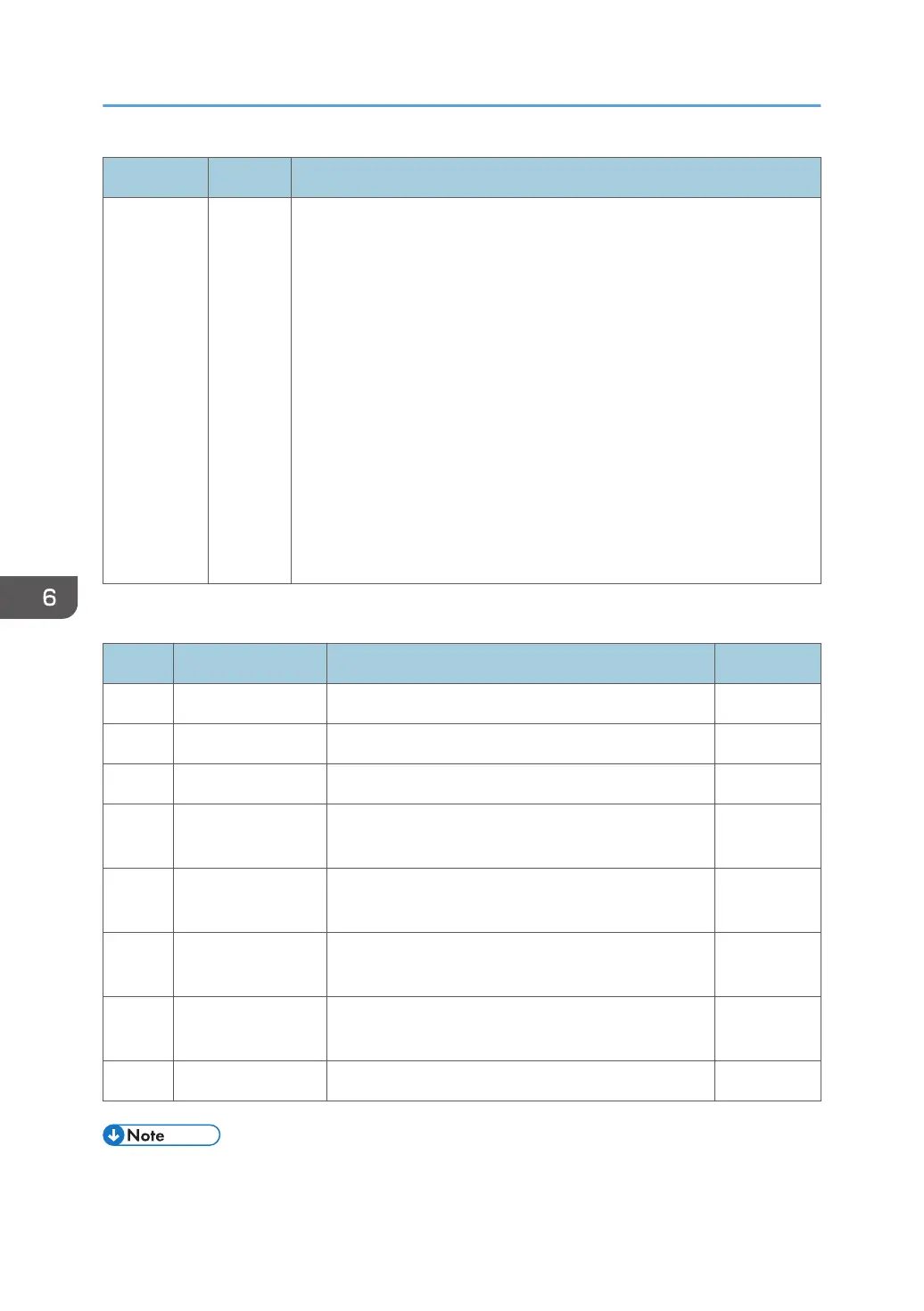
No. Type Error Name/Error Condition/Major Cause/Solution
Turn the main power off, and then do the following.
1. Clean ID chip connections inside the toner bottle, and check if any of
the ID Chip Contact Board connector pins have snapped. If there are
any snapped pin, follow step 5.
2. Reconnect the connectors between Imaging IOB and ID Chip
Contact Board.
3. Reconnect the FFC between Imaging IOB and BCU.
4. Replace the ID Chip Contact Board.
5. Reconnect the harness between Imaging IOB and ID Chip Contact
Board.
6. Replace the FFC between Imaging IOB and BCU.
7. Replace the Imaging IOB.
8. Replace the BCU.
SC681 Details
No. Detail Causes Retry
01 - 04 Invalid device ID Noise, Incorrect connection, Malfunction 3
06 - 09 Channel error Noise, Incorrect connection, Malfunction 3
11 - 14 Device Error Noise, Incorrect connection 3
16 - 19 Communication
error (interrupted)
Noise, Incorrect connection 3
21 - 24 Communication
timeout
Noise, Incorrect connection, Malfunction 3
26 - 29 Device stops
(logically)
Noise, Incorrect connection, Malfunction 3
31 - 34 Full of buffer
(request)
Noise, Incorrect connection, Malfunction 3
36 - 39 Verification error Noise, Incorrect connection 2
• If the last digit of the SC’s branch number (-**) is:
6. Troubleshooting
956



 To Next Page