WORK LIST
3-14 Sysmex SF-3000 Operator's Manual -- Revised July 1996
6. BACKUP
You can copy registered order information onto a floppy disk.
NOTE: The floppy disk should be pre-formatted in MS-DOS 1.44 MB format
using "Mainte." - "Format FD" program. Refer to
Chapter 5, Section
10: Format FD
for the procedure. An unused, commercially pre-
formatted MS-DOS 1.44 MB floppy disk also can be used.
NOTE: All the order information data will be copied to a floppy disk. If there is
any order information data already written on the floppy disk, the data
will be replaced.
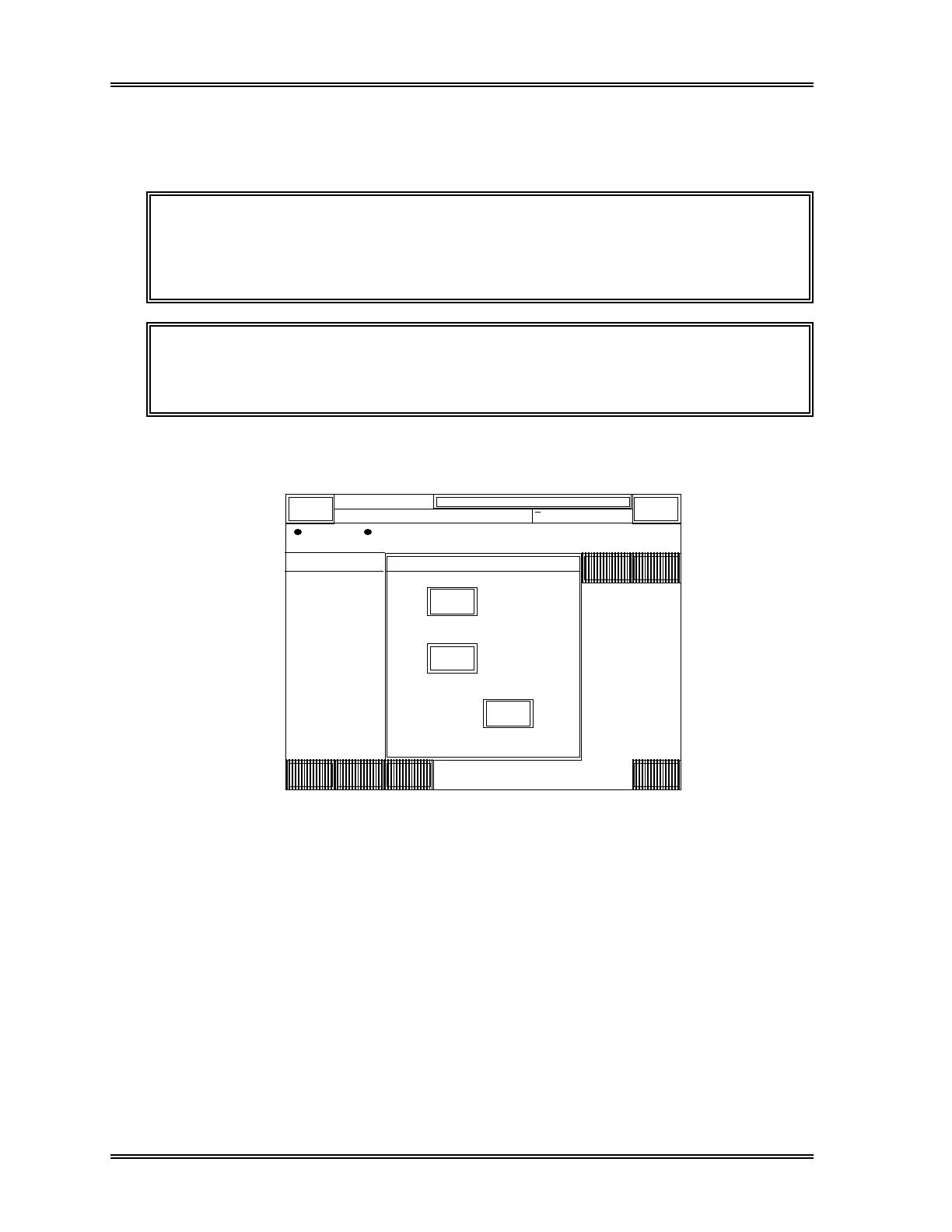
(1) Press [Output] keypad. The Select Device window appears as shown in Figure
3-16.
Work
RACK-TUBE
Order Repeat
Output Delete
Down
Load
SAMPLE
List
Return
DP:1234567890123
Sysmex
XM HC GP DP SU
Ready
Manual Mode Next No.1234567890123
Sampler
0001-01
0001-02
0001-03
0001-04
0001-05
0001-06
0001-07
0001-08
0001-09
0001-10
0002-01
0002-02
0002-03
0002-04
0002-05
123-456
Select
G P
F D
Cancel
Device to
Output
123-456
123-456
123-456
123-456
123-456
123-456
123-456
123-456
123-456
123-456
123-456
123-456
123-456
123-456
[0/15]
Figure 3-16: Select Device Window



 To Next Page