ADJUSTMENT, Pneumatic Unit
9-4 Sysmex SF-3000 Operator's Manual -- Revised September 1995
3.1 Adjusting the 2.0 kg/cm
2
This pressure is used to drive the sampling valve and master valves.
(1) Check the pressure level on the Pressure Gauge. The required pressure level is 1.8
kg/cm
2
or higher .
(2) Display the 2.0 kg/cm
2
pressure on the LCD (refer to Section 2.2 in this chapter).
CAUTION: If the pressure levels on the pressure gauge and LCD display show
0.3 kg/cm
2
or more discrepancy, check the line connections for a leak.
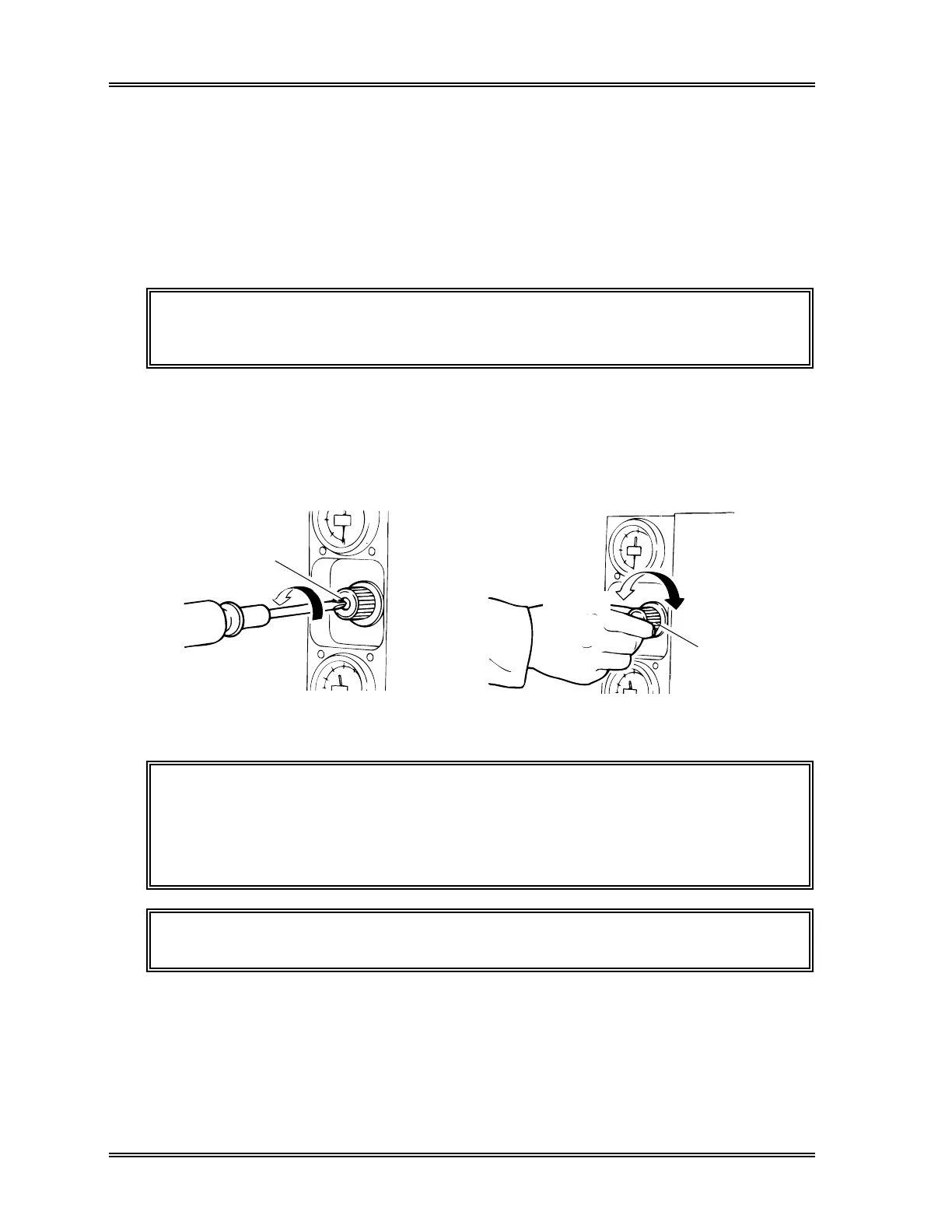
(3) Loosen the lock screw of the adjustment knob for the 2.0 kg/cm
2
regulator using a
Phillips screwdriver. See Figure 9-4.
(4) Turn the knob until the pressure displayed on the LCD falls within 2.0 ± 0.1
kg/cm
2
. Turning the knob clockwise increases the pressure.
Loosen
Lock Screw
Increase
Adjustment
Knob
Decrease
Figure 9-4: Loosen the Lock Screw Figure 9-5: Turn the Adjustment Knob
CAUTION: • Adjust the 2.0 kg/cm
2
pressure displayed on the LCD. Do not check
the pressure level on the gauge for adjustment.
• Always adjust the pressure from a level that is below the target. If
the pressure is high, decrease it all at once to a value that is below
the target; then gradually increase it to the target.
NOTE: The required range for normal operation is within 1.8-2.3 kg/cm
2
.
(5) When completing the adjustment, tighten the lock screw on the top of the regulator
knob.



 To Next Page