SYSTEM SETUP
11-52 Sysmex SF-3000 Operator's Manual -- Revised September 1995
6.7 ID Reader
Use this program to set the ID bar-code reader availability, type of bar code labels and
check-digits required.
To set ID bar-code reader:
(1) Press [ID Reader] key in the General Set Up submenu. The Input Password
window will appear.
NOTE : If the [ID Reader] key is not displayed on the LCD, press [More] to
change the displayed menus.
(2) Enter the password and press [ENTER] key.
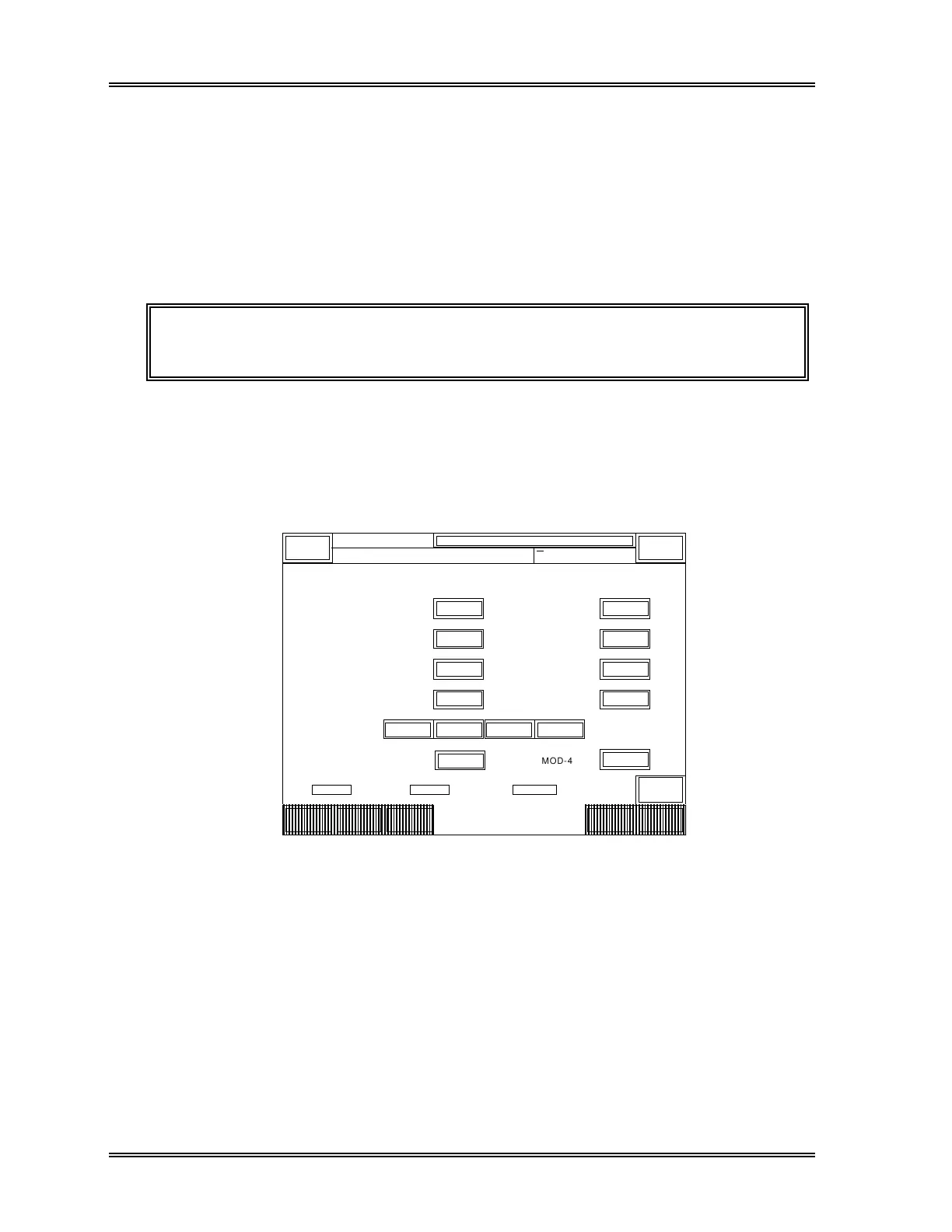
The ID Reader setting screen will appear, containing the current reader availability,
bar code labels and check-digits. The selected item will be backlit in light-blue or a
mark "√" will be placed in the box on the right of selected item.
(3) Press the appropriate keys to select the condition.
ID Reader
N o
< ID READER >
Tube ID
Rack ID
ITF
NW7
CODE39
MOD-11
W-MOD-11
MOD-16
JAN
Used
Used
Used
N o
N o
MOD-43
Not Used
Not Used
Not Used
MOD-10
Quit
DP:1234567890123
Sysmex
XM HC GP DP SU
Ready Manual Mode Next No.1234567890123
Sampler
MOD-10 CODE11 CODE11 CODE128 MOD-103
√
√
√
√
√
ID
Reader
Blood
Sensor
Work
List
ReturnMore
Figure 11-44: ID Reader Setting Window
The method and check-digit conditions available are as follows:
ID Reader : Select "Used" or "Not Used".
(The factory setting is "Not Used".)
Tube ID : Select "Used" or "Not Used" for test tube ID.
(The factory setting is "Used".)
Rack ID : Select "Used" or "Not Used" for rack ID.
(The factory setting is "Used".)



 To Next Page