Free ebooks ==> www.ebook777.com
108
NIKON D5300
3
›
Playback folder
›
Playback display options
›
Image review
›
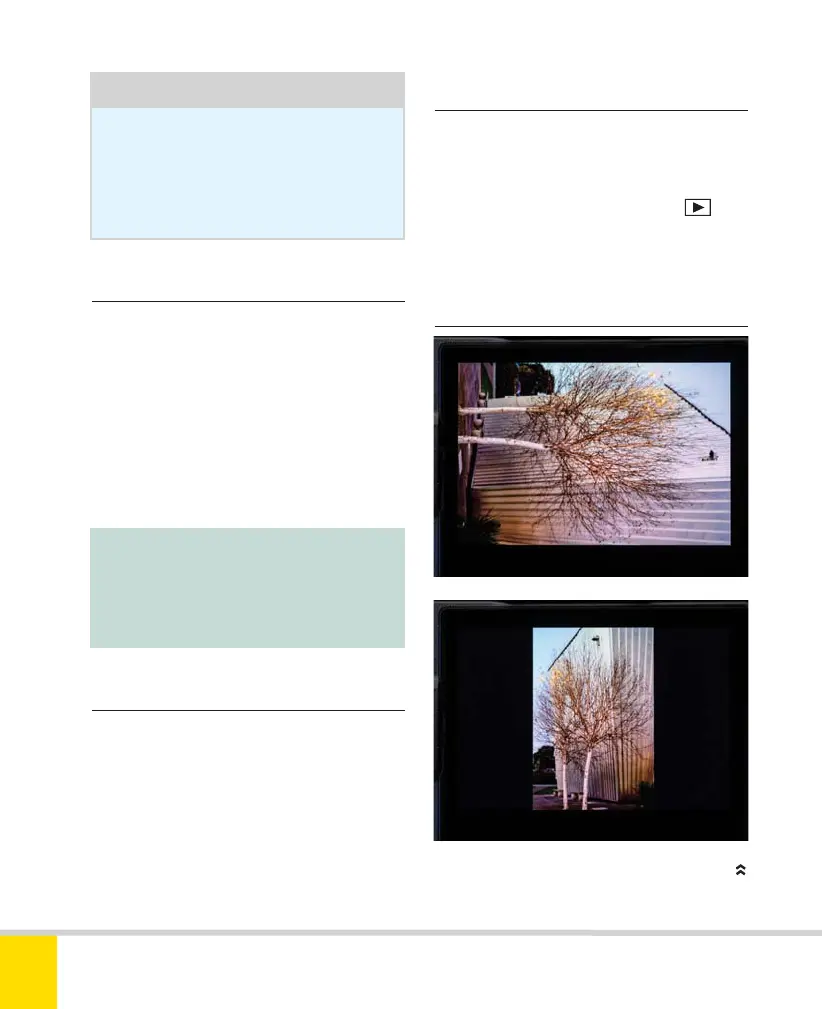
Rotate tall
Note:
The current folder is chosen through
the Shooting menu (see page 111).
Tip
Individual images can also be
deleted from the normal playback
screen, and this is usually more
convenient (see page 96).
By default, the D5300’s playback screen will
only display images in the current folder.
For most of us, there is only ever one
folder on the memory card, so this is of no
significance. However, if you’re one of the
few who does end up with multiple folders,
you can view images in all folders by
changing this setting from Current to All.
This is an important menu, as it enables
you to choose what (if any) information
about each image will be displayed on
playback, over and above the bare-bones
info screen that is always available. As such,
these options have already been described
on page 94.
If Image review is On, the latest image is
automatically displayed on the monitor
immediately after shooting. If Off, images
are only displayed when you press
. If
you’re looking to eke out longer battery
life, choose Off.
ROTATE TALL OFF AND ON
Nikon D5300 Ch3 106-137 P2 RY.indd 108Nikon D5300 Ch3 106-137 P2 RY.indd 108 19/02/2014 16:4119/02/2014 16:41



 To Next Page
 Loading...













