Free ebooks ==> www.ebook777.com
26
NIKON D5300
2
›
Inserting and
removing memory cards
INSERTING A MEMORY CARD
The D5300 stores images on Secure Digital (SD)
cards, including SDHC and SDXC cards.
To store photographs, you’ll need to insert
a memory card (see page 205).
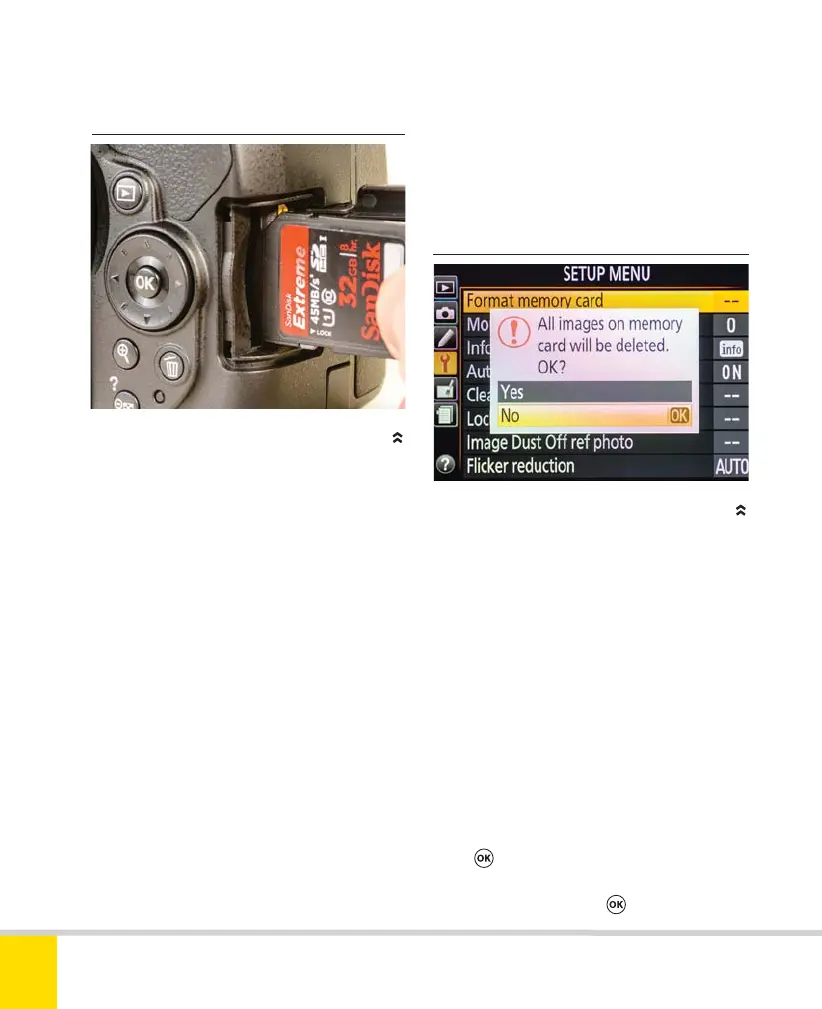
1) Switch off the camera. Check that the
access lamp on the camera back (below
the Multi-selector) is off.
2) Slide the card slot cover (right side of
the camera) to the rear. It will spring open.
3) To remove a memory card, press the
card gently into its slot; it will spring out
slightly, allowing you to remove it.
4) Insert a card with its label facing the
rear and the terminals along the card edge
facing into the slot. The “cut-off” corner of
the card will be at the top. Gently push the
card into the slot until it clicks home. The
green access lamp will light briefly.
5) Close the card slot cover.
FORMATTING A MEMORY CARD
To format a memory card
1) Press MENU and select the Setup menu
from the symbols at left of the screen.
2) Select Format memory card and
press
.
3) Select Yes and press
.
›
Formatting a memory card
You’ll need to format new memory cards,
or ones that have been used in another
camera, before using them with the D5300.
Formatting is also the most efficient way to
erase images from a card so you can reuse
it, but make sure they are saved elsewhere.
Nikon D5300 Ch2 022-105 P2 RY.indd 26Nikon D5300 Ch2 022-105 P2 RY.indd 26 19/02/2014 15:3519/02/2014 15:35



 To Next Page
 Loading...













