Free ebooks ==> www.ebook777.com
126
NIKON D5300
3
›
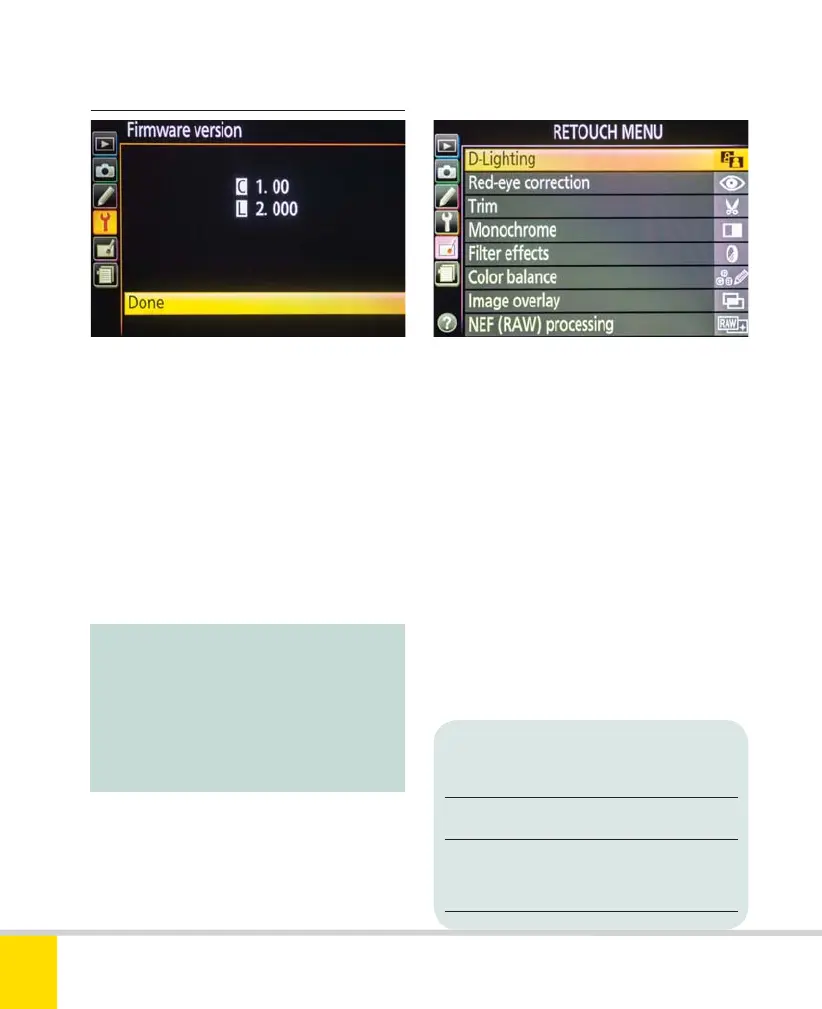
Firmware version
Firmware is the onboard software which
controls the camera’s operation. Nikon
issues updates periodically. This menu
shows the version presently installed, so
you can verify whether it is current.
When new firmware is released,
download it from the Nikon website and
copy it to a memory card. Insert this card
in the camera then use this menu to
update the camera’s firmware.
Note:
Firmware updates may include new
functions and new menu items, which
can make this Expanded Guide (and
the Nikon Reference Manual) appear
out of date.
»
RETOUCH MENU
The Retouch menu is used to make
corrections and enhancements to images,
including cropping, color balance, and
much more. This does not affect the
original image but creates a copy to which
the changes are applied. Further
retouching can be applied to the new
copy, but you can’t apply the same effect
twice to the same image.
Copies are always created in JPEG
format but the size and quality depends
on the format of the original (a few
exceptions, such as Trim and Resize,
produce copies smaller than the original).
Format of Quality and size
original photo of copy
NEF (RAW) JPEG (Fine, Large)
JPEG JPEG (Quality and size
match original)
Nikon D5300 Ch3 106-137 P2 RY.indd 126Nikon D5300 Ch3 106-137 P2 RY.indd 126 19/02/2014 16:4119/02/2014 16:41



 To Next Page
 Loading...













