Free ebooks ==> www.ebook777.com
55
THE EXPANDED GUIDE
FUNCTIONS
»
USER-CONTROL MODES
›
(P) Shutter-priority auto
In Shutter-priority (S) mode, you control
the shutter speed while the camera sets an
appropriate aperture to give correctly
exposed results in most situations. Control
of shutter speed is key for moving subjects
(see page 56). You can set speeds between
30 sec. and 1/4000 sec. Fine-tuning of
exposure is possible through exposure
lock (page 67), exposure compensation
(page 66), and possibly auto bracketing
(page 68).
1) Rotate the Mode Dial to position S.
2) Frame the picture.
3) Half-depress the release button to
activate focusing and exposure. The focus
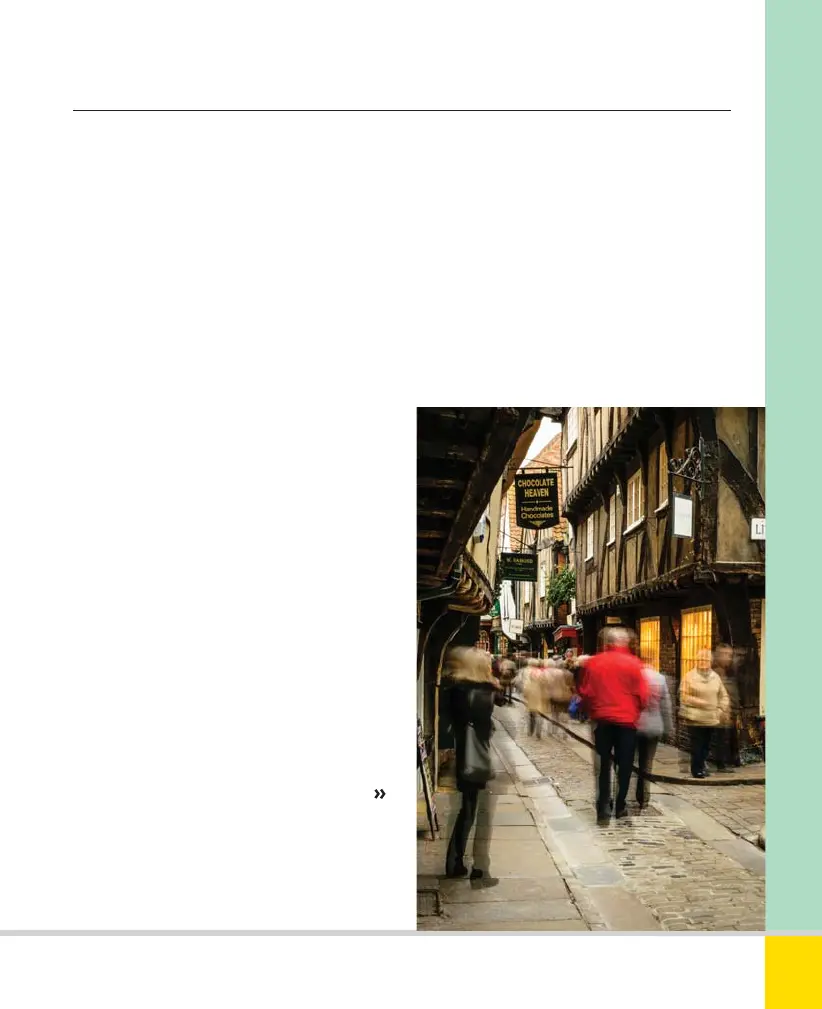
SHUTTER-PRIORITY
A slow shutter speed blurred the people, but
the buildings are sharp. The camera was
steadied by a beanbag braced against a wall.
(It wasn’t practical to set up a tripod in the
crowded confines of the Shambles in York.)
38mm, 2 sec., f/29, ISO 100.
point(s) will be displayed in the Viewfinder
image and shutter speed and aperture
settings appear at the bottom of the
Viewfinder. Rotate the Command Dial to
alter the shutter speed; the aperture will
adjust automatically.
4) Fully depress the shutter release to take
the picture.
Nikon D5300 Ch2 022-105 P2 RY.indd 55Nikon D5300 Ch2 022-105 P2 RY.indd 55 19/02/2014 15:4019/02/2014 15:40
www.ebook777.com



 To Next Page
 Loading...













