Free ebooks ==> www.ebook777.com
29
THE EXPANDED GUIDE
FUNCTIONS
»
BASIC OPERATION
›
Operating the shutter
›
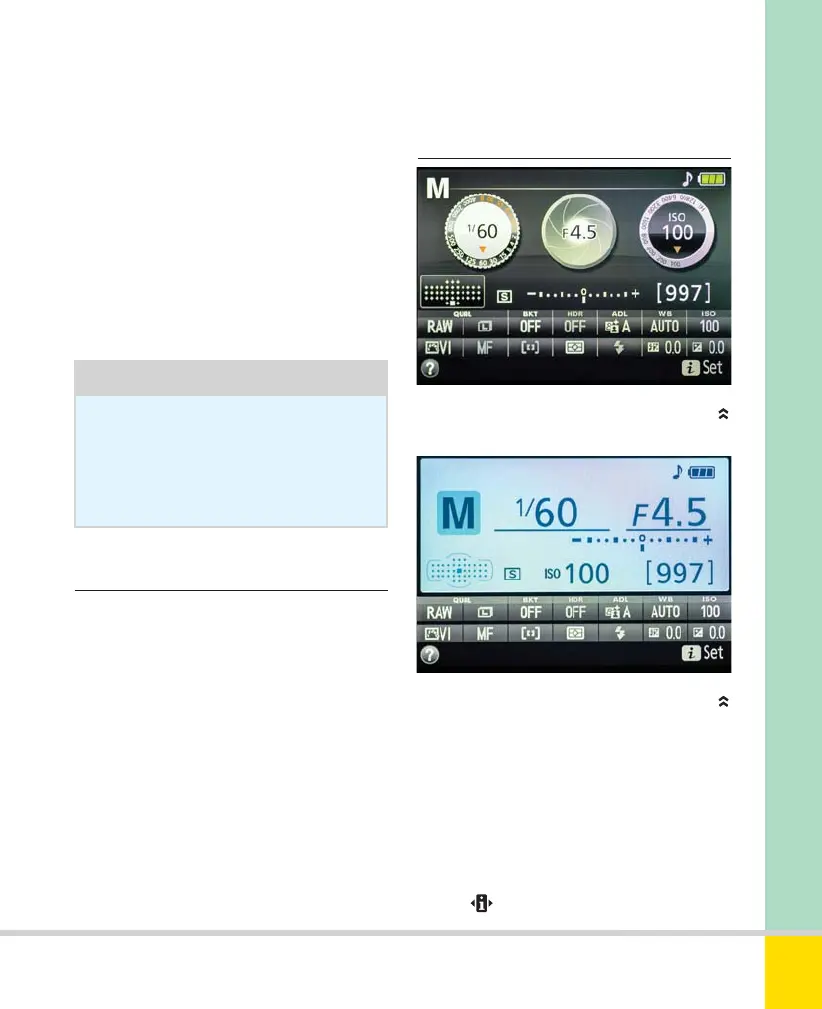
Information Display
Tip
The screen can be hard to see clearly
in bright sunlight. Screen shades are
available which help to get around
this problem (see page 213).
The shutter-release button operates in two
stages. Pressing it lightly, until you feel
initial resistance, activates the metering
and focus functions. Half-pressure also
clears the Information Display, menus, or
image playback, making the D5300
instantly ready to shoot. Press the button
more firmly (but still smoothly) to take
the picture.
the camera body until it clicks into place.
It’s obviously convenient to leave the
screen in this position, but it is open to
scratches and other damage. It’s safer to
stow the screen away when transporting or
storing the camera; if you set a suitable
Shooting mode beforehand, you can grab
shots quickly without needing to open out
the screen first.
The Information Display is central to using
the D5300. To activate it, do any of these:
– Half-press and release the shutter-release
button (if you maintain pressure the
information display will not appear);
– Press
INFO on top of the camera;
– Press
on the rear of the camera.
INFORMATION DISPLAY—
GRAPHIC FORMAT
INFORMATION DISPLAY—
CLASSIC FORMAT
Nikon D5300 Ch2 022-105 P2 RY.indd 29Nikon D5300 Ch2 022-105 P2 RY.indd 29 19/02/2014 15:3619/02/2014 15:36
www.ebook777.com



 To Next Page
 Loading...













