Free ebooks ==> www.ebook777.com
42
NIKON D5300
2
›
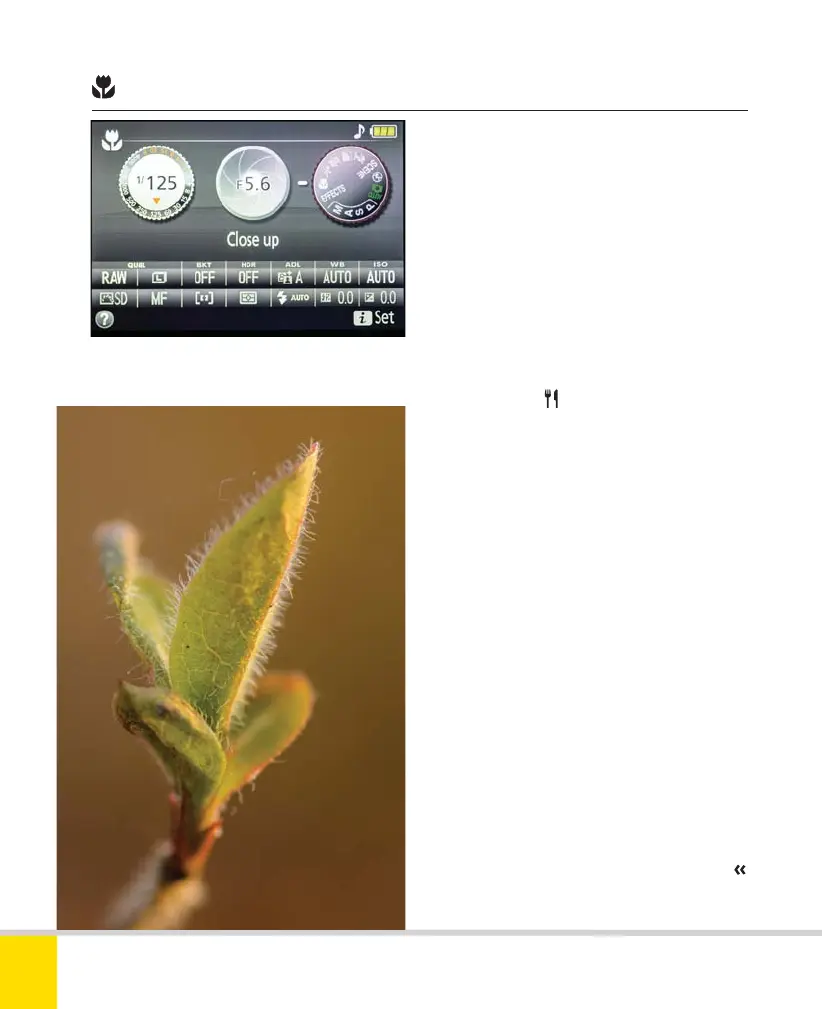
Close-up
Close-up mode is of course intended for
shooting at really close range. The camera
sets a medium to small aperture to
improve depth of field. This means shutter
speeds can be low, so a tripod is often
advisable to avoid camera shake. The built-
in flash will activate automatically in low
light, but it is a poor choice for close-up
shots (see page 161): a separate accessory
flashgun is a far better bet. You can also
turn the flash off via the Active Information
Display, or use
Food, when the flash
does not activate automatically.
The camera automatically selects the
central focus point, but this can be
overridden very simply, using the Multi-
selector. This is a good thing, as focus is
particularly critical in close-up shooting
and the key part of the subject will
certainly not always be in the center of
the frame. A Standard Picture Control
is applied.
CLOSE-UP
A tripod is often essential in close-up shooting.
100mm macro, 1/50 sec., f/8, ISO 200, tripod.
Nikon D5300 Ch2 022-105 P2 RY.indd 42Nikon D5300 Ch2 022-105 P2 RY.indd 42 19/02/2014 15:3819/02/2014 15:38



 To Next Page
 Loading...













