Free ebooks ==> www.ebook777.com
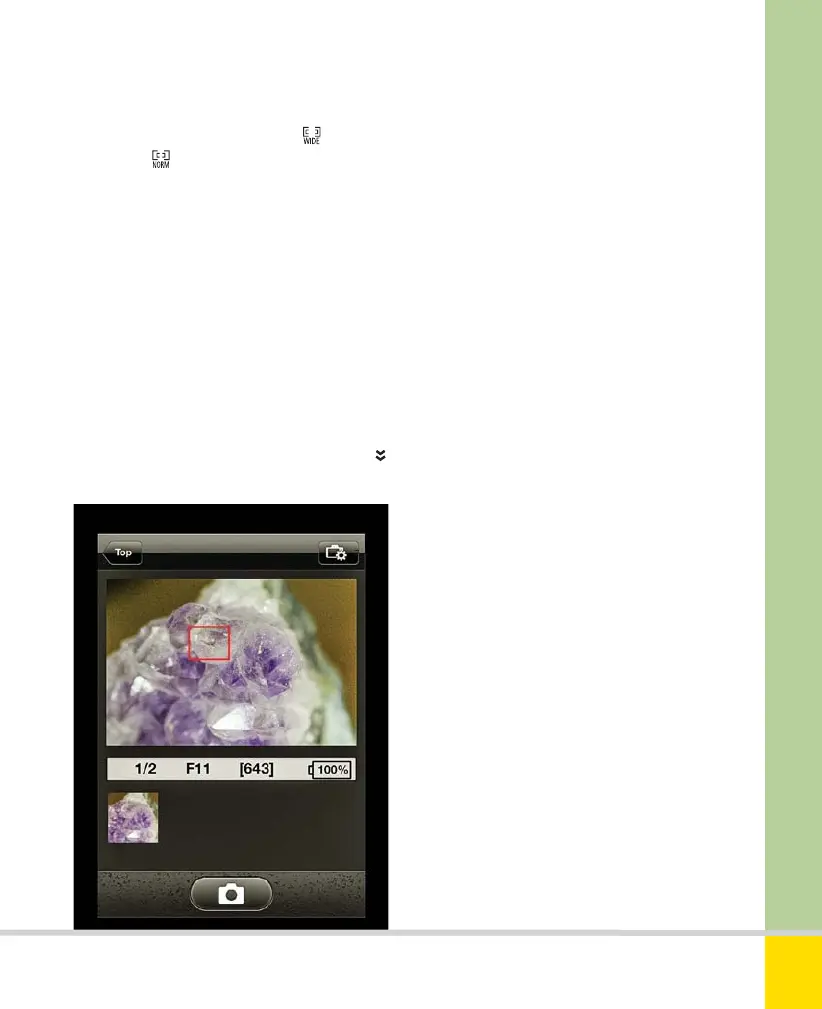
2) If Live View AF-area mode is Wide-
area AF or
Normal area AF, you can
focus by tapping the appropriate place on
the iPhone or iPad screen. Unfortunately,
you can’t zoom the display to check focus
even more precisely (although with iPads
you get a preview that’s significantly larger
than the camera’s screen, especially if you
use the iPad in landscape orientation).
3) Tap the camera icon at the bottom of
the screen (left side in landscape
orientation) to take a photo. This will
swiftly download to the device and a
thumbnail appears in the “tray” below
the Live View images (to the left in
landscape orientation).
4) A simple way to finish shooting is to tap
Top, which returns to the app’s opening
screen and ends Live View.
NIKON WIRELESS MOBILE UTILITY
Taking photographs using a mobile device.
Viewing photos
1) In the opening screen, tap View photos.
The options now are Pictures on D5300,
Camera roll, and Latest downloads.
2) Tap Pictures on D5300 to see all photos
on the camera. You can then select any of
these you wish to transfer. Note, however,
that NEF (RAW) files will be converted to
JPEG on transfer.
3) Tap Camera roll to see images already
on the device.
4) Tap Latest downloads to see shots
recently taken with the D5300.
225
THE EXPANDED GUIDE
CONNECTION
»
WI-FI
Nikon D5300 Ch9 220-237 P2 RY.indd 225Nikon D5300 Ch9 220-237 P2 RY.indd 225 20/02/2014 14:2720/02/2014 14:27
www.ebook777.com



 To Next Page
 Loading...













