Free ebooks ==> www.ebook777.com
95
THE EXPANDED GUIDE
FUNCTIONS
»
PLAYBACK
›
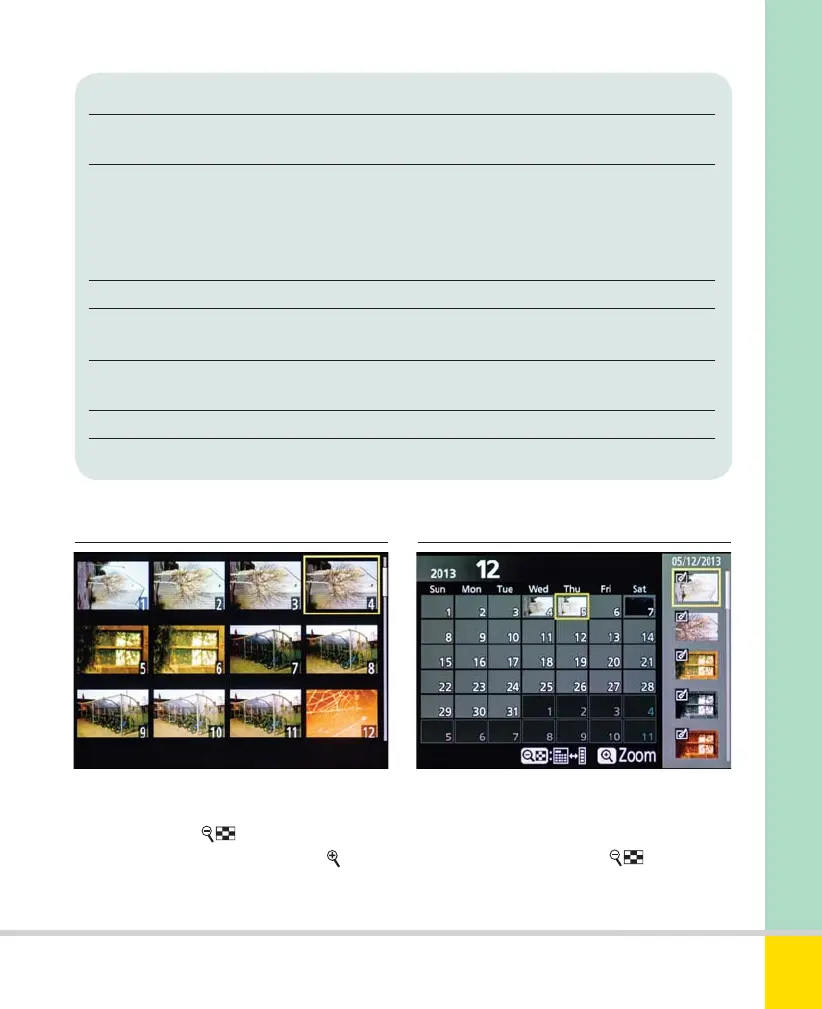
Viewing images as thumbnails
›
Calendar View
Playback pages Selection Details
File information Always available Displays large image; basic fi le info
displayed at bottom of screen.
Overview On by default; disable Displays small image, simplifi ed
from Playback menu histogram, summary information.
Focus point used can also be
shown: select using Playback
display options>Focus point.
None (image only) Enable from Playback menu Displays large image with no other data
Location data Only appears when GPS location data was recorded during
shooting (see page 230).
Shooting data Enable from Playback menu See below
(three pages)
RGB histogram Enable from Playback menu See below
Highlights Enable from Playback menu See below
From most screens (not Overview or
Highlights), press
to display 4 images;
repeat to see 9 or 72 images. Press
to see
fewer. The currently selected image is
outlined in yellow.
Calendar View displays images grouped by
the date on which they were taken. With
72 images displayed, press
again to
reach the first calendar page (Date View),
with the most recent date highlighted, and
Nikon D5300 Ch2 022-105 P2 RY.indd 95Nikon D5300 Ch2 022-105 P2 RY.indd 95 19/02/2014 15:4419/02/2014 15:44
www.ebook777.com



 To Next Page
 Loading...













