Free ebooks ==> www.ebook777.com
59
THE EXPANDED GUIDE
FUNCTIONS
»
USER-CONTROL MODES
Depth of field preview
When you look through the D5300’s
Viewfinder, the lens is set at its widest
aperture; if a smaller aperture is selected,
the lens stops down at the moment the
picture is actually taken. As a result, the
Viewfinder image may have much less
depth of field than the final shot. Many
Nikon DSLRs, but not the D5300, have a
depth of field preview button—this stops
the lens down to the selected aperture.
However, it also darkens the image and
assessing sharpness isn’t always easy.
In any case, there are other options.
One is by using Live View. When you enter
Live View, the camera stops down to the
currently set aperture. However, it doesn’t
immediately readjust if you change the
aperture setting with the Command Dial. It
will only reset the aperture when you take
a picture, or exit and resume Live View.
You can also get a sense of depth of
field by taking a test shot and then
reviewing it on the monitor. Both Live View
and image review allow you to zoom in.
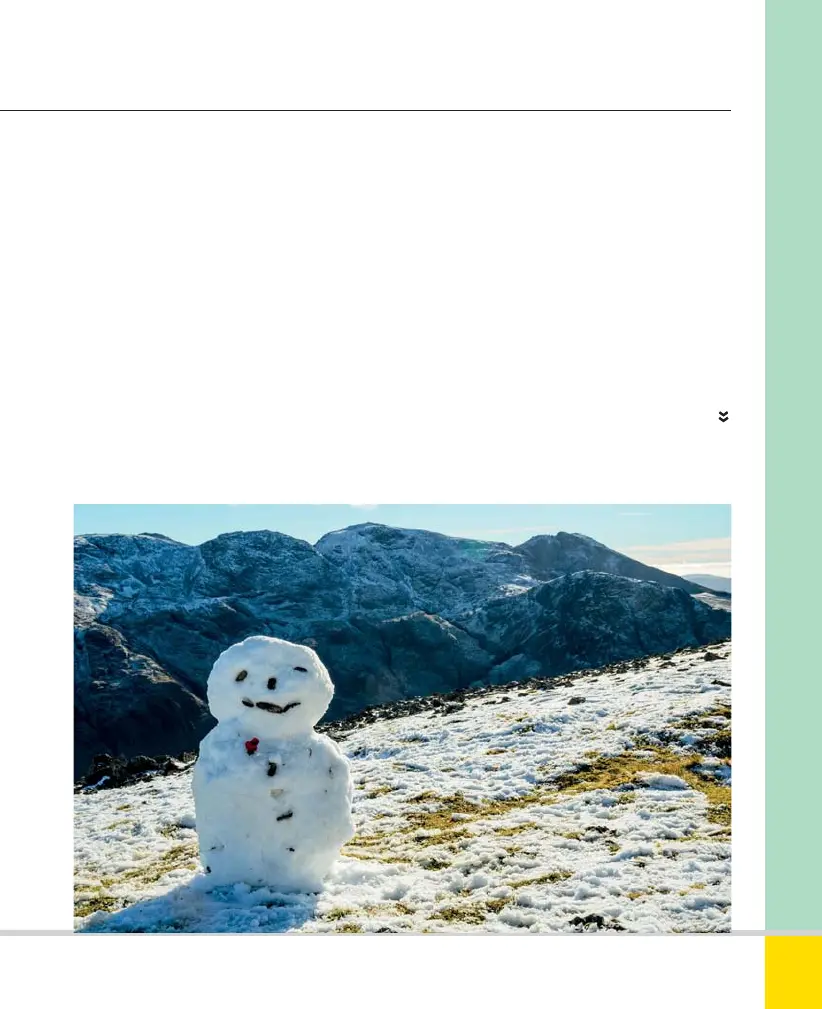
SNOWMAN
Focus was on the snowman but a good depth of
field means the background is still clear. 28mm,
1/160 sec., f/11, ISO 200.
Nikon D5300 Ch2 022-105 P2 RY.indd 59Nikon D5300 Ch2 022-105 P2 RY.indd 59 19/02/2014 15:4019/02/2014 15:40
www.ebook777.com



 To Next Page
 Loading...













