Free ebooks ==> www.ebook777.com
64
NIKON D5300
2
»
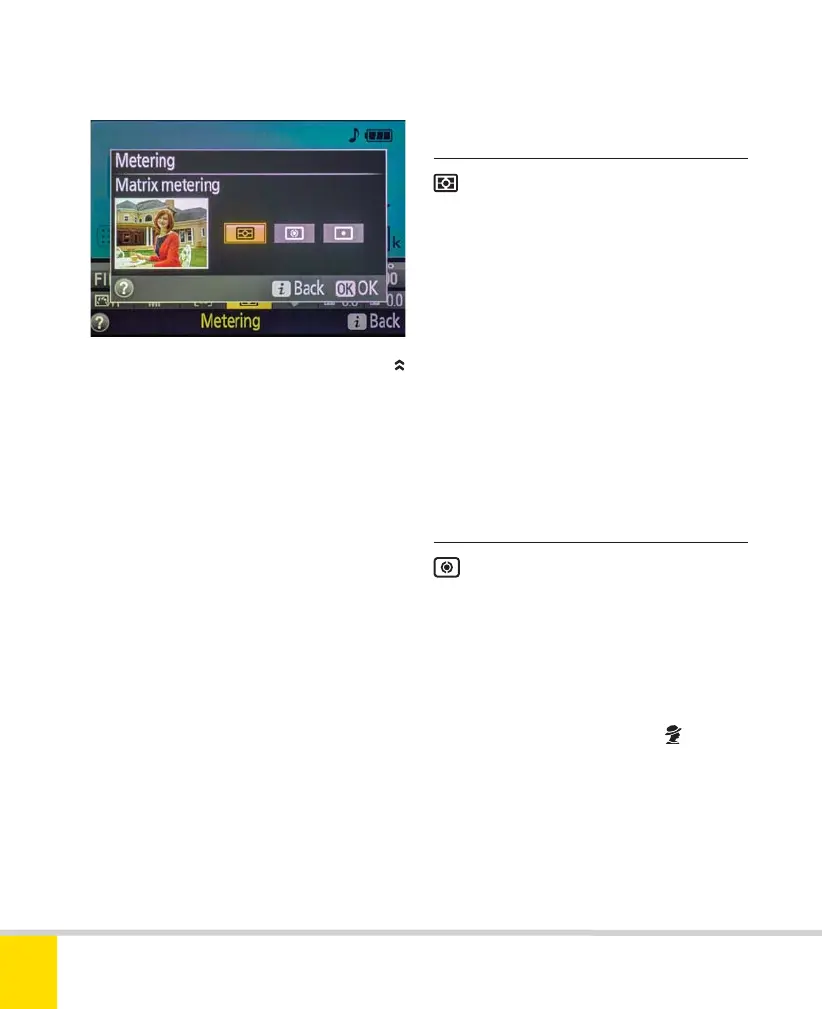
METERING MODES
To ensure that images are correctly
exposed, the camera must measure the
light levels; this is known as exposure
metering. The D5300 provides three
different metering modes, which should
cover any eventuality. Switch between
them using the Metering item in the Active
Information Display (this is only possible in
the User-control modes—in other modes,
matrix metering is automatically selected).
SELECTING METERING MODE IN THE
ACTIVE INFORMATION DISPLAY
›
3D Color Matrix Metering II
›
Center-weighted metering
Using a 2016-pixel color sensor, 3D
Color Matrix Metering II analyzes data on
the brightness, color, and contrast of the
scene. When a Type G or D Nikkor lens is
fitted, the system also analyzes distance
information based on where the camera
focuses—that’s why it’s called 3D. With
other CPU lenses, this distance information
is not used and metering automatically
reverts to a non-3D version.
Matrix metering is recommended for
the vast majority of shooting and will
nearly always produce excellent results.
This is a very traditional form of
metering. The camera meters from the
entire frame, but gives greater weight
(75%) to a central circle—on the D5300 it’s
8mm across. Center-weighted metering is
useful in areas like portraiture, where the
key subject often occupies the central
portion of the frame (although
Portrait
mode sticks with matrix metering).
Nikon D5300 Ch2 022-105 P2 RY.indd 64Nikon D5300 Ch2 022-105 P2 RY.indd 64 19/02/2014 15:4119/02/2014 15:41



 To Next Page
 Loading...













