Free ebooks ==> www.ebook777.com
141
THE EXPANDED GUIDE
FLASH
»
FILL-IN FLASH
›
Activating the built-in flash
1) Select a metering method (see page
64). Matrix metering is advised for fill-in
flash. Spot metering is appropriate when
flash is the main light.
2) Press
and the flash will pop up and
begin charging. When it is charged the
ready indicator
is displayed in the
Viewfinder.
3) Choose a flash mode from the Active
Information Display. Highlight the current
flash mode and press
. Select the
desired flash mode and press
again.
(See page 142 for a detailed explanation
of flash modes.)
Tip
The built-in fl ash is recommended for
use with CPU lenses between 18mm
and 300mm focal length. Some lenses
may block part of the fl ash output at
close range; removing the lens hood
often helps. The Nikon Reference
Manual details limitations of use with
certain lenses.
4) Take the photo(s) in the normal way.
5) When finished, lower the built-in flash,
pressing gently down until it clicks into
place.
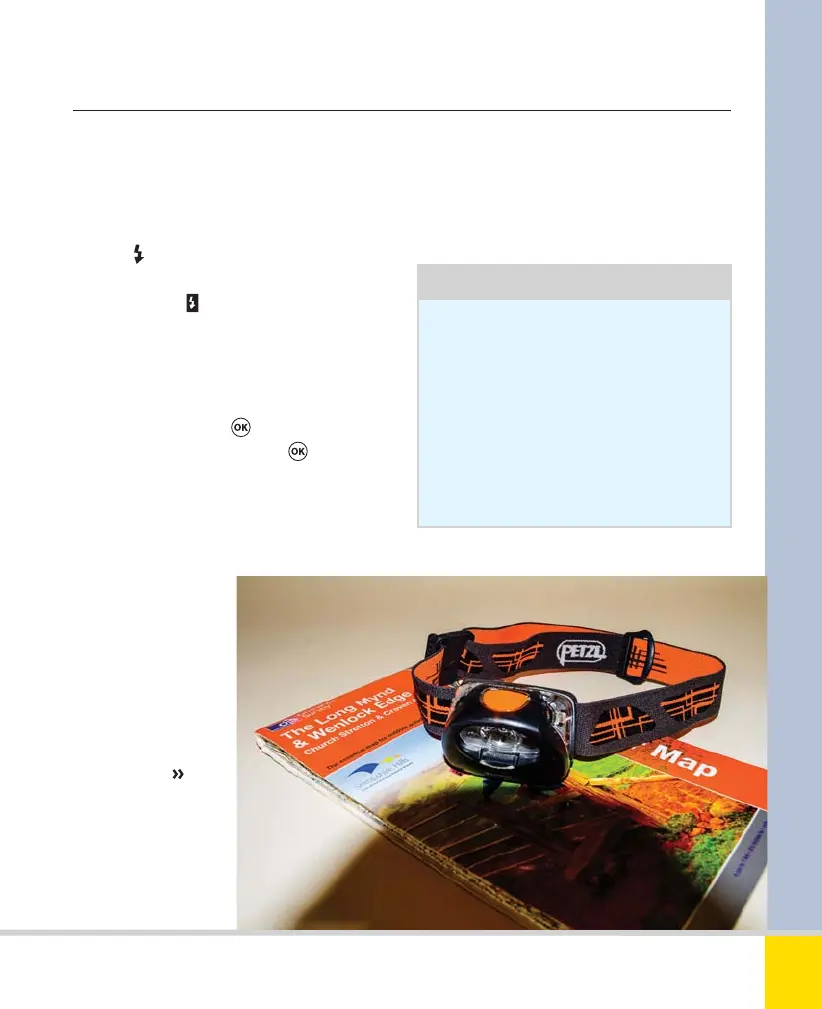
SHADOW
Even with the lens
hood removed, the
built-in flash can
throw a very
obvious shadow,
especially on close-
up subjects.
Nikon D5300 Ch4 138-157 P2 RY.indd 141Nikon D5300 Ch4 138-157 P2 RY.indd 141 19/02/2014 16:4919/02/2014 16:49
www.ebook777.com



 To Next Page
 Loading...













