Free ebooks ==> www.ebook777.com
134
NIKON D5300
3
»
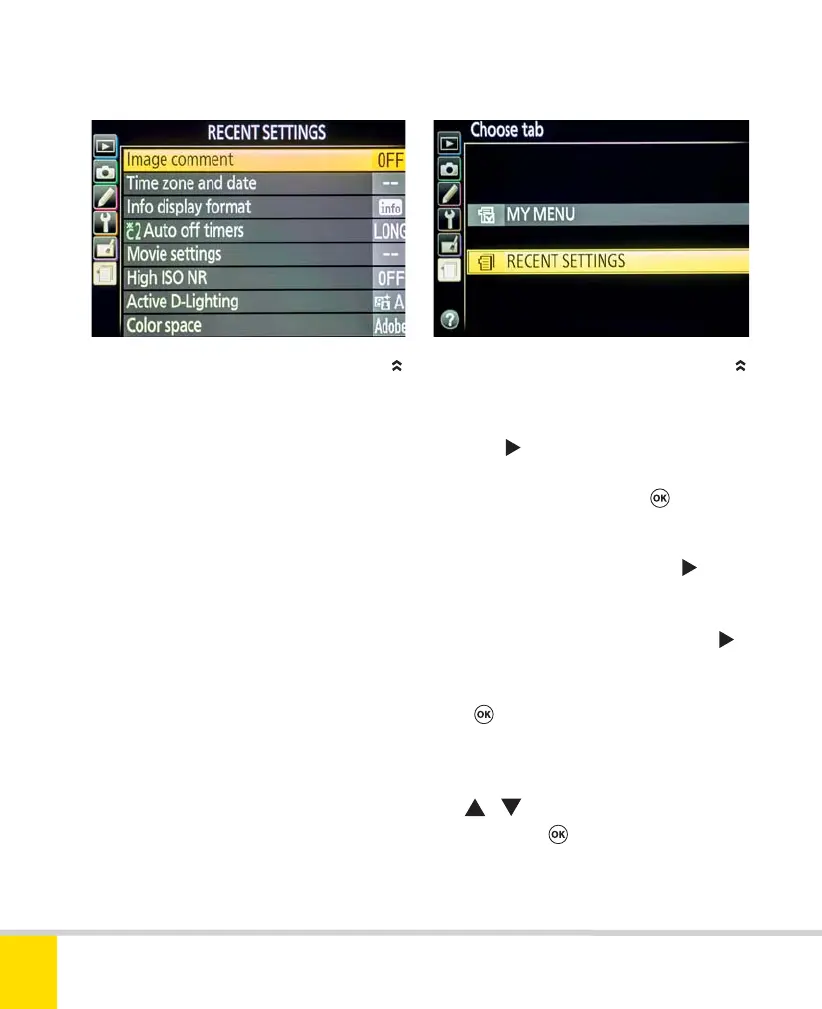
RECENT SETTINGS AND MY MENU
The Recent Settings menu automatically
stores the most recent items that you have
accessed from any of the other menus,
providing a quick way to access controls
that you have used recently. The list
contains up to 20 items and so is likely to
include any that you visit frequently.
Alternatively, you can activate My Menu.
This lets you create a customized list of
your “favorite” menu items. Again, it can
store a maximum of 20 items.
Recent Settings is active by default and
automatically records the items you’ve
used. If you want to switch to My Menu,
you’ll need to activate it and then add
items manually.
To activate My Menu
1) In Recent Settings, select Choose tab
and press
.
2) Select My Menu and press
.
To add items to My Menu
1) Highlight Add items and press .
2) A list of the other menus now appears.
Select the appropriate menu and press
.
3) Select the desired menu item and
press
.
4) A Choose position screen reappears
with the newly added item at the top.
Use
/ to reposition it in the list
if desired. Press
to confirm and save
the list.
RECENT SETTINGS MENU ACTIVATING MY MENU
Nikon D5300 Ch3 106-137 P2 RY.indd 134Nikon D5300 Ch3 106-137 P2 RY.indd 134 19/02/2014 16:4219/02/2014 16:42



 To Next Page
 Loading...













