Free ebooks ==> www.ebook777.com
88
NIKON D5300
2
»
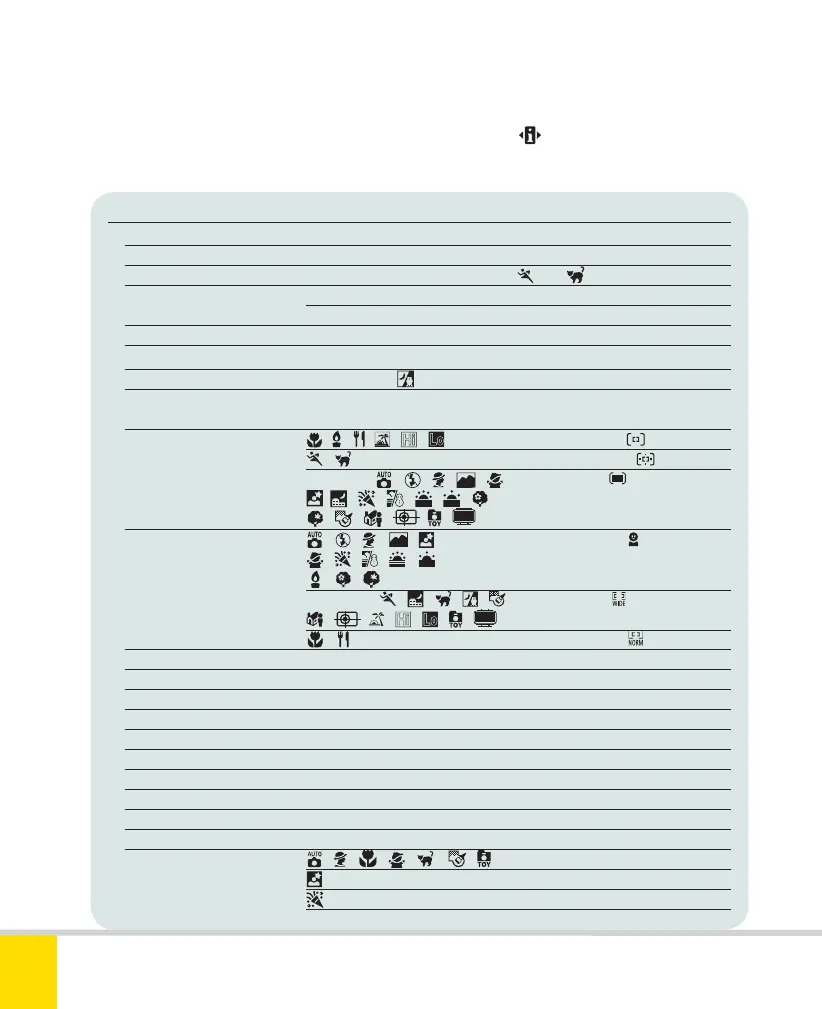
TWO-BUTTON RESET
Item Default setting
Image quality JPEG Normal
Image size Large
Release mode Single frame (Continuous H in
and )
ISO sensitivity Auto, Scene, and Eff ects modes Auto
User-control modes 100
White balance Auto (fi ne tuning off )
Nikon Picture Controls Resets any modifi cations to current Picture Control
Autofocus mode AF-A (except
, see page 50)
Autofocus mode AF-S
(Live View)
AF-Area mode
, , , , , Single-point ( )
, Dynamic Area ( )
P, S, A, M
, , , ,
,
Auto-area (
)
,
, , , , , ,
, , , , ,
AF-Area mode , , , , , Face-priority ( )
(Live View/
, , , , ,
movie shooting)
, ,
P, S, A, M,
, , , , Wide-area ( )
, , , , , ,
, Normal-area ( )
Focus point Center
Metering Matrix
AE/AF lock hold Off
Active D-Lighting Auto
Flexible program Off
Exposure compensation Off
Flash compensation Off
HDR mode Off
Multiple exposure Off
Bracketing Off
Flash mode
, , , ,
,
,
Auto
Auto slow sync
Auto with red-eye reduction
P, S, A, M Front-curtain sync
You can reset a large number of settings
(below) to default values. Hold down
MENU and (marked with green dots)
together for at least 2 sec. See page 23.
Nikon D5300 Ch2 022-105 P2 RY.indd 88Nikon D5300 Ch2 022-105 P2 RY.indd 88 19/02/2014 15:4319/02/2014 15:43



 To Next Page
 Loading...













