Free ebooks ==> www.ebook777.com
25
THE EXPANDED GUIDE
›
Mounting lenses
FUNCTIONS
»
CAMERA PREPARATION
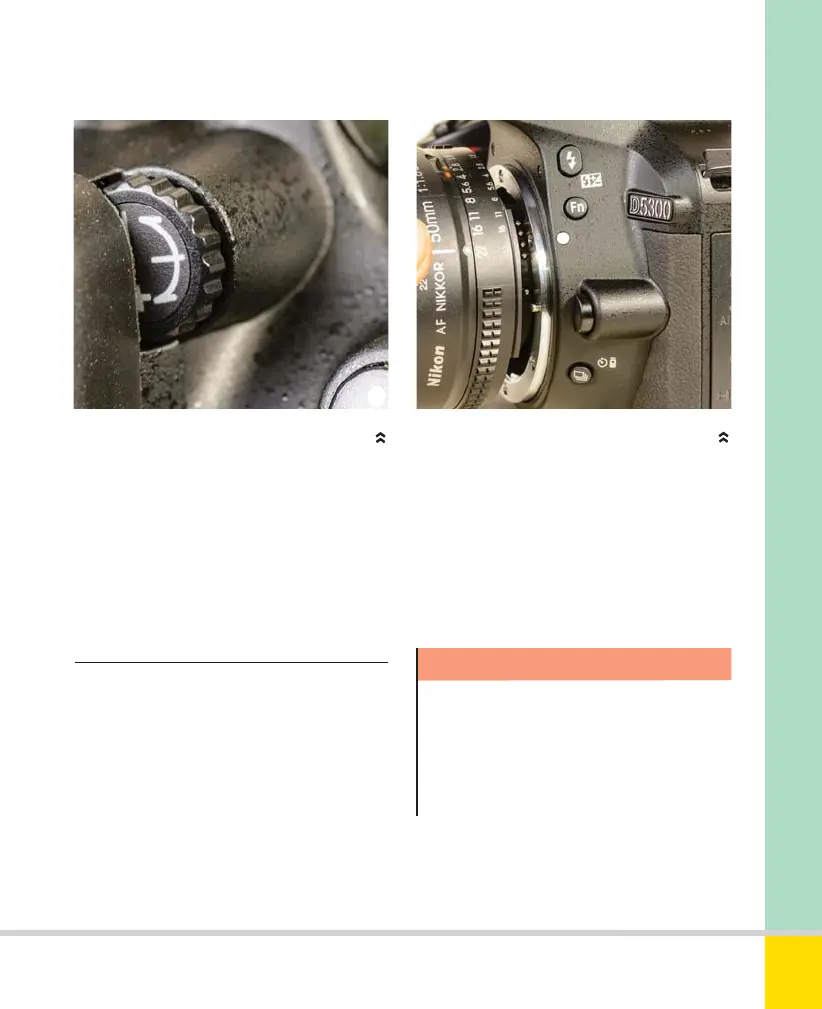
DIOPTER ADJUSTMENT
The diopter adjustment dial enables you to
correct the Viewfinder for your eyesight.
should only need to do this once.
Supplementary Viewfinder lenses are
available if this adjustment proves
insufficient.
The ability to use a wide range of lenses
(see Chapter 7, page 184) is one of the
great advantages of a DSLR.
MOUNTING LENSES
One of the advantages of a DSLR is the ability to
fit a wide range of different lenses.
Switch the camera off before changing
lenses. Remove the rear lens cap and the
camera body cap (or the lens already
mounted). To remove a lens, press the
lens-release button and turn the lens
clockwise (as you face the front of the
camera). Align the index mark on the lens
with the one on the camera body (white
dot), insert the lens into the camera and
turn it anti-clockwise until it clicks home.
Do not use force; if the lens is correctly
aligned it will mount smoothly.
Warning!
Avoid touching the electrical contacts
on lens and camera body, as dirty
contacts can cause malfunctions.
Replace lenses or body caps as soon
as possible.
See Chapter 7 Lenses (page 184) for
information on compatible lenses; the
Nikon Reference Manual has further detail.
Nikon D5300 Ch2 022-105 P2 RY.indd 25Nikon D5300 Ch2 022-105 P2 RY.indd 25 19/02/2014 15:3519/02/2014 15:35
www.ebook777.com



 To Next Page
 Loading...













