PHOTOCONDUCTOR UNIT (PCU)
B079/B082 3-32 SM
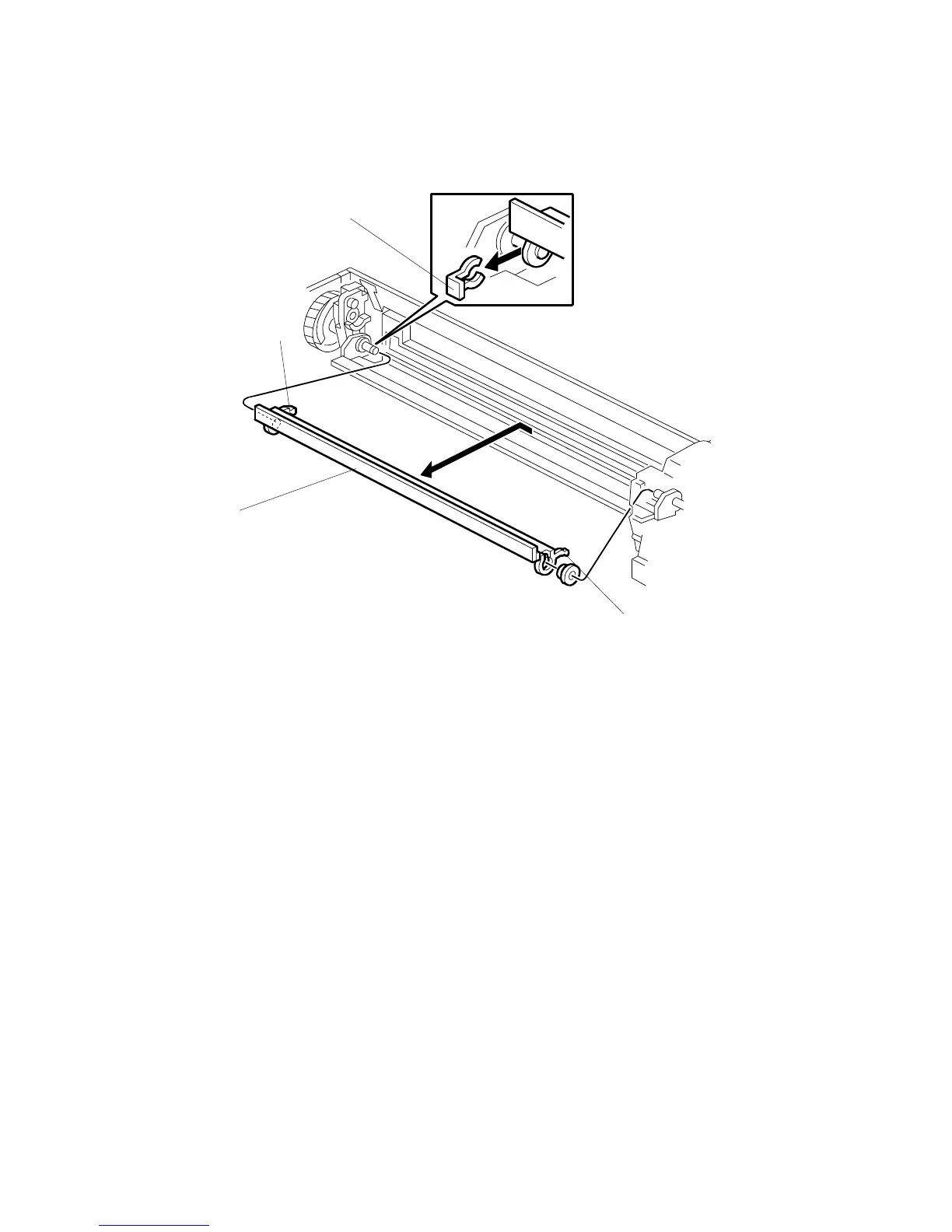
3.11.5 DRUM CLEANING BLADE 2
1. Remove the OPC drum. (! 3.11.2)
2. Remove the charge roller and cleaning roller. (! 3.3.4)
3. Remove the movable cleaning blade [A]. ( x 1)
Re-installation
• Engage the left end of the cleaning blade first, then make sure that both arms [B]
and [C] are through the holes on the left and right side.
• When you re-attach the snap-ring, make sure that the head of the snap ring [D] is
below the blade.
CAUTION: After re-assembly make sure that the front spring of the movable
cleaning blade is re-attached to the #, $ position. (! 3.11.2)
B079R712.WMF
[A]
[B]
[C]
[D]












 To Next Page