REMOVAL
B546 32 SM
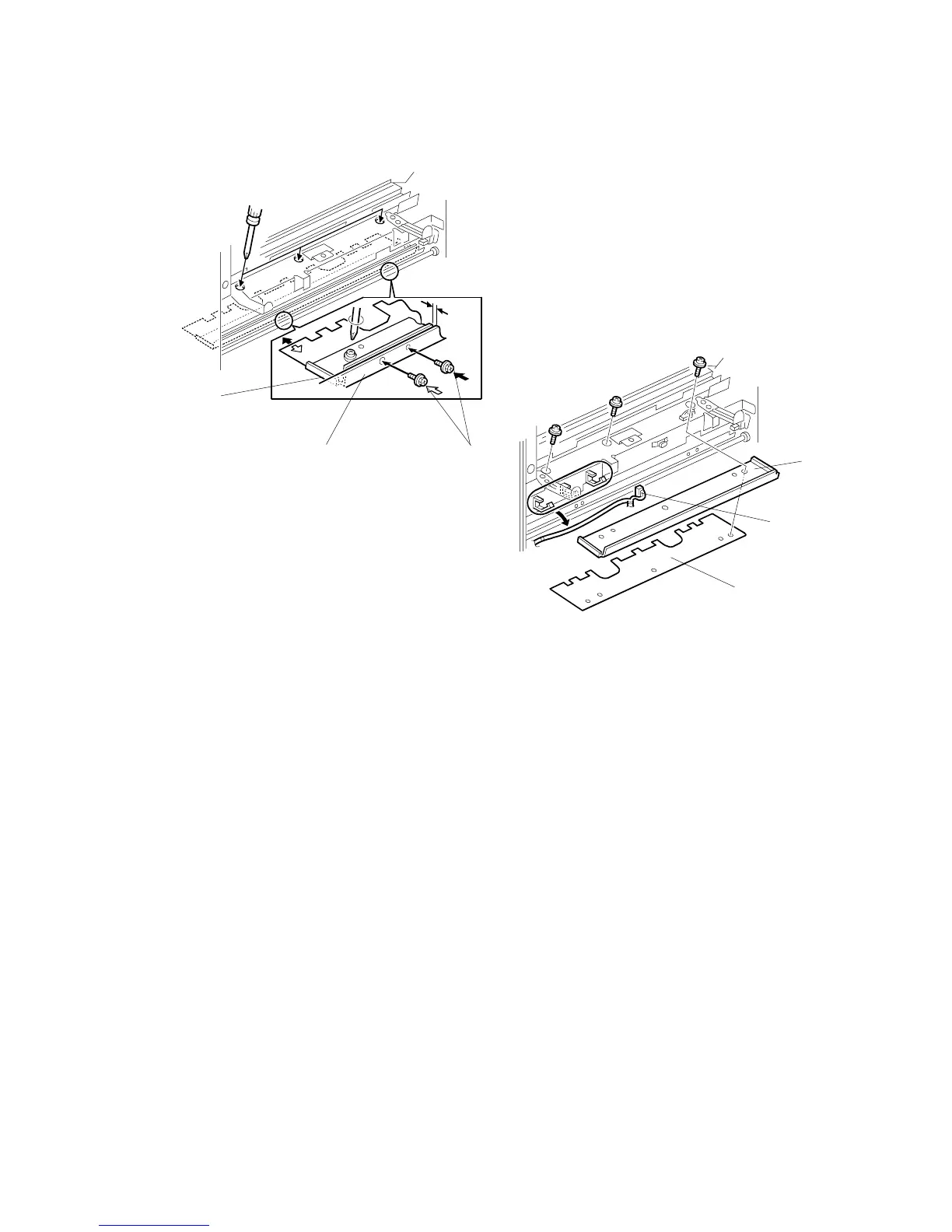
3.1.15 FOLDER PLATE
Removal
1. Remove the following items
• Lower right cover
• Folder roller knob
• Lower door and lower inner cover
• Booklet board
2. Release the harness [A] from the clamps.
3. Insert two positioning screws [B] in the holes provided in the folder table [C].
4. Tighten the screws until the ends touch the securing plate [D] for the folder
plate.
5. Remove the folder plate [E] and the securing plate ( x 3).
B546R117.WMF
B546R116.WMF
[B]
[C]
[D]
[A]
[D]
[E]












 To Next Page