BRIDGE UNIT INSTALLATION (B538)
B079/B082 1-34 SM
1.7.2 BRIDGE UNIT INSTALLATION PROCEDURE
CAUTION
Unplug the main machine power cord before starting the following
procedure.
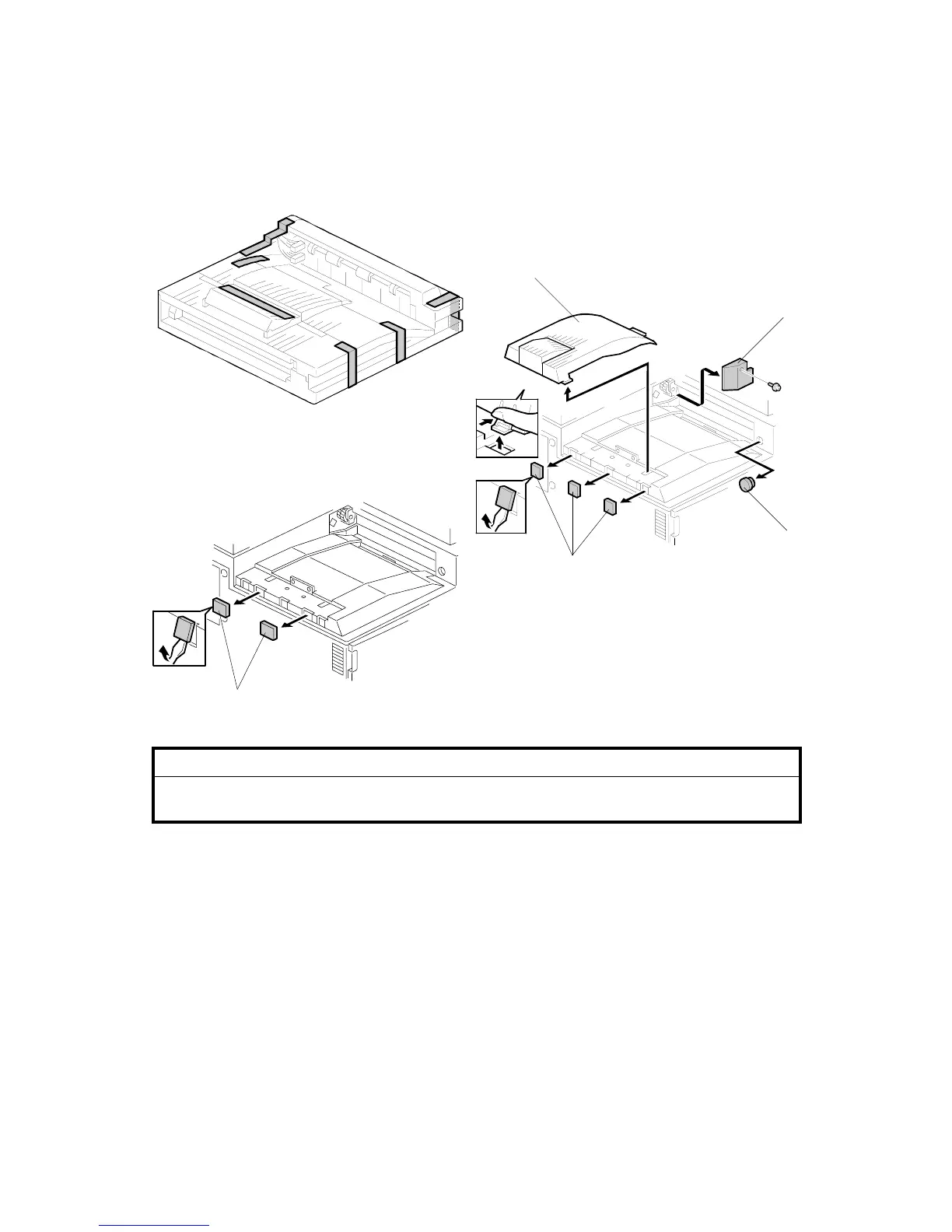
1. Unpack the bridge unit and remove all tapes shipping retainers.
2. Remove the inner tray [A].
3. On the side of the machine, remove the three small covers [B].
If the optional external output tray (A825) will be installed (instead of a
finisher), do Step 4.
4. Remove the two small covers [C].
5. Remove the cover [D] ( x 1).
6. Remove the cap [E].
B538I407.WMF
B538I401.WMF
B538I500.WMF
[D]
[B]
[E]
[A]
[C]












 To Next Page