Replacement
Adjustment
FUSING UNIT
SM 3-61 B079/B082
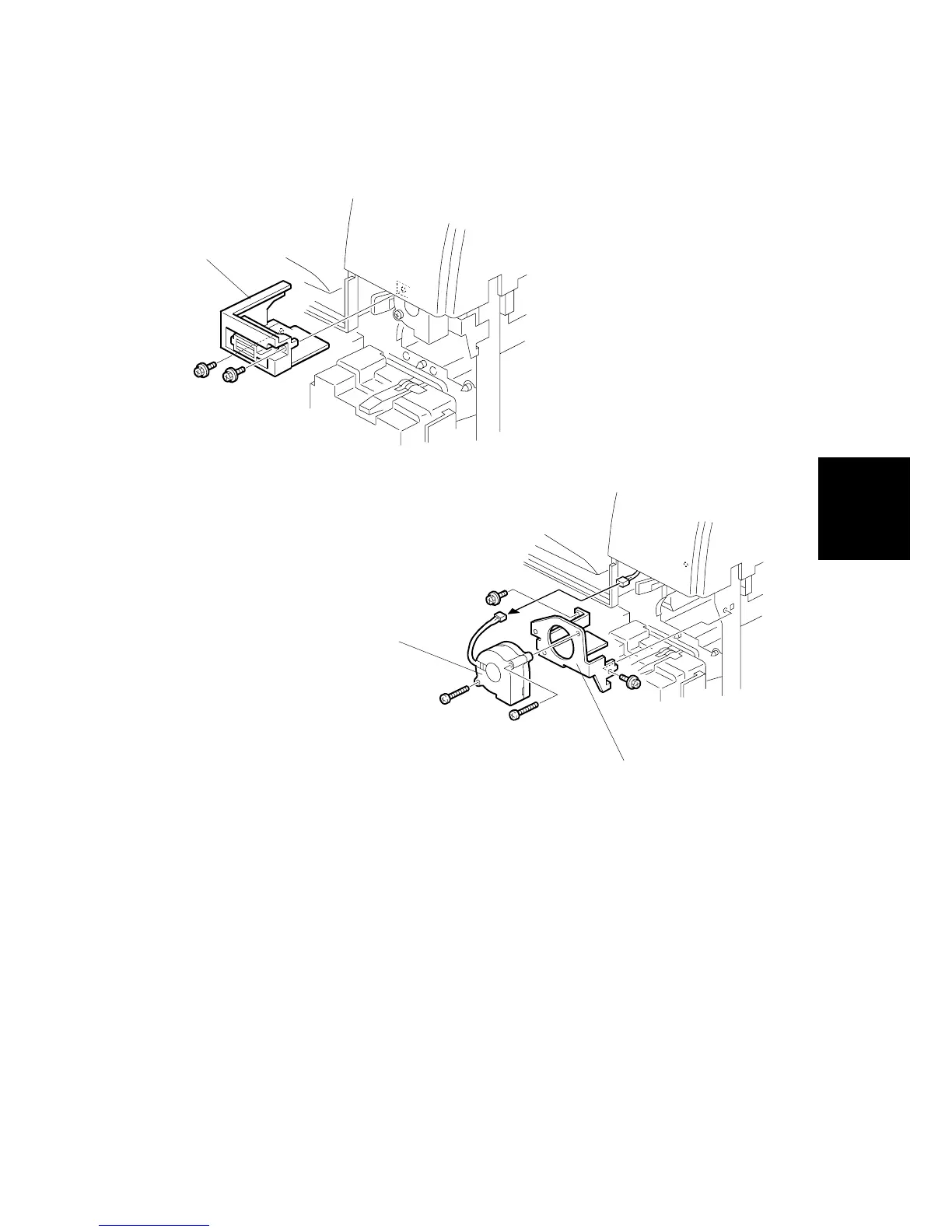
3.15.8 FUSING UNIT CORNER FAN
1. Open the front door.
2. Open the duplex unit and right door.
3. Remove the fusing unit. (! 3.4.1)
4. Remove the magnet lock [A] of the front door ( x 2).
5. Remove the fan bracket [B] ( x 2).
6. Remove the fan [C] from the bracket ( x 2).
B079R716.WMF
B079R717.WMF
[A]
[B]
[C]












 To Next Page