Installation
MAIN MACHINE INSTALLATION
SM 1-9 B079/B082
Development Unit and PCU
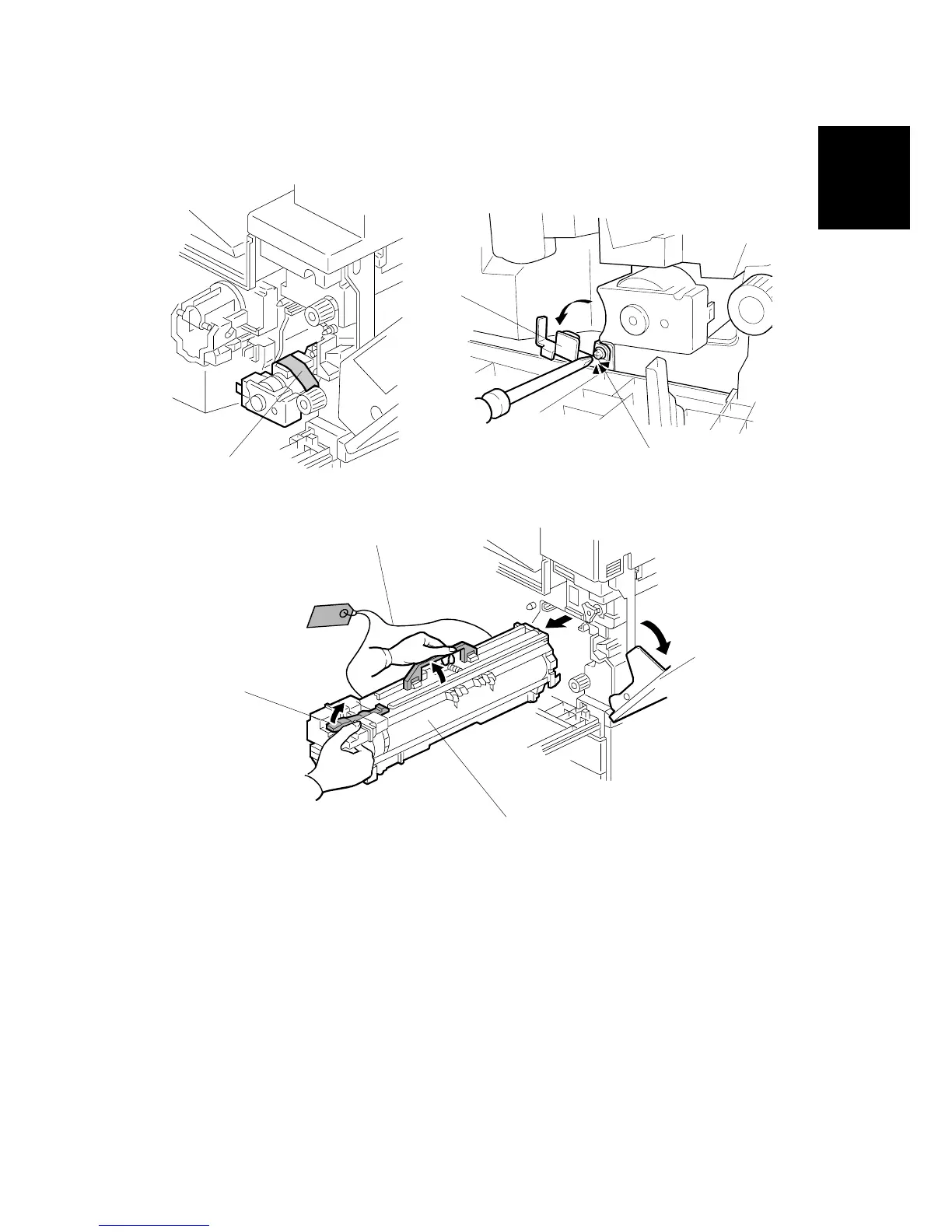
1. Open the front cover and remove the tape and retainers [A].
2. Loosen [B] ( x 1) and rotate the bracket [C].
3. Open the right cover [D].
4. Raise the lever [E]
5. Holding the PCU [F] as shown slide it out and place it on a clean flat surface.
6. Remove clamps and wire [G].
B079I104.WMF
B079I511.WMF
B079I900.WMF
[A]
[B]
[C]
[D]
[E]
[F]
[G]












 To Next Page