FAX OPTION TYPE 2045
SM 3 B547
Fax Option
B547
1.3 FAX OPTION TYPE 2045
CAUTION
Before installing this option, do the following:
1. If there is a printer option in the machine, print out all data in the printer
buffer.
2. Press the operation switch to be the standby mode. Make sure the
power LED is not lit then, turn off the main switch and disconnect the
power cord and the network cable.
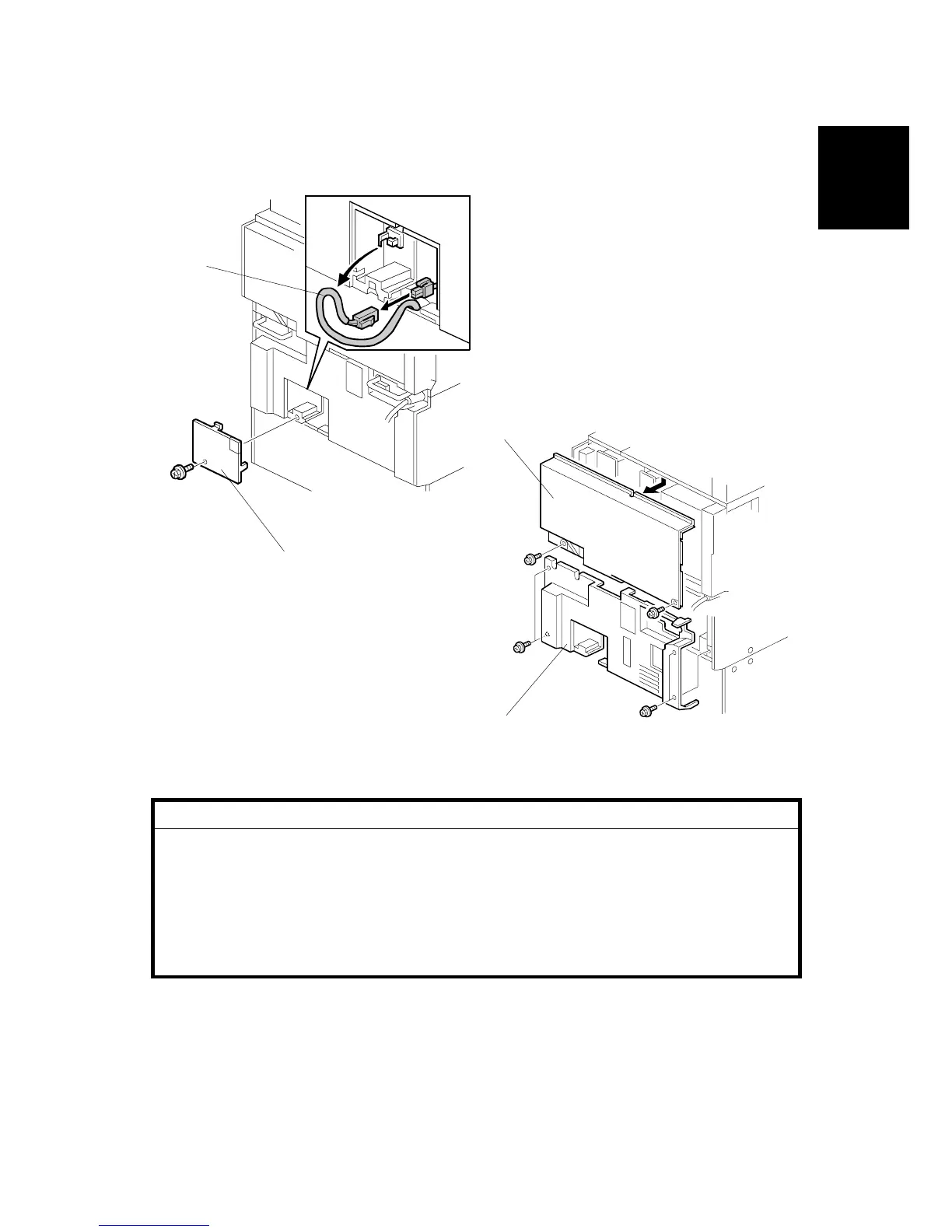
1. Remove the small cover [A] ( x 1) and connector [B].
2. Remove the rear upper cover [C] ( x 2).
3. Remove the rear lower cover [D] ( x 4).
B547I903.WMF
B547I926.WMF
[A]
[B]
[C]
[D]












 To Next Page