IEEE 802.11B B515 (WIRELESS LAN)
B548 14 SM
1.8 IEEE 802.11B B515 (WIRELESS LAN)
CAUTION
Unplug the main machine power cord before starting the following
procedure.
NOTE: To install the IEEE 801.11b option, the Printer Option B548 must be
installed first. (!1.2.2) Only one slot is available for the interface option.
You can install only one printer interface option at a time: IEEE 1394, USB
2.0, or IEEE 802.11b.
1. Remove the controller board and HDD unit (!1.2.1).
2. Remove the slot cover ( x 2). Save these screws.
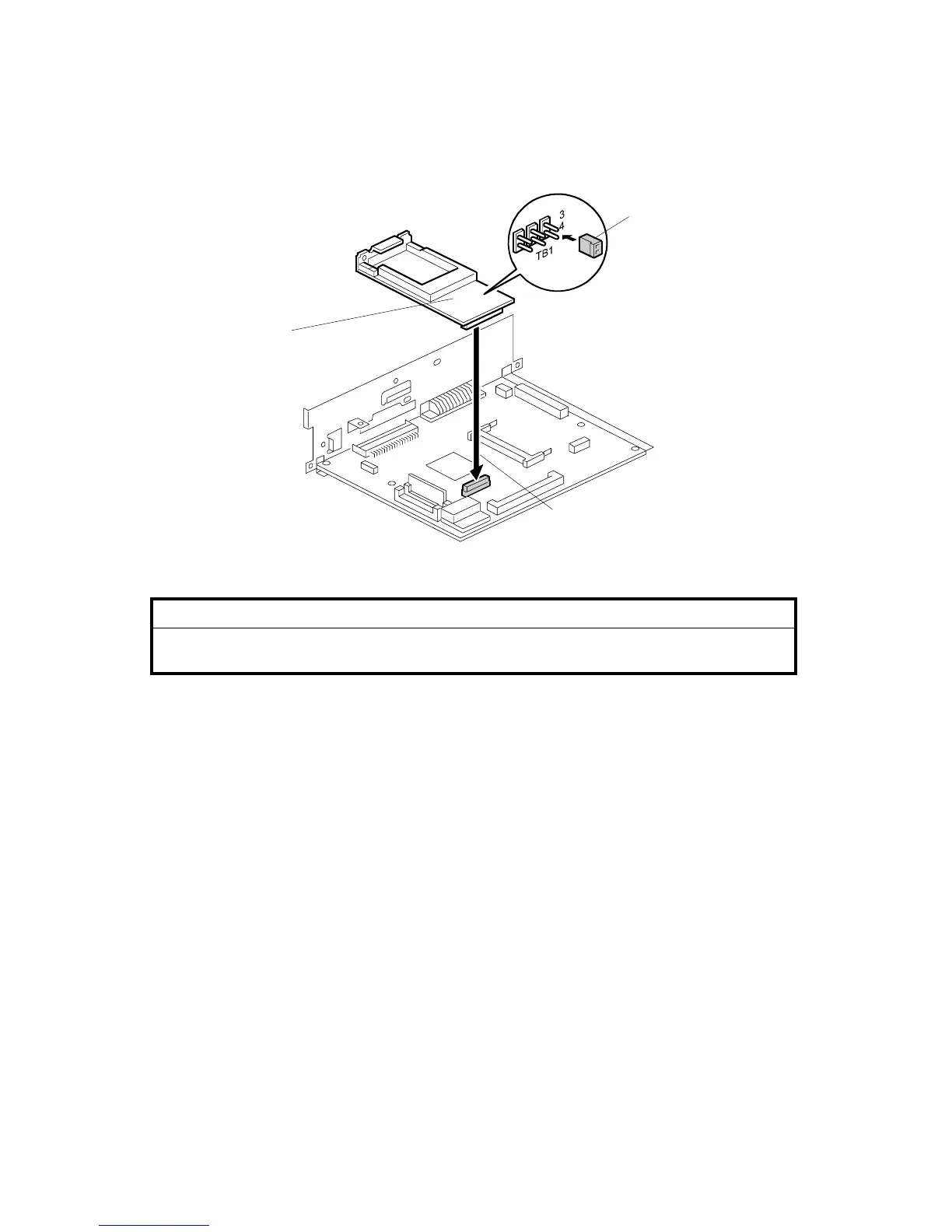
3. Attach the IEEE 801.11b board [A] to the controller board [B] ( x 2). Use the
screws you removed in Step 2.
4. Set the jumper [C] between pins 3 and 4.
5. Re-install the HDD and re-install the controller board.
B548I108.WMF
[A]
[B]
[C]












 To Next Page