DEDICATED TRANSMISSION PARAMETERS
B547 104 SM
3.4 DEDICATED TRANSMISSION PARAMETERS
Each Quick Dial Key and Speed Dial Code has eight bytes of programmable
parameters allocated to it. If transmissions to a particular machine often experience
problems, store that terminal’s fax number as a Quick Dial or Speed Dial, and
adjust the parameters allocated to that number.
The programming procedure will be explained first. Then, the eight bytes will be
described.
3.4.1 PROGRAMMING PROCEDURE
1. Set the bit 0 of System Bit Switch 00 to 1.
2. Press "Dest. Management" in the facsimile standby mode.
3. Press "Program/Change/Delete Quick Dial".
4. Select the destination key you want to program.
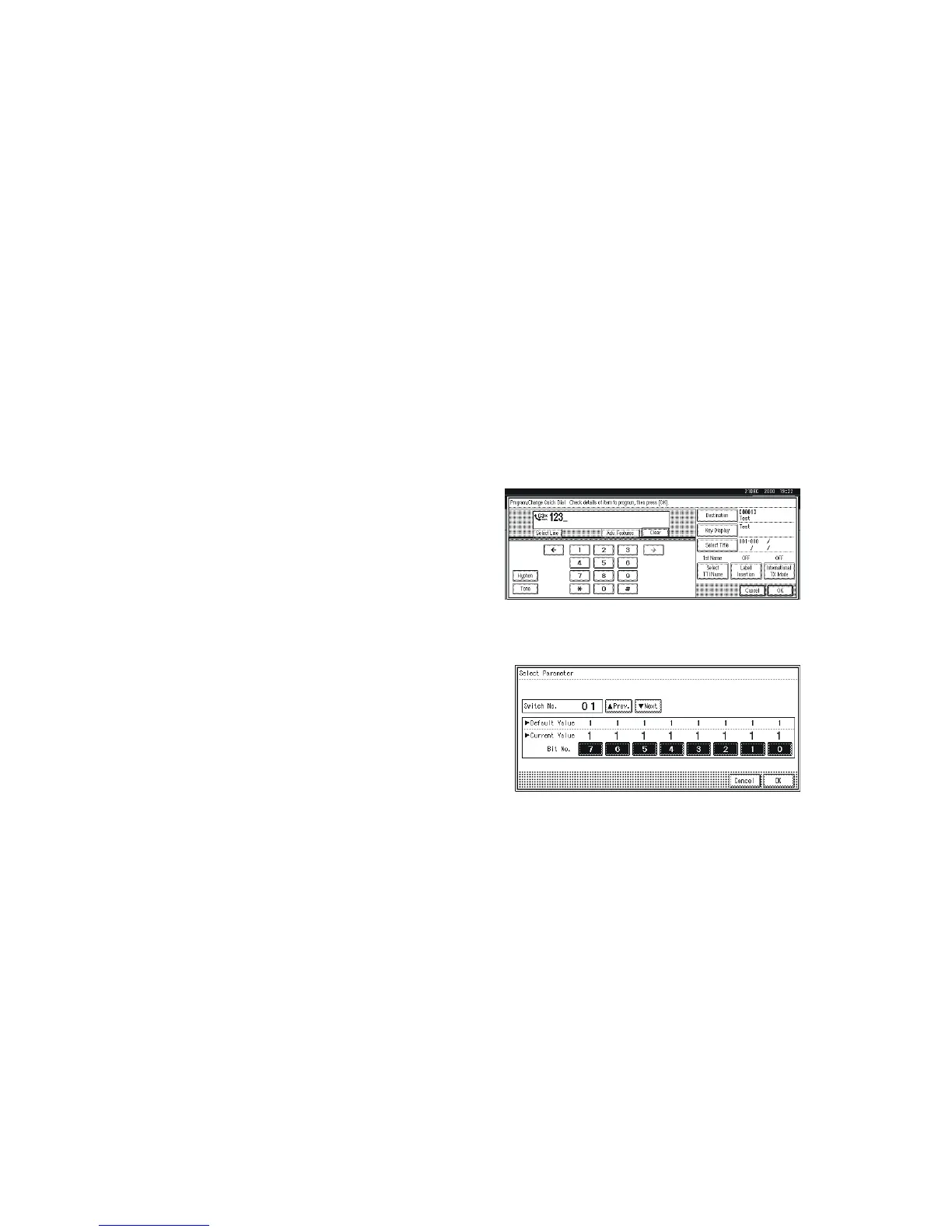
5. When the programmed dial number is
displayed, press "Start".
Make sure that the LED of the Start
button is lit as green.
6. The settings for the switch 01 are now
displayed. Press the bit number that
you wish to change.
7. To scroll through the parameter
switches, either:
8. Select the next switch: press "Next"
or
Select the previous switch: "Prev." until the correct switch is displayed.
Then go back to step 6.
9. After the setting is changed, press "OK".
10. After finishing, reset bit 0 of System Bit Switch 00 to 0.
B547S901.WMF
B547S902.WMF












 To Next Page