NIB (B525)
SM 9 B548
Printer Option
B548
1.5 NIB (B525)
CAUTION
Unplug the main machine power cord before starting the following
procedure.
NOTE: To install the NIB option, the Printer Option must be installed first.
1. Remove the controller board and HDD unit (! 1.2.1).
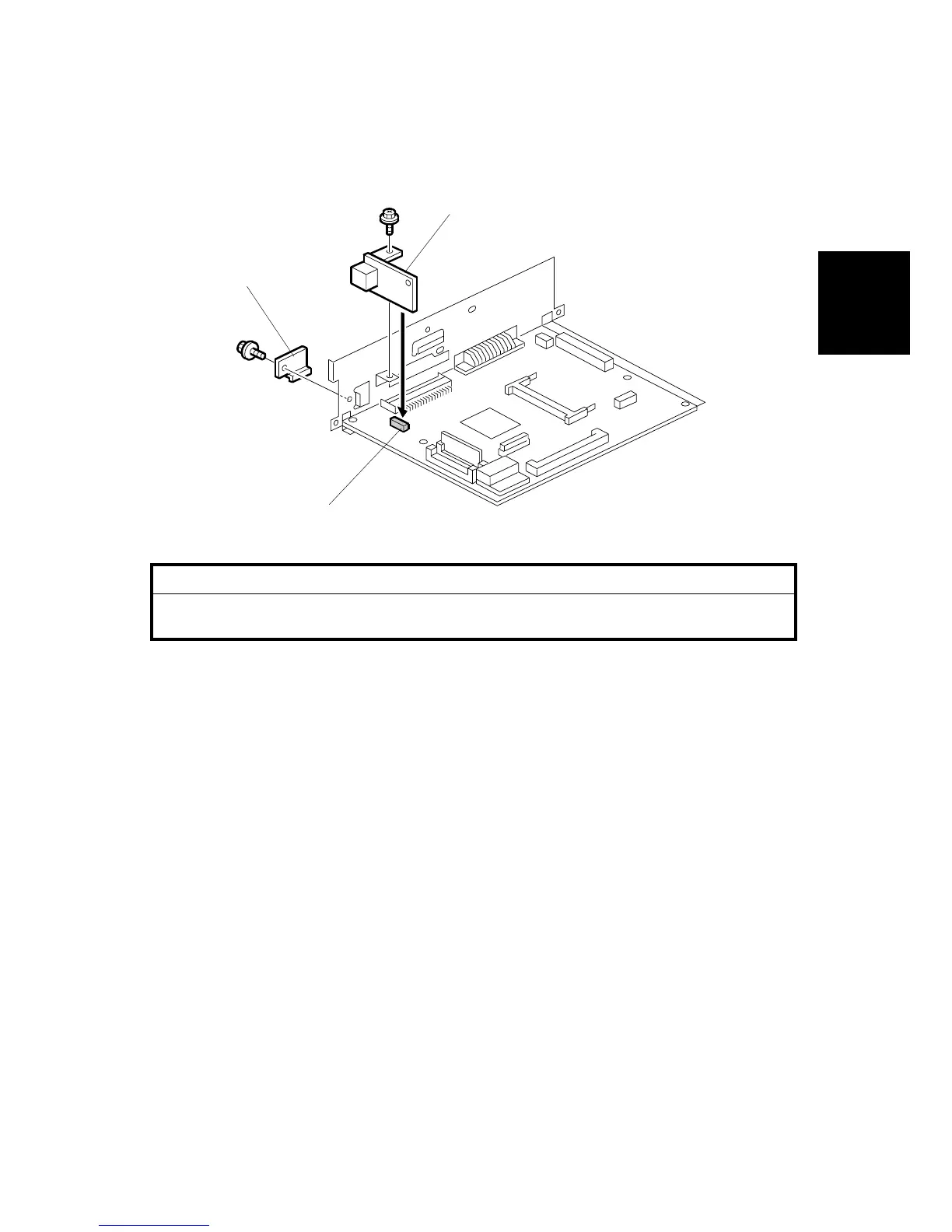
2. Remove the NIB slot cover [A]. Save this screw.
3. Attach the NIB [B] to the slot [C] on the controller board ( x 2).
NOTE: Use the screw removed from the NIB slot cover and one provided
screw.
4. Re-install the HDD and re-install the controller board.
B548I106.WMF
[A]
[B]
[C]












 To Next Page