PRINTER INSTALLATION PROCEDURE
B548 4 SM
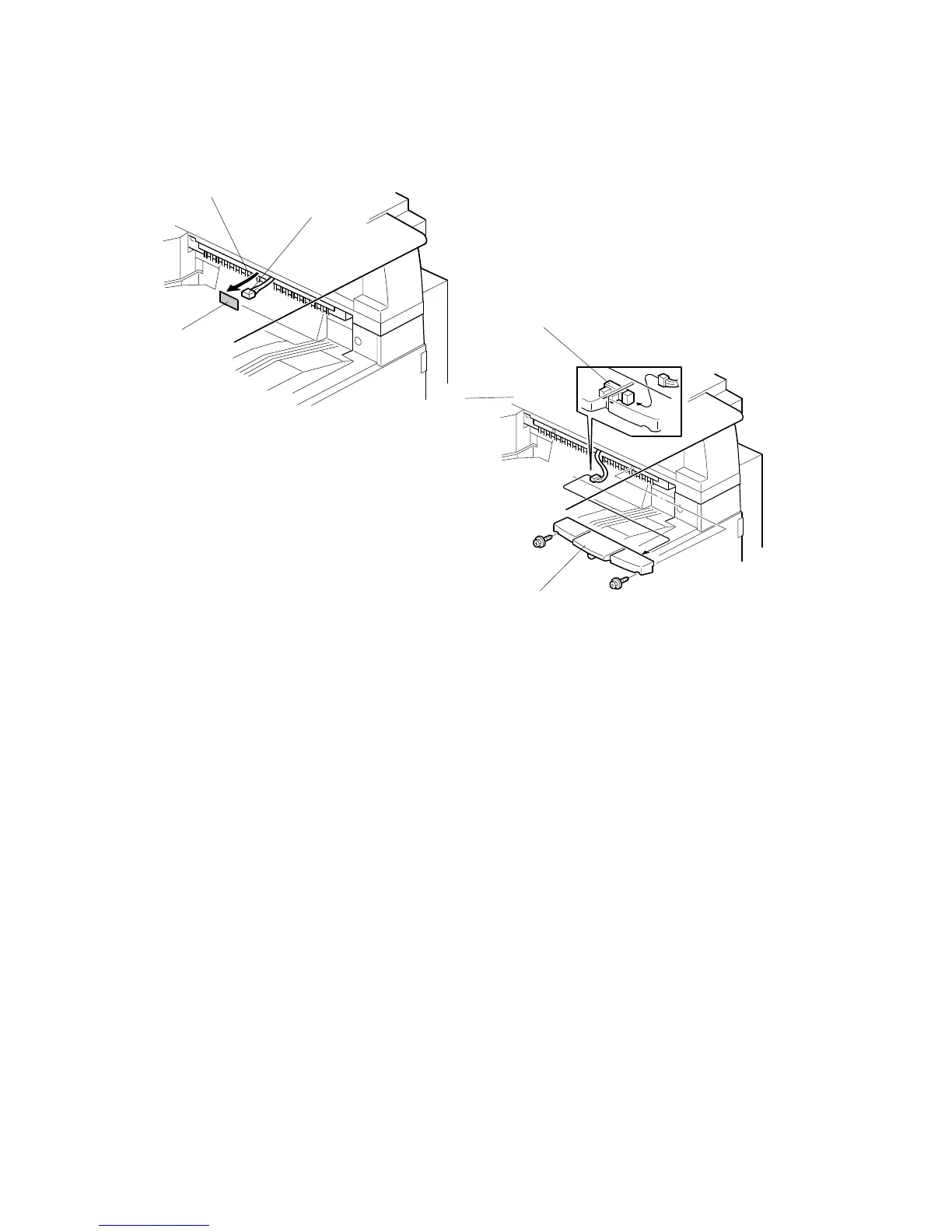
Paper Limit Sensor Installation
NOTE: If the optional bridge unit is installed, you cannot install the paper limit
sensor. Go to the next section.
1. Peel off the black tape [A] from the anti-static brush [B], then pull out the cable
[C].
2. Connect the cable to the sensor [D].
NOTE: Push the connector into the hole so it is not visible.
3. Install the paper limit sensor unit [E] ( x 2).
B548I901.WMF
B548I902.WMF
[A]
[C]
[B]
[D]
[E]












 To Next Page