PRINTER INSTALLATION PROCEDURE
B548 6 SM
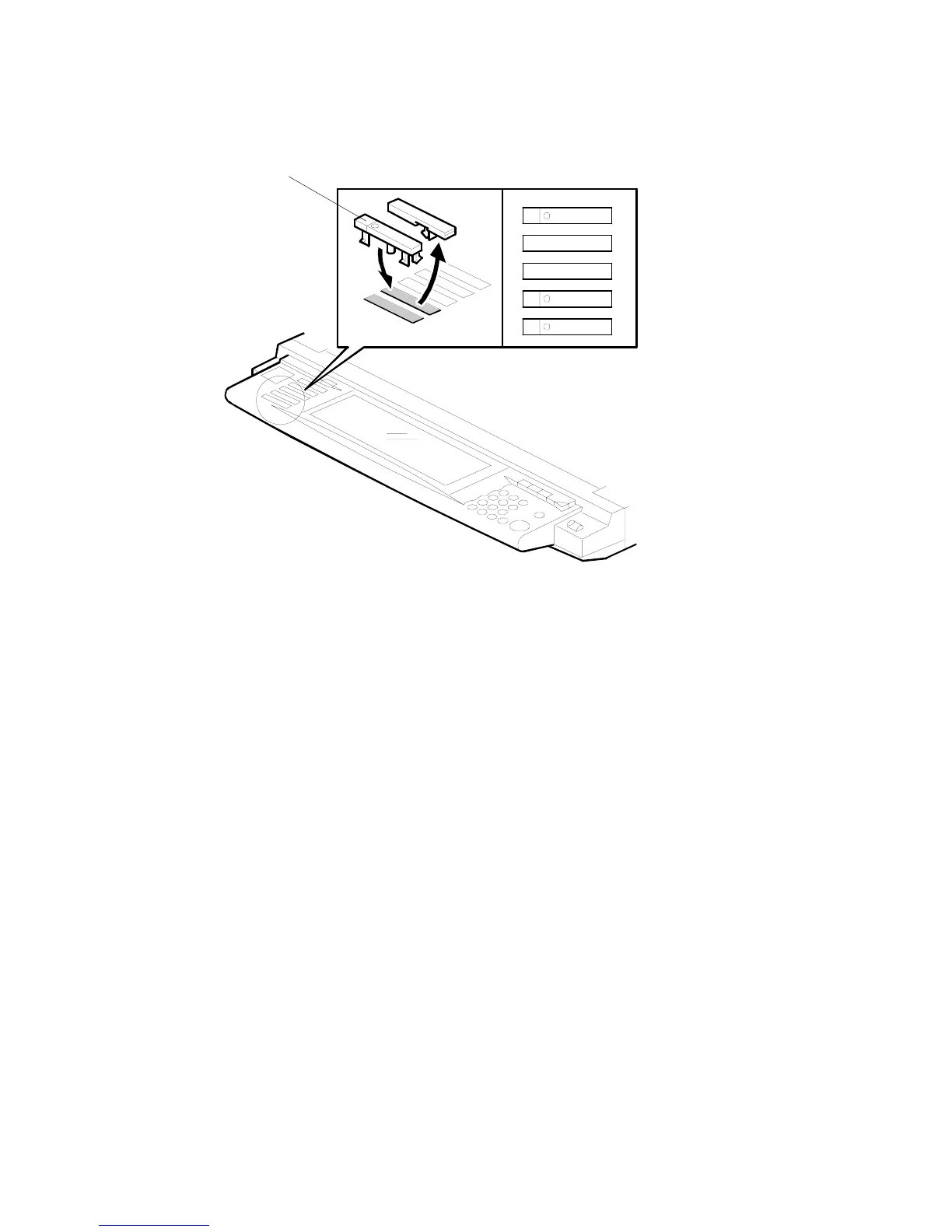
Operation Panel Keytops
1. Remove the bottom cap [A].
2. Install the “Printer” and “Scanner” keys in the 4th and 5th slots.
NOTE: Correct order, reading from top to bottom:
• Copy
• Document Server
• Facsimile
• Printer
• Scanner
3. Do not connect the parallel cable now. Turn the machine on and check Copier
SP mode SP5-907: Plug & Play Name
4. Print out the configuration page to confirm correct installation of the printer
controller (User Tools> Printer Settings> List Test Print> Config. Page)
5. To connect the parallel cable, switch the machine off, connect the cable, then
switch the machine on again.
6. Execute SP5801 10 (Net File Memory Clear).
Scanner
Printer
Copy
B548I905.WMF
[A]












 To Next Page