Paper Tray
Unit B542
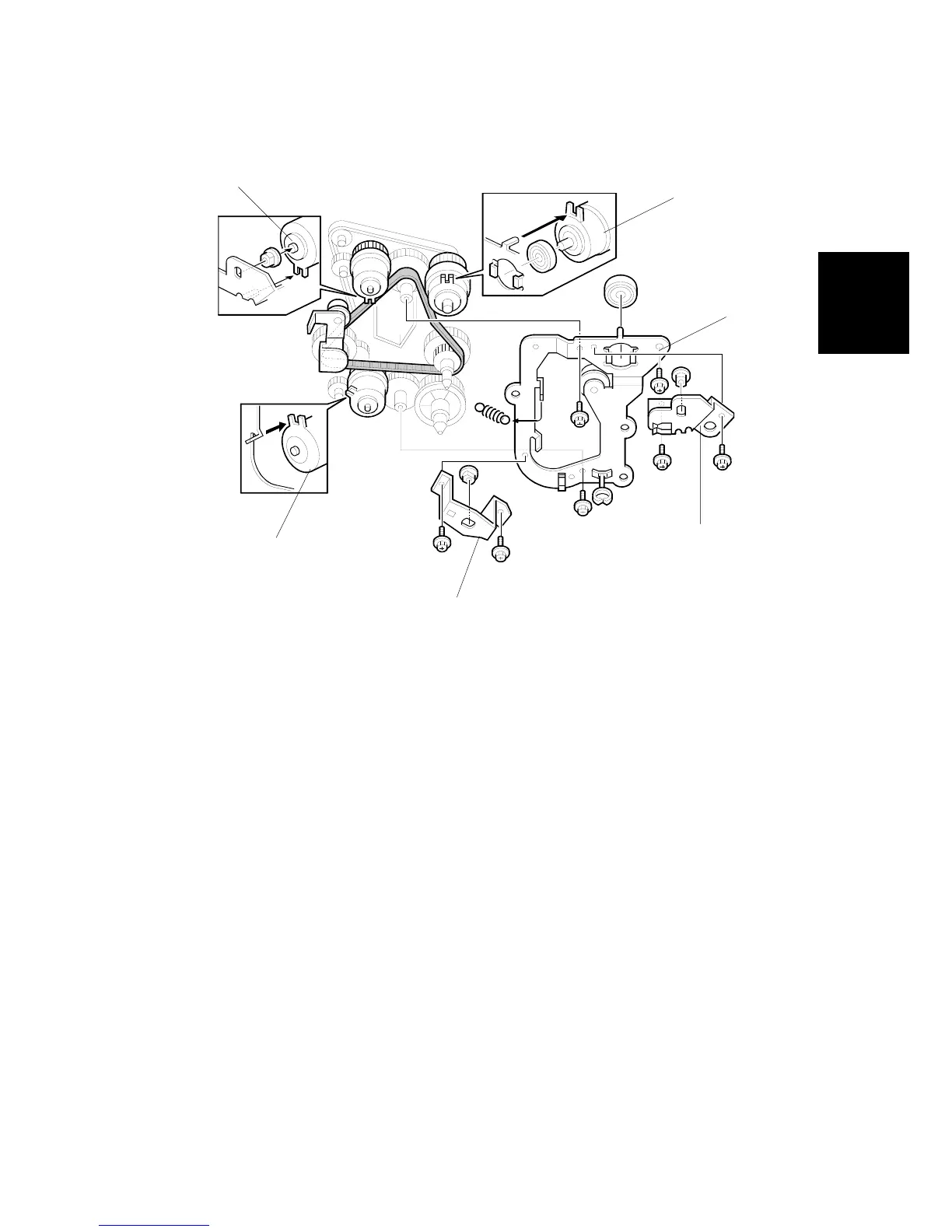
PAPER FEED AND RELAY CLUTCH REPLACEMENT
SM 15 B542
4.4 PAPER FEED AND RELAY CLUTCH REPLACEMENT
1. Remove the rear cover.
2. Remove the upper paper feed clutch holder [A] (2 screws).
3. Remove the lower paper feed clutch holder [B] (2 screws).
4. Remove the gear holder [C] (3 screws, 1 spring, 1 bearing).
5. Replace the relay clutch [D] (1 connector).
6. Replace the upper feed clutch [E] (1 bushing, 1 connector).
7. Replace the lower feed clutch [F] (1 connector).
A682R503.WMF
[A]
[D]
[C]
[B]
[E]
[F]












 To Next Page