DEVELOPMENT
B079/B082 3-38 SM
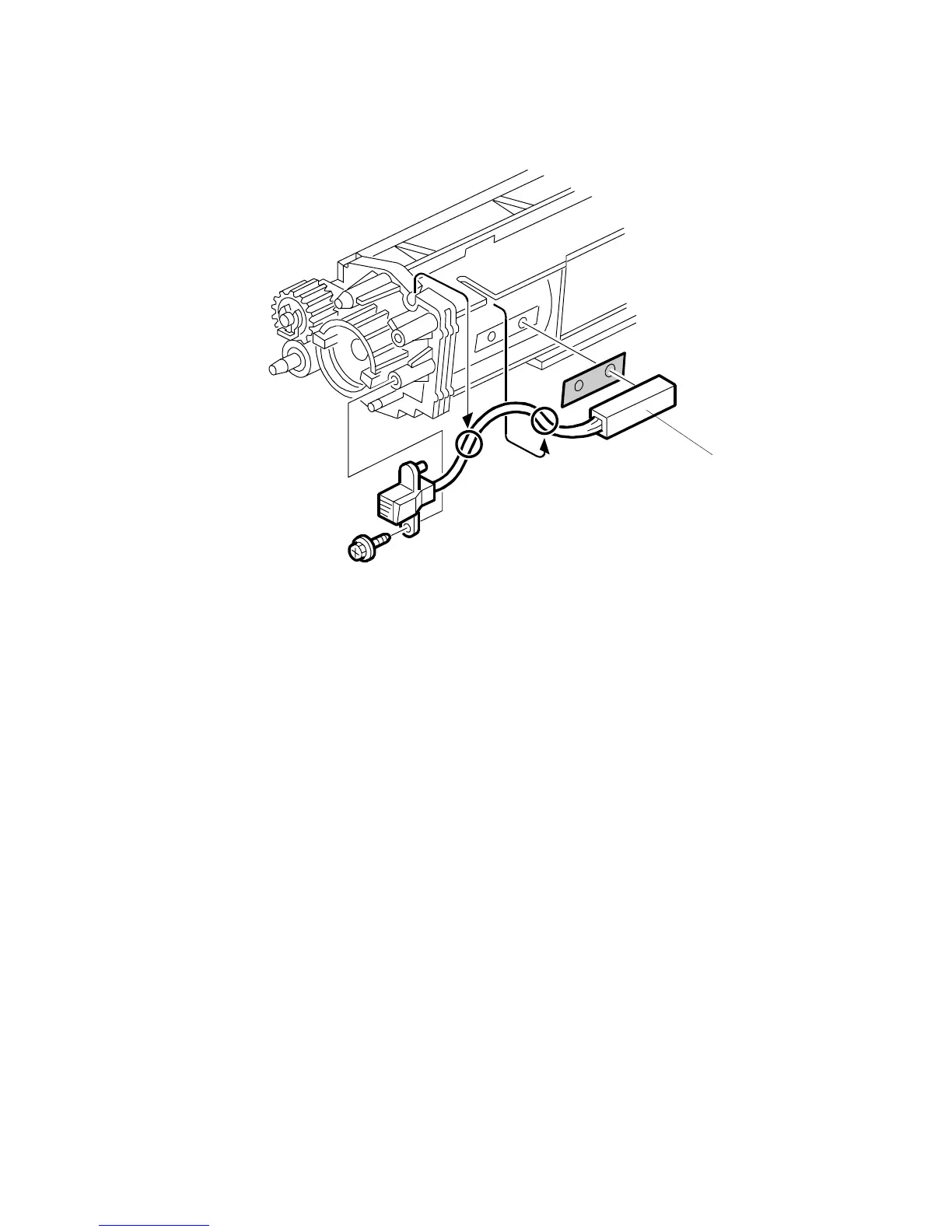
3.12.5 TD SENSOR
1. Remove the development unit (! 3.12.1)
2. Empty all developer from the developer (! 3.12.4)
3. TD sensor [A] ( x1)
NOTE: The TD sensor is attached to the casing with double-sided tape. Pry it
off with the flat head of a screwdriver. Use fresh double-sided tape to
re-attach the sensor.
4. Pour new developer into the development unit and perform the TD sensor initial
setting using SP2-801.
NOTE: When performing the TD sensor initial setting, cover the toner entrance
hole with a piece of paper (! 3.12.4).
B004R975.WMF
[A]












 To Next Page