PRINTER INSTALLATION PROCEDURE
SM 3 B548
Printer Option
B548
1.2.2 PRINTER CONTROLLER INSTALLATION
CAUTION
Unplug the main machine power cord before starting the following
procedure.
1. Remove the controller board. (!1.2.1)
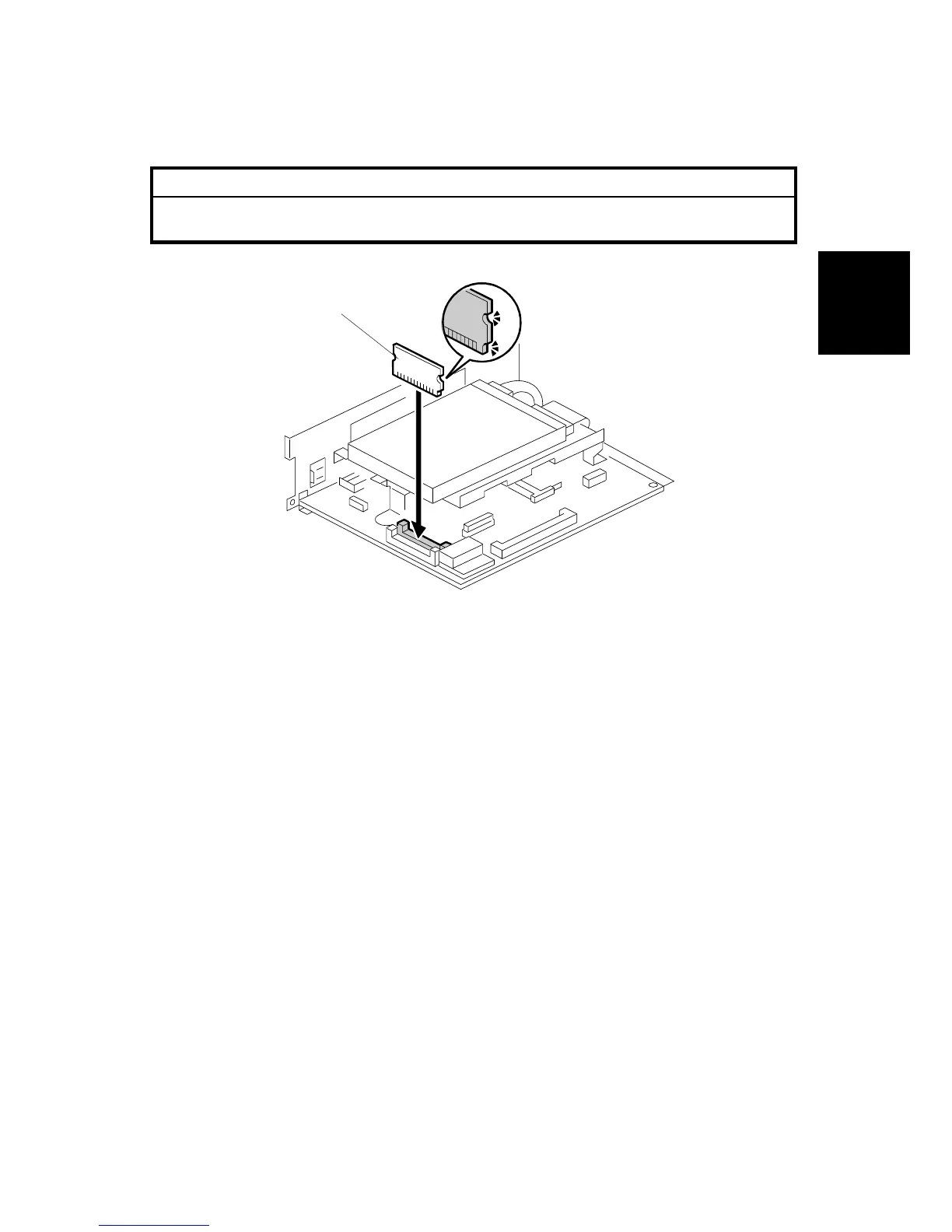
2. Install the printer ROM DIMM [A] in the inside slot of the controller board.
3. Install the NIB packed with the printer/scanner option. (!1.5)
If one or more of the following options are to be installed, you must remove the
HDD and install them before proceeding to the next step:
• Postscript Kit (G354-17)
• 128 Memory Card (G331)
• IEEE 1394 Interface (G336)
• USB 2.0 (B525-01)
• IEEE 802.11b Wireless LAN (B515)
• Bluetooth (G354-04)
B548I110.WMF
[A]












 To Next Page